Don’t panic if you just found your name, address history and relatives on FamilyTreeNow. You can ask for removal yourself, for free, in about 10 minutes. Go to the site’s opt-out page, find your record, open its details, confirm it is yours, click the red opt-out button and approve the email link. The site then asks for up to 72 hours to process it. ⏱️
This guide walks you through each click, shows what to do when a record stays up or returns, and explains what an opt-out does not touch.
TL;DR
- ✅ Use the FamilyTreeNow opt-out page, search your name and state, open your record’s details and click the red opt-out button.
- ✅ Confirm through the link in the email you receive, or the request is not finished.
- ⏳ Allow up to 72 hours, then clear your browser cache and search again.
- 🔁 Repeat the process for every separate record, and send a record’s exact URL through the contact page if it survives.
- ⚠️ Opting out here does not remove you from other people-search sites or from relatives’ listings.
Table of Contents
- What you need before you start (2 minutes)
- How to opt out of FamilyTreeNow, step by step
- How long it takes and how to confirm it worked
- If your record is still there or comes back
- Do you need to opt out for family members?
- What a FamilyTreeNow opt-out does not do
- Next: the other sites that likely list you
- Want this handled for you?
- If you think your identity has been misused
- FAQ
- Sources
What you need before you start (2 minutes)
Have these ready so you do not stall halfway:
- Your full name and the state where you live or have lived.
- Access to your email inbox. The process ends with a confirmation message, so use an address you can open right now.
- A list of other names or addresses you have used. Maiden names, nicknames and old addresses can each produce a separate record.
FamilyTreeNow’s search accepts a name, phone number or address. Its results can show a current address, address history, known relatives, associated phone numbers, aliases, an age or birth year and historical records. That is the full list of things to look for when you check whether a listing is really yours.
A quick tip: open the site in a private browser window. It keeps your search clean, and it makes the later “is it gone?” check more reliable.
How to opt out of FamilyTreeNow, step by step
The steps below follow the official opt-out page. The layout can change, so if a button is labeled slightly differently, follow the page itself.
- Open the opt-out page. Go to familytreenow.com/optout. Type the address in yourself rather than clicking a link in an ad or a forum post. ⏱️ 30 seconds.
- Search for your record. Enter your name and state, then run the search. If you have a common name, add a middle initial or narrow by state. ⏱️ 1 minute.
- Find the right person. Compare age, past cities and relatives to pick out your own entry. Do not opt out someone else’s record by mistake.
- Open the details. Click the details button on your result. ⏱️ 30 seconds.
- Verify it is you. The page asks you to confirm the record is yours.
- Click the big red opt-out button. In a March 2025 reply to a complaint on the Better Business Bureau profile, the company pointed a user to View Details and the Opt Out This Record button. Same route, same button.
- Check your email. A message arrives with a confirmation link. Click it. ⏱️ 1 to 2 minutes. 🚨 Skipping this step is the most common reason people think the opt-out “didn’t work.”
- Write down the date and time. Take a screenshot of the confirmation page. You may need it if you have to follow up.
Check your spam folder if the email has not arrived after a few minutes. If you used a work address with a strict filter, try again with a personal one.
How long it takes and how to confirm it worked
FamilyTreeNow asks you to allow up to 72 hours for an opt-out to be processed. That is three days, not three minutes, so do not refresh the page every hour.
Here is a simple check routine:
- 🕐 Wait the full 72 hours before judging the result.
- 🧹 Clear your browser cache. In a February 2025 reply on its BBB profile, the company said some requests may take longer because it has to verify the requester’s identity, and it advised users to clear their browser cache after requesting removal.
- 🔍 Search again with the same name and state, then try each old address and name variant.
- 🌐 Search your name in a search engine and look for FamilyTreeNow results. Search engines update on their own schedule, so a cached snippet may linger after the page itself is gone. Our guide on what broker removal does to your search results explains why.
BBB complaints from 2025 include reports of delayed removals and trouble with email verification links. That is not a reason to skip the opt-out. It is a reason to keep your confirmation screenshot and follow the escalation steps below if the record stays.
If your record is still there or comes back
Stay calm and work through this list in order.
1. Check that you confirmed by email
No confirmation click, no removal. Search your inbox for the message, click the link, and wait another 72 hours.
2. Look for a second record
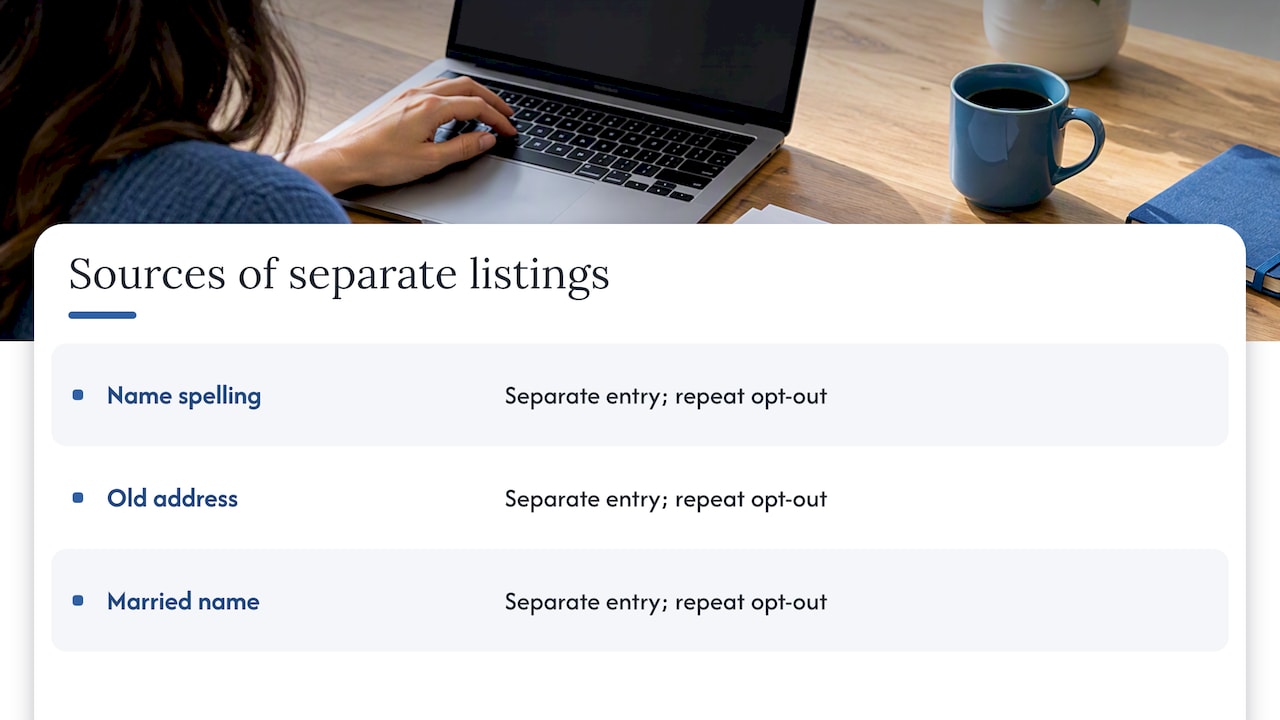
You may have more than one listing. The opt-out page says you must repeat the search and opt-out steps for each record you want removed. A different name spelling, an old address or a married name can each produce its own entry. Repeat the whole process for each one.
3. Send the exact record URL
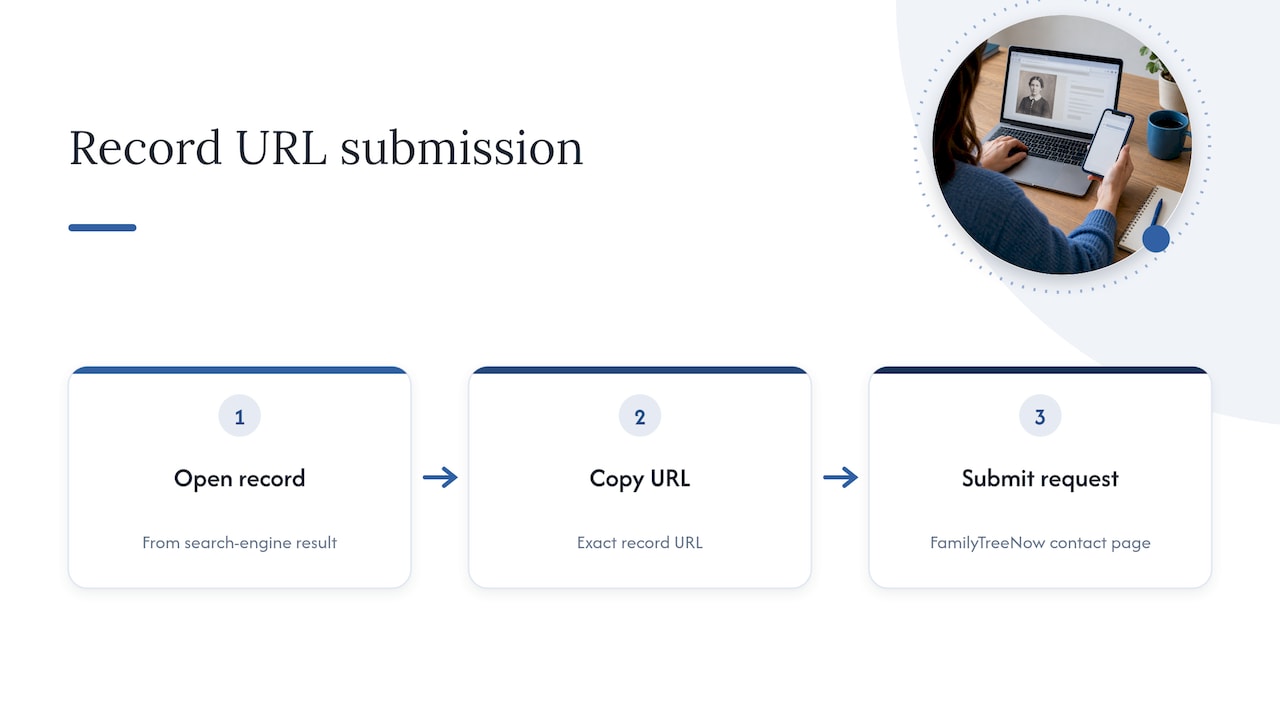
If you find the record through a search engine, open it, copy the URL from your browser’s address bar, and submit it through the FamilyTreeNow contact page. That is the route the opt-out page itself gives for stubborn records. Paste the full URL of the exact record, not just the site’s home page, and say plainly that you want it removed.
A short message works best:
I am requesting removal of the record at [paste exact URL]. I submitted an opt-out and confirmed by email on [date]. Please confirm when the record has been removed.
Keep the message short, polite and specific. Attach your screenshot if the form allows it.
4. If you created an account
People who made an account can view, download or delete their personal data from the account management page. If you ever signed up, log in and check what is stored there.
5. Keep a paper trail
Save dates, screenshots and any replies. If a record keeps reappearing, that history makes every follow-up faster.
Do you need to opt out for family members?
The site lists relatives next to each person, so one household can have several records. A parent, a spouse and an adult child may each show up with the others’ names attached. Each adult should handle their own opt-out, using their own email address for the confirmation step.
The US Army Special Operations Command’s data aggregator opt-out guide, a February 2025 edition, advises people to research records collected about themselves and family members and to repeat the removal for each listing. It also warns that removing information from one aggregator will not necessarily suppress everything, because relatives’ listings may still contain information about you.
If you are a parent, this is also a good moment to think about the data your kids’ devices create. Location data is among the most sensitive kinds, and our partner-style checklist on GPS tracker data privacy covers what families should look at before trusting a tracker with it.
What a FamilyTreeNow opt-out does not do
Be realistic about the result. 🎯
- It does not touch other sites. Your record may exist on many other people-search and background-check sites. Each one has its own opt-out process.
- It does not erase relatives’ mentions. As the Army guide notes, family members’ listings may still contain information about you.
- It does not fix the original source. Opting out removes a listing from this site. It is not a promise about every database.
- It may not be worth “correcting” wrong details. The same guide notes that incorrect information on aggregator sites may not need to be fixed at all. Removal is usually the better goal than correction.
For a clearer picture of what gets removed and what stays, see our breakdown of suppressed data categories.
Our perspective
We test privacy services hands-on with real accounts, and the pattern is the same every time: the opt-out on a single site is the easy part. The hard part is that dozens of sites hold overlapping records, and a record that disappears this month can return later from another source.
That is why we treat a manual opt-out as step one, not the finish line. Do the free work yourself, keep your confirmations, and then decide honestly whether you want to repeat it across every site on a schedule. A well-built data removal service is designed to do that repetition for you, and for many families the time saved is the whole point.
Our rankings are not influenced by affiliate payouts, and we update our reviews monthly, so you can compare removal tools on how they perform, not on what they claim.
TechStackTeam
Next: the other sites that likely list you
FamilyTreeNow is rarely the only listing. Work through the biggest people-search sites while you are in the right mindset. Each of these guides uses the same approach: find the record, submit the request, confirm, then re-check.
- How to opt out of TruePeopleSearch and keep the listing down.
- Remove a FastPeopleSearch listing with the legal steps we tested.
- Opt out of BeenVerified, including an escalation email.
- Remove your PeopleFinders listing in about five minutes.
- Our Spokeo removal action plan covers one more major name.
Then close the loop on the things search results leak. Follow our three-step guide to remove your phone number online, and learn how to remove personal information from Google Search when a page is gone but a result lingers. For a start-to-finish overview, read how to remove yourself from the internet. If you want to send a direct deletion request to a company, use our personal data deletion action plan.
Want this handled for you?
Doing every opt-out by hand takes hours, and each one needs a re-check. If you would rather not repeat the work, we compare data removal tools side by side and rank them on tested performance. Start with our guide on whether a data removal service is worth it, then see the alternatives we reviewed for automated opt-outs and pick what fits your budget and your family.

You can also browse everything we have tested at TechStackToday.
If you think your identity has been misused
A listing on a people-search site is not identity theft. But if you see accounts, charges or credit entries you did not create, act now. 🚨 The FTC’s IdentityTheft.gov recovery steps for the United States say to:
- Contact the fraud departments of the affected companies, and close or freeze the affected accounts.
- Place a free one-year fraud alert with one credit bureau, and get your credit reports from all three.
- Report the theft at IdentityTheft.gov.
- Consider a credit freeze.
- Document everything, dispute fraudulent accounts and credit-report entries, and contact local police when appropriate.
Once you have done that, our identity protection checklist for adults helps you lock down what remains, and a password manager makes it far easier to replace weak passwords on every account.
FAQ
Is the FamilyTreeNow opt-out free?
The opt-out process described on the official opt-out page is a search, a details click, a button and an email confirmation. It does not ask you to pay. Be careful with any site or ad that offers to do it for a fee before you have tried the official page.
How long does FamilyTreeNow removal take?
The site asks you to allow up to 72 hours. In a February 2025 reply on its BBB profile, the company said some requests take longer while it verifies the requester’s identity. Clear your browser cache before you re-check.
Why is my record still showing after I opted out?
The usual causes are a missed email confirmation, a second record under another name or address, or a cached page. Confirm by email, repeat the process for each record, and if one persists, copy its exact URL and send it through the FamilyTreeNow contact page.
Does opting out remove me from other people-search sites?
No. Each site keeps its own data and has its own opt-out. The Army’s aggregator guide also warns that removing information from one aggregator will not necessarily suppress everything, since family members’ listings may still mention you.
Sources
- Opt Out, FamilyTreeNow.com
- FamilyTreeNow.com home and search page
- Removal Info, FamilyTreeNow.com
- FamilyTreeNow.com complaints, Better Business Bureau
- IdentityTheft.gov recovery steps