Don’t panic. Getting your name off Instant Checkmate is free, and you can start it in about 20 minutes. Instant Checkmate says it gives you two ways to remove your background report information: an online opt-out request or a mail-in request. This guide walks you through both, shows what to prepare, and tells you what to do if the listing doesn’t go away. ⏱️
TL;DR
- ✅ Use the company’s online opt-out request or its mail-in option. Both are free and both are on its own site.
- ✅ Public Data (the record that appears in reports) and User Data (what the company collects from site visitors) are handled as separate requests.
- ⏳ Removal of public records data generally takes up to 48 hours to take effect, so check back after two days.
- ⚠️ Opting out here does not remove you from other data brokers. Each one needs its own request, or a bulk tool.
- 🔁 If your data returns or the request is ignored, contact customer care and keep your confirmation records.
Table of Contents
- What you are actually removing
- What to prepare before you start
- How to opt out online, step by step
- The mail-in option
- Your state-law options
- How to confirm it worked
- If your information is still there or comes back
- Opting out here does not clean up the rest
- Want the whole list handled for you?
- FAQ
- Sources
What you are actually removing
Before you click anything, know that Instant Checkmate describes two different kinds of data. Public Data is publicly available information featured in reports. User Data is information the company collects from users, including email addresses, IP addresses and pages visited.
The company treats them separately because the type of data, how it is obtained and used, and the legal obligations are different. That is why one form doesn’t always fix everything.
| Public Data | User Data | |
|---|---|---|
| What it is | Information from public sources shown in background reports | Information collected from people who use the site |
| Examples | Name, age, address history, possible relatives | Email address, IP address, pages visited |
| Who it concerns | Anyone who appears in a report | Anyone who visited or used the site |
| What you request | Suppression of your record | Deletion (or correction) of your data |
Most people reading this want the first row: they searched their own name, found an address and phone number, and want it gone. Start there. Handle User Data second, only if you ever created an account or want your site activity deleted.
What to prepare before you start
Get this ready first so you finish in one sitting. 🕐 About 5 minutes.
- A working email address. You will need to confirm the request from your inbox. Use one you can open right now.
- Your record’s details. Search your own name on the site and note the exact listing: full name, age, city, and any addresses shown. If you have a common name, several records may match.
- Your identifying information. The company says it requires identity verification before processing requests and may deny a request if it cannot verify who you are. Have your full legal name and current or past addresses to hand.
- A list of variations. Maiden names, middle initials and old addresses often create separate listings. Write them down so you can check each.
- A screenshot of the listing. Take one before you submit. It becomes your “before” proof.
How to opt out online, step by step
The fastest path is the online request. 🕐 About 20 minutes including the email confirmation.
- Find the privacy or removal page. Go to the Instant Checkmate site and use the privacy or opt-out link in the footer, or go directly to the company’s page on removing your information.
- Choose the right request type. Pick the public records option if you want your listing out of reports. Pick the User Data option if you want your account or visit data deleted.
- Fill in the Privacy Center form. The Privacy Center is where requests are submitted. Enter your name, email and the identifying details it asks for. Filling out the form with identifying information is also how you keep your name from appearing as a possible relative or associate in other people’s reports.
- Select the correct profile. If the tool shows several matches, choose the one that is truly you. Selecting the wrong person can delay your request or remove someone else’s data instead of yours. Submit again for each extra listing.
- Complete any CAPTCHA. Expect a quick human check.
- Confirm by email. Open the message and click the verification link. ⚠️ Don’t skip this. An unconfirmed request usually goes nowhere.
- Save everything. Keep the confirmation page, the email and the date. You may need them later.
Then wait. Removal of public records data from the database generally takes up to 48 hours to take effect.
Common mistakes that stall a request
- Using an email you can’t access, so the confirmation never gets clicked.
- Picking the wrong listing out of several similar names.
- Submitting only the Public Data request when you also wanted User Data deleted.
- Assuming one request covers every listing that mentions you, including those where you appear as a relative.
The mail-in option
If you’d rather not use the online form, or the form keeps failing, the second route is a mail-in opt-out request. The company lists both options on its removal page, and its contact page confirms you can remove report information with an online or mail-in request.
A few practical tips:
- Follow the instructions on the removal page exactly, including the address and what the letter must contain.
- Include the same identifying details you would enter online, so the company can match your record.
- Send it with tracking, and keep a copy of everything you mail.
- Expect it to be slower than the online route. Mail takes days before anyone even opens it.
Your state-law options
Your state may give you more tools. According to the company’s privacy policy, residents of some states have a right to know what personal information is held about them, and the company handles those requests through its Privacy Center.
If you live in California, you have two extra levers:
- Direct request. The California Department of Justice lists Instant Checkmate, LLC as a registered data broker and says consumers may opt out of the sale of their information, or submit CCPA requests, through the company’s website, by email or by phone.
- DROP. The company’s privacy policy says California residents can use the California Privacy Protection Agency’s DROP platform to submit one deletion request sent to registered data brokers, Instant Checkmate among them. If you want many brokers handled at once, this is worth a look.
Outside California, the standard opt-out request above is still your main path.
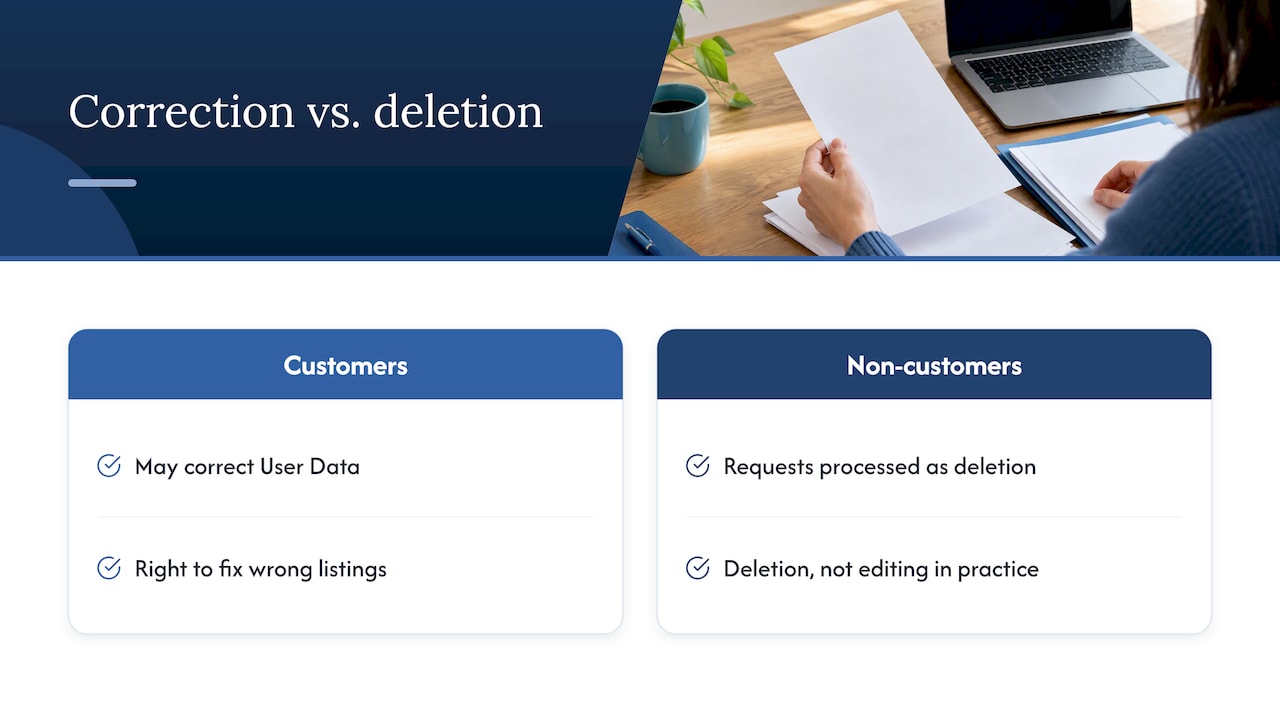
Correction versus deletion
You might think you can just “fix” a wrong listing. The company says it gives users a right to correct their User Data, but for non-customers, those requests are processed as deletion requests. In practice, if you aren’t a customer, plan on deletion, not editing.
How to confirm it worked
Give it 48 hours, then check. 🕐 About 5 minutes.
- Search your full name on the site, plus your city and any older names.
- Look for the old listing. Compare it with your “before” screenshot.
- Check your possible relatives’ pages too. You may still show up as an associate if you haven’t completed the form with your identifying information.
- Take an “after” screenshot with the date visible.
- Search your name in a search engine. Cached pages can linger for a while after the source page is gone. Our guide on what broker removal does to your search results explains why and how long that can last.
Recheck again after a month. Record data can be re-added from public sources, so a clean result today is not permanent.
If your information is still there or comes back
This happens. Work through it in order.
- Check your confirmation email. Did you click the link? If not, redo the request.
- Check the profile match. If you chose a different listing than the one you see, submit a new request for the right one.
- Contact customer care. The company says that if a request isn’t honored or data reappears, you should contact its customer care team, which is set up to handle unresolved issues. Send your confirmation, dates and screenshots.
- Understand what may be kept. After account deletion, the company may retain cached or archived copies as required by law or for legitimate business purposes, such as meeting legal duties, resolving disputes and enforcing agreements.
- Know the limits of any request. The company reserves the right to decline or partially grant requests based on legal exemptions.
- Use your state rights. If you’re in California, file a CCPA request or a DROP request and keep the receipt.
Stay calm and keep records. A dated paper trail is your strongest tool in any follow-up.
Opting out here does not clean up the rest
This is the part many people miss. Removing one listing doesn’t touch other people-search sites, marketing data sellers or public records. A search for your name will likely turn up several more. Each runs its own opt-out process, and the data often returns when brokers refresh from the same public sources.
Your next steps depend on how much time you have:
- Do it yourself, site by site. We have step-by-step guides for removing a listing from a people-search site, handling a common people-finder opt-out, opting out of a search-style listing and removing a white-pages style listing. Our general personal data deletion action plan covers the request letters.
- Hand it off. If you don’t want to do this dozens of times a year, see our take on whether a data removal service is worth it.
- Go wide. Our walkthrough on how to remove yourself from the internet lays out the full order of operations.
One more thing: opting out of a record is not the same as ending a paid membership. If you ever paid for reports, cancel through your account separately, and file the User Data request if you want your account data deleted.
Our perspective
We test privacy services with real accounts, and we’ve seen the same pattern again and again: people-search opt-outs are simple on paper and fiddly in practice. The form takes minutes. The failures come from small things, such as an unclicked confirmation email, the wrong profile selected, or no proof saved.
That is why we push readers toward a routine rather than a one-time fix. Submit the request, save the evidence, check after 48 hours, check again after a month. Our rankings are not influenced by affiliate payouts, and our reviews are updated monthly, so when we say a removal method works, it is based on what we saw, not on what a vendor claims.
For a single broker, doing it yourself is realistic. For dozens, a well-chosen removal service saves hours and keeps the checks going. We built our reviews so you can see which route fits your time and budget before you spend anything.
TechStackTeam
Want the whole list handled for you?
One opt-out is a good start, but your data likely sits on many more sites. We tested and ranked data removal services with real accounts, so you can see how they compare on coverage, rechecks and price before you commit. Start with our guide to how to remove yourself from the internet, then compare the options in our data removal service breakdown.

If you also want to protect your accounts after exposure, our password manager rankings are a quick next step.
FAQ
Is the Instant Checkmate opt-out free?
Yes. The company offers an online request and a mail-in request on its removal page, and the page presents them as options for removing report information. You don’t need to buy a report or a membership to submit a request. Be wary of any page that asks you to pay just to file it.
How long does removal take?
The company says removal of public records data from its database generally takes up to 48 hours to take effect. Check your listing after two days, and again after a month. Cached copies in search engines may take longer to disappear.
Do I need to verify who I am?
Yes. The company requires identity verification before processing requests, and it may deny a request it cannot verify. Use accurate details, confirm through the email link, and select your own profile, not a similar one.
Does opting out remove me from other sites?
No. An opt-out applies to that company’s database only. Other people-search sites, data brokers and public records are separate. California residents can use the state’s DROP platform to send one deletion request to registered brokers, including this one.
What if my information appears again?
Contact the company’s customer care team with your confirmation email, dates and screenshots. Check that your first request was confirmed and matched the right listing. Then repeat the opt-out if needed and recheck regularly.
Sources
- Options to Remove Your Information from Instant Checkmate
- Contact Instant Checkmate Customer Service
- How to Suppress Public Data and Remove User Data
- Instant Checkmate Privacy Center
- Instant Checkmate Privacy Policy
- Unsubscribe From Instant Checkmate Notifications
- California Department of Justice: Data Broker Registration for Instant Checkmate, LLC