Don’t panic. You can remove your individual profile from ZoomInfo yourself, for free, using the company’s official removal form. You enter your email address, full name and phone number, then click the verification link ZoomInfo emails you. ⏱️ Plan on about five minutes.
The form is only the first move. Removal has limits, and your details may sit in other databases too. Below you’ll find the exact steps, what ZoomInfo says it removes and keeps, what to do if the form fails, and how to check the result.
TL;DR
- ✅ Use ZoomInfo’s official removal form. Enter your email, full name and phone number, then confirm by email.
- ✅ Submit a separate request for every email address that may be tied to a profile.
- ⚠️ Removal covers your individual profile, not your employer’s company listing, and it does not erase copies already sitting in customers’ systems.
- ⚠️ Cookie sharing is a separate setting, and ZoomInfo is only one of many data brokers.
- 📩 Keep your confirmation email and recheck in a few weeks.
Table of Contents
- What ZoomInfo has on you, and why it matters
- How to opt out of ZoomInfo: 5 steps
- What happens after you submit
- What removal does and doesn’t cover
- If the form doesn’t work
- How to check it worked
- Is ZoomInfo safe, and what about the lawsuit?
- Our perspective: ZoomInfo is one door among many
- When doing it yourself stops making sense
- FAQ
- Sources
What ZoomInfo has on you, and why it matters
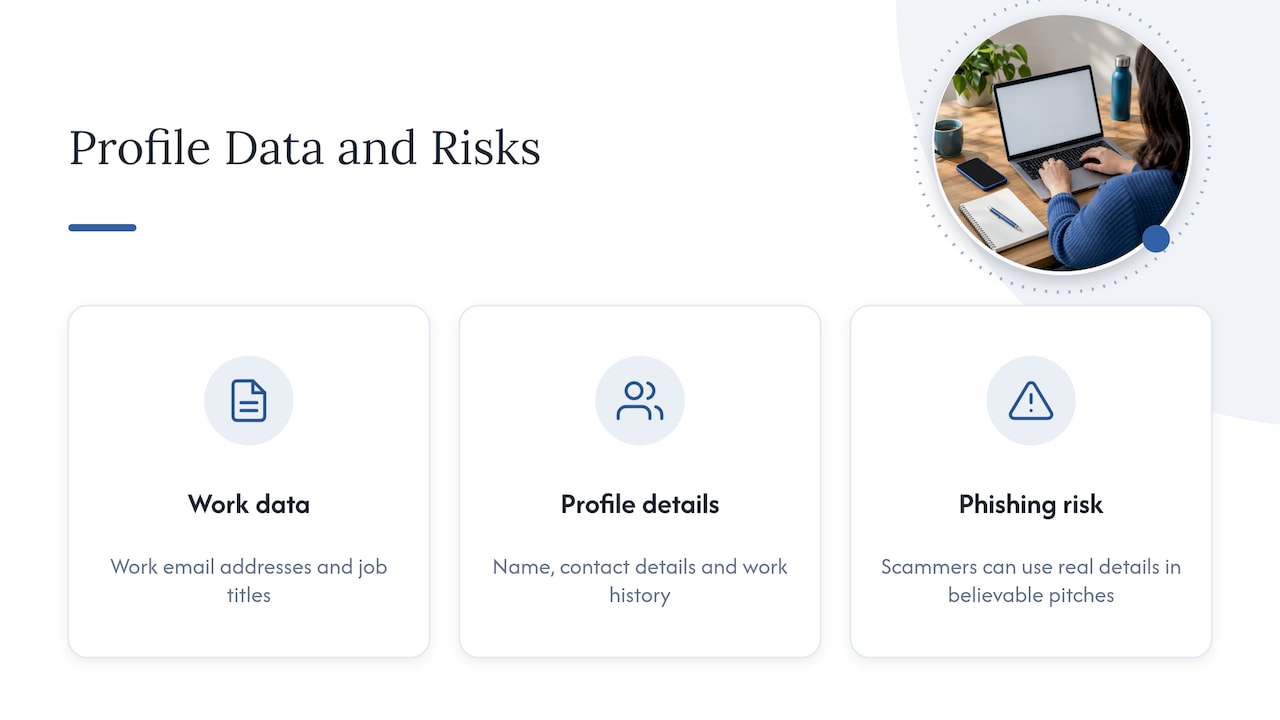
ZoomInfo is a business-to-business data company. Sales teams, marketers and recruiters use it to find people by job title and employer. It is legitimate, not a phishing site, and ZoomInfo says it collects business-related data such as work email addresses and job titles.
According to University of Wisconsin help desk guidance, profiles are mostly professional information. Reported categories include your name, professional contact details, job title, company, work and education history, affiliations and web references.
That sounds harmless until you picture the effects. A public-facing professional email or direct phone number can end up in a stranger’s outreach list. It can also give a scammer a believable pitch: your real title, your real employer, your real boss’s name. That is why we treat this as a privacy cleanup job, even though it isn’t a full identity-theft emergency.
Legitimate does not mean you have to accept it. ZoomInfo itself says individuals can ask to be removed through its public privacy process.
How to opt out of ZoomInfo: 5 steps
⏱️ Total time: about 5 minutes, plus waiting for an email.
- Open the official form. Go to the ZoomInfo removal request page. Type the address in yourself or use the link here. Don’t use a third-party “opt-out” form you found in an email. ZoomInfo’s Trust Center is the official starting point.
- Enter your details. The form asks for your email address, full name and phone number. ZoomInfo says it must verify your identity, and it uses the information you submit for that purpose and to honor your privacy preferences.
- Submit the request. You should get a notice that your request is being processed.
- Click the verification link. Check your inbox, and your spam folder, for the confirmation email. No click, no removal.
- Save the confirmation. Take a screenshot and keep the email. You’ll want it if the profile comes back.
One address per request
If ZoomInfo may hold profiles under different email addresses (for example, a current and a former employer), submit separate requests. Use each work address, your personal address if you’ve ever used it for business, and any old ones you still can open.
What about the sharing question on the form?
Some readers see a prompt asking whether to share their opt-out with other parties. We can’t find official wording in our research that settles exactly what happens after you answer, so read the prompt on the live form carefully before you click. Leave anything you don’t understand unchecked, and email ZoomInfo’s privacy team to ask what it means.
What happens after you submit
ZoomInfo’s own documentation gives a timeline, though it is dated. A May 2023 privacy-process document said automated Privacy Center removals were expected within 24 hours. Requests sent by email or phone were expected within one week of receipt.
The same document explains how it works. The record is suppressed, meaning it’s removed from core products and placed on an opt-out list so customers can identify and suppress it. A customer-facing version of that list can stay available for 30 days.

ZoomInfo’s current privacy policy, published March 3, 2026, names the Trust Center as the quickest route for access, correction or deletion requests. Treat the 2023 timelines as a guide, not a promise. Give it a week, then verify.
What removal does and doesn’t cover
This is where most people get tripped up. Here is the plain version.
| Question | Answer |
|---|---|
| Is your individual profile removed from ZoomInfo’s products? | Yes, once processed, per ZoomInfo’s privacy page. |
| Does it remove your employer’s company listing? | No. ZoomInfo says removing an individual profile does not remove business or company information. |
| Does ZoomInfo keep anything? | Limited information, to process your request, meet legal obligations, keep a record of the request and help prevent re-adding. |
| Does it opt you out of cookie sharing? | Not automatically. Use ZoomInfo’s Cookie Settings separately. |
| Does it erase copies customers already saved? | Not necessarily. Customers may hold data under their own lawful basis, per the 2023 process document. |
Two practical takeaways:
- Your concern is your own email or phone? Request individual-profile removal. That is what the form does.
- Your concern is the company’s listing? The removal form won’t fix it. ZoomInfo says business information generally remains and may need correction or updating instead.
If the form doesn’t work
🔧 Try these in order:
- Retry in a different browser, with extensions off.
- Email privacy@zoominfo.com with your full name, the email address(es) and phone number you want removed, and a clear request to remove your individual profile.
- Call (833) 901-0859, a number given in ZoomInfo’s process documentation.
- Write to the mailing address listed in the policy. A 2025 version of the policy lists ZoomInfo, Attn: Privacy, 805 Broadway, Suite 900, Vancouver, WA 98660, and phone 360-718-5630. Check the current policy before you mail anything, because addresses change.
In the 2023 document, email and phone requests were expected within one week of receipt. Keep copies of everything you send.
Judges and other protected state employees
If you’re covered by a law such as New Jersey’s Daniel’s Law or Oklahoma’s Judicial Security and Privacy Act, ZoomInfo directs expedited requests to stateremoval@zoominfo.com. Eligibility depends on the state law and your protected status. Everyone else should use the standard Trust Center form.
How to check it worked
⏱️ Set a calendar reminder for 7 days out, then another for 60 days.
- Search your name plus your employer in a search engine and look for ZoomInfo results.
- Check whether the sales or recruiting emails to your work address have stopped.
- If a profile reappears, reply to your original confirmation email or contact privacy@zoominfo.com with the dates and screenshots.
- Remember that search engines cache pages. A stale snippet can linger after the profile itself is gone.
ZoomInfo describes suppression controls meant to keep an opted-out record from returning. But data can come from multiple sources, so a recheck is cheap insurance.
Is ZoomInfo safe, and what about the lawsuit?
It’s a real company running a real opt-out process, so the removal form is not a trap. The reservations are about how contact data is gathered and sold.
In 2020, AdExchanger reported that Bombora sued ZoomInfo. The complaint alleged that a former tool collected address-book contacts without notice or a chance to opt out. ZoomInfo called the claims meritless. That was an allegation in a dispute, not a finding of liability.
We also won’t take ZoomInfo’s own compliance claims as independent verification. The Wisconsin guidance mentions complaints and lawsuits too. The sensible stance: use the official opt-out, and don’t assume it solves your whole exposure.
Our perspective: ZoomInfo is one door among many
We test data removal and privacy services hands-on with real accounts, and we don’t take paid rankings. One lesson keeps repeating: a single opt-out feels like a win, but your information lives in dozens of places.
Professional contact data is only one layer. People-search sites hold home addresses, relatives and phone numbers. Those carry different risks, such as stalking, doxxing and tailored phishing. If you care enough to remove your ZoomInfo profile, you should also check the consumer-facing brokers.
Here is how we’d sequence it:
- Do the ZoomInfo removal today, since it takes five minutes.
- Remove the high-exposure people-search listings next. Our walkthroughs cover Whitepages, PeopleFinders and Spokeo.
- Use our personal data deletion action plan to send removal requests in your own name.
- Know what you’re asking for. Our guide to suppressed data categories explains what gets removed and what doesn’t.
- Lock down the accounts a scammer would target next. A password manager with unique passwords limits the damage if a sales-list email is used to phish you.
An opt-out is not identity-theft protection. It shrinks the supply of data, and that is worth doing, but it won’t undo a breach or freeze your credit.
— TechStackTeam
When doing it yourself stops making sense
Manual opt-outs work. They’re also repetitive: every broker has its own form, its own verification step and its own chance to re-list you. Doing one broker takes minutes. Doing dozens, then rechecking them, takes real time.
If that’s you, a paid removal service may be worth it. We review them with real accounts and rank them on results. Start with Is a Data Removal Service Worth It for Your Privacy?, then see our full guide to removing yourself from the internet. Our privacy tools comparison checklist helps you compare options on the criteria that matter. If you’d rather browse everything we’ve tested, our homepage lists every review.
FAQ
How do I remove my info from ZoomInfo?
Use ZoomInfo’s official removal form. Enter your email, full name and phone number, submit, and click the verification link in your email. Once processed, ZoomInfo says your individual profile is no longer available in its products.
Does opting out remove my company’s listing?
No. ZoomInfo says removing an individual profile does not remove company information. If the issue is your employer’s listing, you may need to ask about correcting or updating it rather than removing it.
How long does ZoomInfo removal take?
ZoomInfo’s 2023 documentation expected automated Privacy Center removals within 24 hours and email or phone requests within one week. That document is old, so allow about a week, then search for your profile again. If it persists, email privacy@zoominfo.com.
Will my profile come back?
ZoomInfo says it keeps limited information to help prevent your profile from being re-added. Data can still come from several sources, and customers may have saved copies. Keep your confirmation email and recheck after 7 and 60 days.
Can ZoomInfo be trusted?
It is a legitimate business-data company, and its opt-out process is public. It has also faced legal disputes, including a 2020 lawsuit alleging a former tool collected contacts without adequate notice, which ZoomInfo disputed. Use the official form, but don’t treat the company’s own statements as independent proof that your data is gone.
Sources
- ZoomInfo removal request form
- ZoomInfo Trust Center: Your Privacy
- ZoomInfo notification and privacy-management process document (May 2023)
- ZoomInfo Privacy Policy
- ZoomInfo FAQ: Is ZoomInfo legal?
- University of Wisconsin help desk: ZoomInfo and how to opt out
- AdExchanger: Bombora sues ZoomInfo