Yes, you can remove your listing from TruePeopleSearch. Submit their free opt-out form, verify your email, and the listing comes down. But that’s where the good news ends: it only removes the entry from TruePeopleSearch’s own site. The public records feeding it stay put, and other data brokers can still show the same details. Expect confirmation emails, and don’t be surprised if your name resurfaces in a few months.
TL;DR:
- Removing your listing from TruePeopleSearch only deletes it from their website, but public records and other broker sites will still display your information.
- The opt-out process requires precise details and must be completed promptly to prevent verification link expiration and repeated efforts.
- Listings can reappear months later due to public records and independent data brokers refreshing their databases, not because of failed removal attempts.
- Monitoring your search results monthly for three months and keeping a removal log helps track reappearances and determine if additional action is needed.
- Paid removal services are helpful if you have multiple listings across various sites, but for few entries, DIY opt-outs are usually sufficient and more cost-effective.
Table of Contents
- What You Need Before You Start Your TruePeopleSearch Opt Out
- How Do You Submit a TruePeopleSearch Removal Request?
- Why Your Listing Might Come Back After You Opt Out
- How to Track Reappearing Listings Over Time
- Is a Paid Removal Service Worth It Instead of DIY?
- What Techstacktoday Recommends for Removing Your Listing
- Where to Go Next for Full-Scale Privacy Cleanup
- Sources
What You Need Before You Start Your TruePeopleSearch Opt Out
Gather everything up front and this takes ten minutes instead of thirty. TruePeopleSearch’s removal form pulls exact matches, so a typo in your city or a nickname instead of your legal name can stall the whole process.
Before you open the removal page, have these ready:
- A working email address you can check right now. The verification link doesn’t wait around.
- Your exact name, city, state, and phone number as they appear on the listing, not how you’d prefer to see them.
- The listing URL or a screenshot for every duplicate you find. Most people have two or three.
- A backup contact method. If the form glitches, TruePeopleSearch’s help center lists a phone line at 888-838-4803 and a privacy-request page as fallback.
One detail trips people up constantly: if you’ve moved in the last few years, you likely have multiple listings tied to old addresses. Search your name and city together before you start, and note every URL. You’ll need to opt out of each one separately.
How Do You Submit a TruePeopleSearch Removal Request?
The process is short, but the timing matters more than the steps themselves. Here’s the sequence:
- Go to truepeoplesearch.com/removal, or find the “Do Not Sell or Share My Personal Information” link in the site footer. Either path lands you on the same short form.
- Enter your full name and an email you can open immediately. TruePeopleSearch sends a verification link, and according to Incogni’s removal guide, that link tends to expire in about 24 hours.
- Click the verification link the moment it arrives, then complete the full opt-out form with the exact listing details: name, age range, city, and state as shown on the profile.
- Submit and watch your inbox. You should get a confirmation message acknowledging the request.
- If the link expires or the CAPTCHA fails, don’t restart from scratch. Call the support line or send a direct privacy request instead.
If the form won’t cooperate, a short email works better than fighting a broken CAPTCHA. Try something like: “I am requesting removal of my personal information from your database under your published opt-out policy. My listing URL is [paste link]. Please confirm removal by email.” Send it to the privacy contact listed on their contact page.
Pro Tip: Complete the entire form the same day you request the verification email. Waiting even a day risks the link expiring, and you’ll have to start the request over.
On timing, don’t expect instant results. You’ll typically get a confirmation email fairly quickly, but the actual listing can take a few days to disappear, and Google’s cached version may lag even longer behind that.
Why Your Listing Might Come Back After You Opt Out
Opting out feels like closing a door, but it’s more like drawing a curtain over one window. TruePeopleSearch’s privacy policy is explicit about this: removing a listing takes it off their site, but it does nothing to the public records underneath it.
Here’s what stays out of reach no matter how many opt-out forms you file:
- Property records, court filings, and voter registration data live with government agencies, not TruePeopleSearch. The company can’t delete what it never created.
- Other data brokers scrape the same public sources independently, so removing one listing doesn’t touch the other dozen sites that might carry your information.
- Re-ingestion happens on a schedule. TruePeopleSearch periodically refreshes its database from those same public sources, which is why a listing you removed in January can reappear by summer.
If you live in California, the CCPA gives you an additional deletion request path with data brokers registered in the state, though eligibility and scope vary and it still won’t touch the underlying government records.
How to Track Reappearing Listings Over Time
Nobody wants to redo this every month, but skipping monitoring is how people end up right back where they started. A light schedule beats obsessive checking.
- Search your own name on TruePeopleSearch monthly for the first three months after your initial opt-out, then drop to a quarterly check once things stay quiet.
- Set a Google Alert for your name plus your city. It catches reappearances on other broker sites and flags when cached search results shift.
- Keep a simple removal log with dates, listing URLs, and confirmation emails. When a listing reappears, you’ll know instantly whether it’s a fresh record or a duplicate you already handled.
- Turn on Global Privacy Control in your browser and clear tracking cookies periodically. TruePeopleSearch’s own policy notes that GPC signals reduce data sharing, though it won’t substitute for an actual opt-out request.
Pro Tip: A removal log sounds tedious until the second or third time a listing resurfaces. Then it’s the only thing that tells you whether you’re dealing with a new record or an old one that snuck back in.
Is a Paid Removal Service Worth It Instead of DIY?
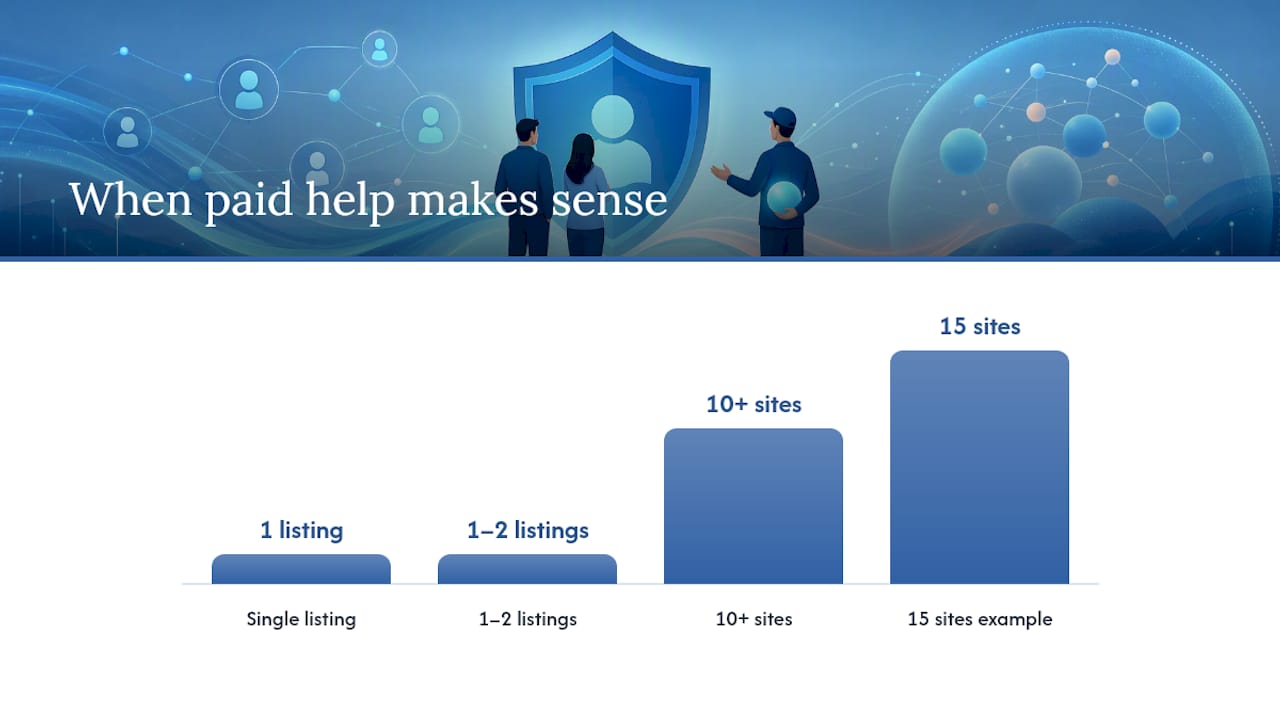
Paid data-removal services submit opt-out requests across dozens of brokers at once, then monitor and resubmit on a recurring schedule. For someone with a single TruePeopleSearch listing, that’s overkill. For someone who searched their name and found fifteen broker sites carrying the same address and phone number, it’s a different calculation.
Here’s how to decide:
- DIY makes sense if you’re dealing with one or two listings and have thirty minutes to spare.
- Paid services make sense if you’re recovering from identity theft, you found listings on ten or more sites, or you simply don’t have the bandwidth to track opt-outs across a dozen platforms.
- Either way, temper expectations. Paid services reduce your workload, but they cannot delete public records at the source any more than a DIY opt-out can.
If you’re leaning toward paid help, weigh subscription pricing against a one-time cleanup fee. Subscriptions cover ongoing monitoring; one-time services just clear what’s live today and leave the resubmission work to you.
What Techstacktoday Recommends for Removing Your Listing
Techstacktoday’s hands-on testing across more than 50 privacy services points to a straightforward sequence: opt out of TruePeopleSearch yourself first, since it’s free and takes minutes. Log every confirmation email. Then decide whether ongoing monitoring or a vetted paid service makes sense based on how many listings you actually found.

For readers dealing with multiple brokers beyond TruePeopleSearch, our data broker removal guide for Spokeo walks through a similar process with different form quirks. And if a removal isn’t reflecting in search results yet, our explainer on how broker removal affects search visibility covers why that lag happens and how long it typically lasts.
Why We Keep Telling Readers to Expect Round Two
Removing a TruePeopleSearch listing once is the easy part. What catches people off guard is watching it resurface six months later after a new public record gets filed somewhere. That’s not a failure of the opt-out. It’s how the underlying data pipeline works, and it’s why we push monitoring as hard as we push the initial removal.
— TechStackTeam
Where to Go Next for Full-Scale Privacy Cleanup
TruePeopleSearch is one listing among many. If your name shows up there, it’s worth assuming it shows up elsewhere too, and chasing each one manually gets old fast.

Techstacktoday tested data-removal services the same way we test VPNs and password managers: hands-on, without paid placement skewing the rankings. If you’d rather not spend your weekends filing opt-out forms across a dozen broker sites, our breakdown of whether a paid removal service is worth the cost walks through pricing models and what each tier actually covers. For a wider view of scrubbing your presence off the internet entirely, our guide to removing yourself from the internet covers the sites TruePeopleSearch removal doesn’t touch. And if you want background on how public records shape your footprint in the first place, this digital footprint overview is a useful primer. Start with the free TruePeopleSearch opt-out today, then check our tested service rankings to decide if ongoing monitoring is worth adding.