Start with the ClustrMaps opt-out page if it loads for you. If it does not, switch to Google’s Results About You tool or California’s DROP request right away. Either path stops new distribution of your listing, but it will not erase the public record behind it, so plan on checking back every few months.
TL;DR:
- Submitting the ClustrMaps opt-out form requires exact listing URLs and proof of submission, which must be carefully documented with screenshots and timestamps.
- If ClustrMaps does not load, removing the listing from Google search results or filing a California DROP request can serve as effective alternatives.
- Paid data removal services automate rescans across multiple broker sites but only stop the sale of existing listings, not the underlying public records.
- Listings can reappear after removal because data brokers frequently refresh their databases from public sources, so repeated requests are necessary every few months.
- Regular monitoring through search, alerts, and periodic re-submissions helps maintain control over your public information online.
Table of Contents
- Quick checklist: 4-6 fast steps to submit a ClustrMaps opt-out
- Detailed manual opt-out: find the right listing, avoid match errors, and submit safely
- Using data-removal services: when it’s worth paying and what to watch for
- What to expect after you submit an opt-out: permanence, reappearance, and limits
- If clustrmaps.com won’t load: immediate alternatives and escalation steps
- Monitoring plan: how to verify removal and watch for reappearance
- Recap: the few highest-leverage actions to remove your ClustrMaps listing
- TechStackToday’s perspective and verification note
- Adjacent option: TechStackToday’s data-removal resources and comparisons
- Sources
- FAQ
Quick checklist: 4-6 fast steps to submit a ClustrMaps opt-out
You do not need to read the whole guide before you act. Here is the short version.
- Search your name and city on ClustrMaps and confirm you found the exact listing, not someone with a similar name.
- Open the ClustrMaps opt-out page (or the support email if the form fails) and submit the listing URL along with basic verification details.
- Take a screenshot of your submission and save any confirmation email as proof, noting the date and time.
- If clustrmaps.com will not load, remove the Google search result using Results About You instead.
- If you live in California, file a DROP request through the state’s official portal as a backup or parallel move.
- Set a reminder to check the listing again periodically every few months.
Do this now, not later. The longer a listing sits live, the more time it has to get scraped into other broker sites, and that turns one cleanup job into three.
Detailed manual opt-out: find the right listing, avoid match errors, and submit safely
Before you touch the opt-out form, confirm you have the right person. Search your full name paired with your current city, then repeat the search with any former city or address you have lived at in the past five years. ClustrMaps listings sometimes group old and new addresses together, so a partial match can point you to the wrong record or miss part of yours.
Once you find the listing, copy the exact URL. This single detail cuts down on match errors more than anything else, because it tells the opt-out system exactly which record to pull instead of asking it to guess.
- Use the listing URL whenever the form allows it, rather than typing your name and address from scratch.
- Provide only what the form actually requires. Skip optional fields like phone number or email unless they are marked required.
- Watch for CAPTCHA steps or an email confirmation link. If the confirmation email does not arrive within a few hours, check your spam folder before resubmitting.
- If you resubmit, note the time of both attempts so you are not confused later about which one went through.
Pro Tip: Screenshot the submission confirmation screen the moment it appears. Some opt-out forms do not send a follow-up email, so the screen itself becomes your only proof the request was filed.
Recordkeeping matters here more than it feels like it should. Save every screenshot and email in one folder labeled with the date. If the listing reappears later, or if you need to escalate a complaint, that timestamped trail is what makes your case credible.
After a few days, search for the listing URL directly to see if it now returns an error or a “removed” message. Check a cached version through a search engine as a second confirmation, and search your name on one or two other major people-search sites, since ClustrMaps sometimes pulls the same source data they do.
Using data-removal services: when it’s worth paying and what to watch for
Doing this yourself works fine for one site. It gets tedious fast once you are dealing with a dozen brokers that all resurface the same information every few months. That is the real argument for a paid removal service: not that it does something you cannot do, but that it repeats the process automatically across many sites instead of you doing it by hand every quarter.
- Check how many broker sites the service actually covers, not just how many it claims to monitor.
- Ask how often it rescans and resubmits opt-outs, since a one-time removal is not the same as ongoing protection.
- Look for clear reporting: a dashboard or email showing exactly which listings were found and removed.
- Confirm the refund policy before you pay, especially for services billed as annual subscriptions.
A paid removal service’s opt-out generally only stops that specific site from selling your existing information; it does not delete the underlying public record, a limit that applies whether you do it yourself or pay someone else to do it.
Be wary of any service promising permanent, universal deletion. No company can guarantee a public record disappears forever, and one that asks for full payment-card details just to opt you out of a single free site like ClustrMaps is worth a second look. Paid tools earn their price when you need broad, automated rescans across many brokers at once, not for a single free opt-out you could finish yourself in twenty minutes.
What to expect after you submit an opt-out: permanence, reappearance, and limits
Set your expectations correctly and this whole process gets a lot less frustrating. An opt-out request generally stops a site from selling or displaying the specific listing you flagged, but it does not touch the public records that feed it in the first place. Those records, voter files, property records, court filings, stay exactly where they are.
That means your information can come back. Data brokers refresh their databases regularly, pulling fresh copies from the same public sources and sometimes from other brokers. A listing you removed in January can quietly reappear in April.
- Treat one opt-out as a single fix, not a permanent solution.
- Expect to repeat the same request every few months if the listing resurfaces.
- Plan for parallel opt-outs on other broker sites, since they often share source data.
If clustrmaps.com won’t load: immediate alternatives and escalation steps
Before you assume the site is down for good, try it from a different browser and a different network, phone data instead of home Wi-Fi, for example. Some outages are temporary or tied to a specific connection.
If it still will not load, do not wait around for it to come back.
- Remove the ClustrMaps result from Google using Results About You, which pulls the search listing even though the underlying page still exists.
- If you live in California, file a DROP request through the state’s privacy agency. Registered brokers must check DROP submissions and process them within 45 days.
- Save screenshots showing the site was unreachable, with timestamps, in case you need to escalate later.
Pro Tip: If ClustrMaps stays unreachable for more than a week and you suspect deceptive practices rather than a simple outage, that evidence trail is what you would hand to the FTC or your state attorney general.
Monitoring plan: how to verify removal and watch for reappearance
Removal is not a one-time task, it is a maintenance habit. Build a light routine and stick to it.
- Recheck the original ClustrMaps listing URL every 30 to 90 days to confirm it stays down.
- Search your name and address on Google every couple of months to catch a fresh crawl before it spreads.
- Set up a Google Alert for your name and current address so new mentions land in your inbox automatically.
- If you are managing removals across many broker sites, consider a paid monitoring service that rescans on a schedule so you are not doing this by hand every time.
Recap: the few highest-leverage actions to remove your ClustrMaps listing
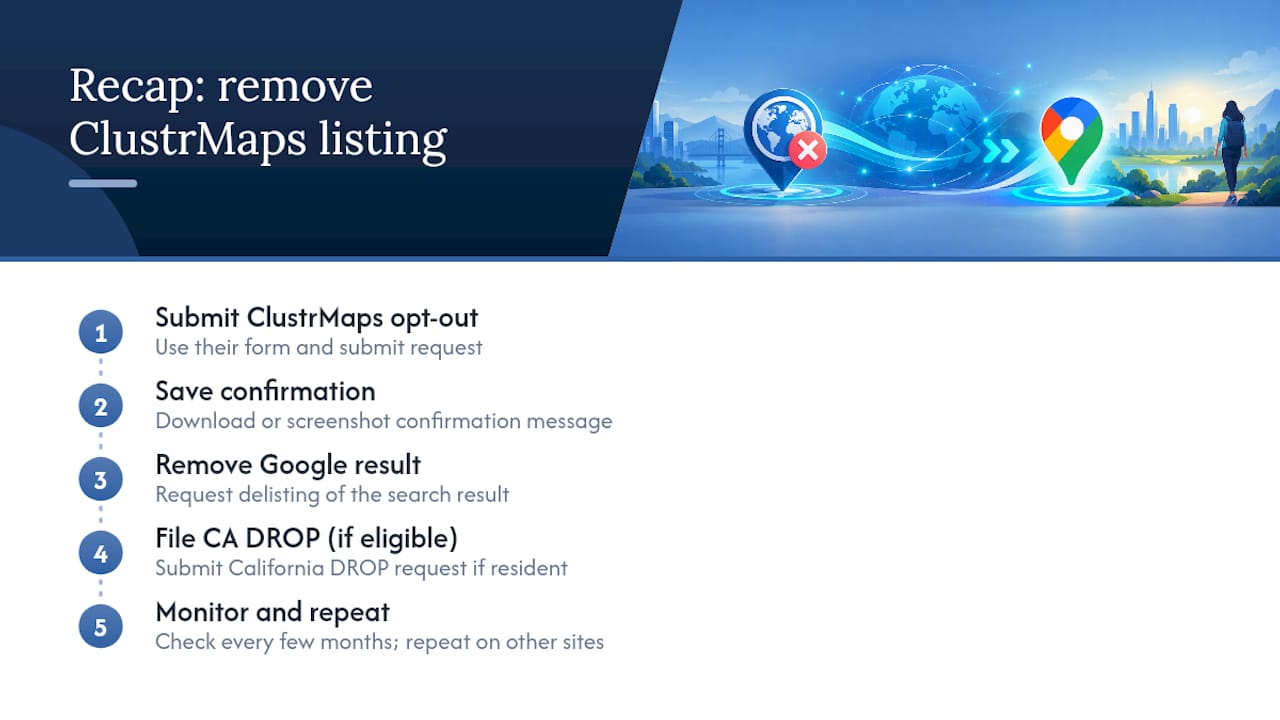
Try the ClustrMaps opt-out form first and save your confirmation. If the site will not load, remove the Google result and file a DROP request if you qualify as a California resident. From there, monitor the listing every few months and repeat the same opt-out process on other people-search sites that carry the same data.
TechStackToday’s perspective and verification note
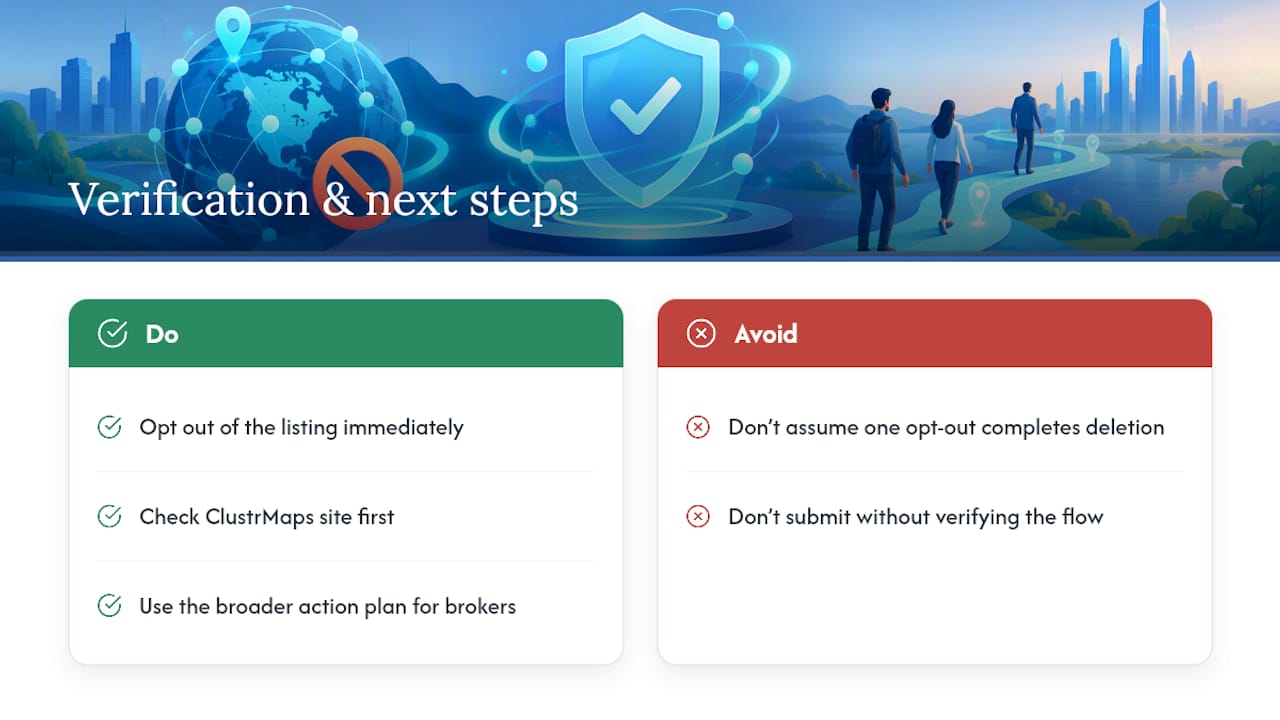
Removing one listing feels like progress, and it is, but it is not the finish line. The same public records that fed ClustrMaps almost certainly feed a handful of other broker sites, so a single opt-out solves a fraction of the exposure.
During research for this guide, clustrmaps.com would not load across multiple attempts, so we could not verify the current live opt-out form firsthand. Check the site directly for its present flow before you submit anything, and treat the steps here as the general path rather than a screen-by-screen match. For a wider view of how removal across multiple brokers actually works, our broader action plan for data deletion requests covers the sequence in more depth.
— TechStackTeam
Adjacent option: TechStackToday’s data-removal resources and comparisons

If ClustrMaps is just one name on a long list of sites showing your address, chasing each one by hand adds up fast. We do not remove your data ourselves in this guide, but we do review and rank the services built specifically to automate rescans across dozens of brokers at once, so a listing that resurfaces gets caught and resubmitted without you having to remember to check.
- Read our analysis on whether a paid removal service is worth it for your situation.
- Compare broader multi-broker strategies in our action plan for requesting data deletion.
- If over-sharing personal details during opt-outs concerns you, this guide to managing your digital footprint explains why sites ask for what they ask for.
Start with our comparison page if you want a service that handles the repeat work for you.
Sources
- What To Know About People Search Sites That Sell Your Information | Consumer Advice (FTC)
- How to Opt Out of ClustrMaps (2026) | Recording Law
FAQ
What happened to ClustrMaps?
ClustrMaps began as a visitor-tracking widget for websites before adding a public address lookup feature that turned it into a people-search style listing site. During research for this guide, the live site could not be reached across multiple attempts, so check its current status directly before assuming a permanent shutdown.
How do you get your information off of ClustrMaps?
Submit the exact listing URL through the ClustrMaps opt-out form if it loads, or contact its support email as a backup. If the site is unreachable, remove the Google search result with Results About You and, if you qualify, file a California DROP request instead.
How is ClustrMaps legal?
People-search sites like ClustrMaps generally compile information already available in public records, social media, and other data broker sources, which is why they can operate legally in most cases. The FTC notes that opting out stops a site from selling your specific listing but does not erase the public records behind it.
What is ClustrMaps?
ClustrMaps is a site that displays visitor location data for websites and has also offered public address lookup listings tied to individual names. Its archived FAQ shows the analytics widget and the people-search listings as related but separate features.