Don’t panic. You can get your listing off AdvancedBackgroundChecks.com for free, and it takes about 10 minutes of your time. You submit a short form, click a link in your email within 24 hours, fill out a second form, and wait for confirmation. The steps are below, along with what the opt-out does not cover and how to stop the listing from creeping back.
TL;DR
- ⏱️ The opt-out is free and starts at advancedbackgroundchecks.com/opt-out. You need your name and an email address, with no account or payment.
- ⚠️ The emailed link expires after 24 hours. If you miss it, start over.
- 🔁 Removal is not permanent. Keep a list of what you submitted and recheck every few months.
- 🧩 One opt-out does not clear relatives’ reports, other people-search sites or government public records.
- 🛡️ If the exposure worries you for identity theft reasons, add search-result removal and a credit freeze.
Table of Contents
- What AdvancedBackgroundChecks has on you
- Before you start: what you need
- How to opt out of AdvancedBackgroundChecks, step by step
- What to expect after you submit
- What the opt-out does not do
- Will your listing come back?
- Remove yourself from the rest of the web
- If you are worried about identity theft
- Do it yourself or pay for removal?
- Our perspective
- Let us do the comparison work
- FAQ
- Sources
What AdvancedBackgroundChecks has on you
AdvancedBackgroundChecks is a people-search site. It assembles profiles on U.S. residents from public records and other sources, then lets anyone search by name, phone or address. A typical profile can show your age, current and past addresses, phone numbers, email addresses and the names of relatives.
That is exactly the material scammers and stalkers look for. If you want the background on how this data is gathered and resold, read our explainer on how data brokers collect, profile and sell information. For the link to fraud, see the role of data brokers in identity theft.
Before you start: what you need
✅ Five minutes of focus. You will finish both forms in one sitting.
✅ An email address you can open right now. The verification link goes there. Many people use a dedicated address or alias, so the removal request is not tied to an inbox they use for everything else.
✅ Your listing details. Know the name, city and age shown on your profile, so you can pick the right record.
✅ A way to track what you did. A simple note with the date, the site and the email used is enough.
One rule of thumb: give the site as little as it needs. Consumer Reports advises minimizing sensitive information you hand to data brokers, and redacting unneeded identifiers on any ID document a broker asks for. Never send a Social Security number or full ID to complete a free opt-out unless you have confirmed it is truly required.
How to opt out of AdvancedBackgroundChecks, step by step
This follows the process described in Recording Law’s guide to the AdvancedBackgroundChecks opt-out, which was published in August 2026.
Step 1: open the opt-out page (1 minute)
Go to advancedbackgroundchecks.com/opt-out. Type the address in yourself rather than following a link from an ad or an email. Lookalike removal pages exist, and some ask for payment you never need to make.
Step 2: choose who the request is for (1 minute)
Select the option stating that you are the subject of the request. Enter your name and your email address, then submit.
Step 3: click the link in your email (within 24 hours)
A message arrives with a link to the full form. ⏰ It works for 24 hours. Check spam if nothing shows up after a few minutes. If the link expires, go back to Step 1 and request a new one.
Step 4: complete the second form (3 minutes)
The second form asks for identifying details so the site can match the request to the right record. Enter only what the form requires. Then submit it.
Step 5: save your confirmation
You should see a confirmation on screen and receive an acknowledgment email. Screenshot the page and keep the email. If you ever need to resubmit, you have proof of the date.
Phone option
Recording Law lists a phone alternative at (855) 240-6392. A phone request does not give you the same email trail, so ask for a reference number and write down the date and the name of the person you spoke with. Phone details can change, so confirm the number on the site’s own opt-out page first.
What to expect after you submit
The site does not remove a record the instant you click submit. Processing takes time, so check your listing again after a week or two. Search your name plus your city on the site to see whether the profile is gone.
If it is still there after a few weeks:
- Pull up your saved confirmation email and note the date.
- Submit the opt-out again, making sure you picked the correct record.
- Try the phone option and keep a record of the call.
- Check whether the site holds more than one profile for you, for example under a middle initial or an old address.
The FTC’s guidance on people-search sites points out that opt-outs may require personal information to verify your identity, and that the request may stop the sale of existing information without deleting the underlying public records. That distinction matters for the next section.
What the opt-out does not do
Be realistic about the limits. This is where most people feel let down.
| Question | Answer |
|---|---|
| Does it remove you from other people-search sites? | No. Each site has its own opt-out. |
| Does it remove your name from relatives’ or neighbors’ reports? | Not necessarily. The FTC warns that information can remain in reports about relatives, neighbors or associates. |
| Does it delete government public records? | No. Court, property and voter records stay where they are. |
| Is it permanent? | Not guaranteed. Information can reappear. |
All of these points come from the FTC’s consumer guidance, which also says information may reappear if public records change.
A note on employment, housing and credit decisions
An opt-out from a people-search site is a privacy step. It is not the same thing as your rights under the Fair Credit Reporting Act. If someone used a background report to deny you a job, an apartment or credit, your rights to see and dispute that report run through a different channel. Ask the employer or landlord which consumer reporting agency supplied the report, then request your file from that agency. For decisions of that kind, speak with a consumer attorney or your state attorney general’s consumer protection office.
Will your listing come back?
It can. People-search sites keep buying and collecting records. If your address changes, a new property record posts, or a data feed refreshes, a new profile can be built. Consumer Reports stresses that removals are not necessarily permanent, and recommends keeping a list of your opt-outs and rechecking periodically. The FTC gives the same advice: check again, and submit a new request if your information shows up.
A simple routine keeps this manageable:
- 📅 Put a recurring reminder on your calendar every three months.
- 🔍 Search your name, city and phone number on the site.
- 📝 Log the date and result in your tracking note.
- 🔁 Resubmit the opt-out if a profile returns.
After a move, a marriage or a name change, check sooner. Those are the events that create fresh records.
Remove yourself from the rest of the web
AdvancedBackgroundChecks is one site among dozens. The same profile often sits on many others. Work through the biggest ones first, and use our site-specific guides:
- Remove your PeopleFinders listing in about five minutes.
- Opt out of TruePeopleSearch and keep your listing down.
- Follow the Spokeo action plan for that site’s process.
- Send a personal data deletion request to companies that hold your information directly.
For the full picture, our guide on how to remove yourself from the internet shows the order we recommend.
Handle Google results
Opting out stops the site from showing your profile. Old copies can still appear in search results for a while. Google’s Search Help explains that you can request removal of qualifying private information by submitting the URLs. Google removes the result from Search, but the information stays on the hosting site. That is why you do both: opt out at the source, then clean up the search result. Our walkthrough on removing personal information from Google covers the steps, and what broker removal does to your search results explains the timing.
If you are worried about identity theft
If your listing exposed a home address, phone number or relatives’ names, treat it as a risk, not just an annoyance. Take these steps now:
- Opt out of the sites that list you, starting with the ones above.
- Freeze your credit with each of the three bureaus. It is free and blocks new accounts opened in your name.
- Lock down your accounts. Use a unique password on every login, and start with your email, which works like a master key for resets. A password manager makes this realistic.
- Turn on multi-factor authentication for email, banking and mobile carrier accounts.
- Monitor your statements and credit reports for anything you do not recognize.
Our identity protection checklist for adults walks through these in order.
Do it yourself or pay for removal?
Manual opt-outs are free, and the AdvancedBackgroundChecks process is one of the simpler ones. The cost is time and upkeep. Doing 20 or 30 sites by hand, then repeating them every few months, adds up.
The FTC suggests asking three questions of any paid removal service: how many sites it covers, whether it gives you a report of completed opt-outs, and how often it rescans for information that reappears. Use those as your yardstick. Our piece on whether a data removal service is worth it lays out when paying makes sense, such as when you have a stalker, a high-profile job or simply no spare weekends.
Our perspective
We review privacy services hands-on, with real accounts, and we do not let affiliate payouts decide our rankings. Here is what that has taught us about people-search opt-outs.
The form is rarely the hard part. The hard part is the follow-up. People submit one request, feel safe and never check again, then find the same profile months later. We think the tracking note and the quarterly check matter more than any single tool.
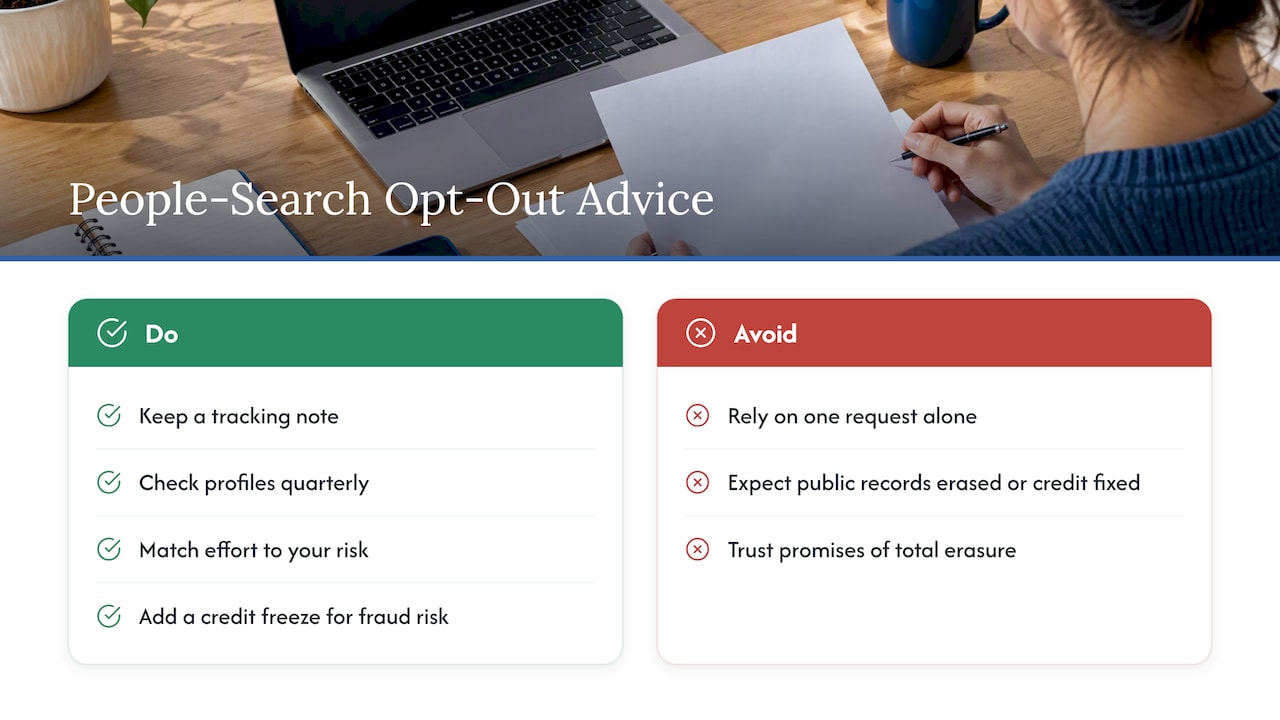
We also think you should know the limits up front. An opt-out hides a profile. It does not erase the public records behind it, and it will not fix a credit report. Anyone who promises total erasure is overselling.
Finally, match the effort to your risk. A casual user can do the biggest sites by hand and move on. Someone facing harassment or fraud should layer manual opt-outs, a credit freeze and, if the budget allows, an automated service that rescans.
— TechStackTeam
Let us do the comparison work
If you would rather not repeat this process for dozens of sites, we have tested the services that automate it. Our reviews cover how many brokers each one reaches, what its reports show and how often it rechecks, so you can pick on performance instead of marketing. Start with our guide to removing yourself from the internet or the data removal service breakdown.

Prefer to stay in control? Everything above works without paying anyone.
FAQ
Is the AdvancedBackgroundChecks opt-out free?
Yes. According to Recording Law, the process starts at the site’s opt-out page and does not require an account or payment. Be wary of any page that asks you to pay to remove a listing from this site.
How long do I have to click the email link?
You have 24 hours. After that the link expires, and you need to return to the opt-out page and submit your name and email again to get a new one.
Can my information reappear after I opt out?
Yes. Consumer Reports notes that removals are not necessarily permanent, and the FTC says information may return if public records change. Recheck every few months and resubmit if a profile appears.
Does opting out remove me from Google?
Not right away. Old results can linger until Google refreshes them. You can ask Google to remove qualifying private information from results by submitting the URLs, and Google removes the result from Search but not the page itself.
Will this stop a background check for a job or apartment?
No. A people-search opt-out does not replace your Fair Credit Reporting Act rights. If a decision about work, housing or credit was based on a report, ask which consumer reporting agency produced it and request your file from them.
Sources
- What To Know About People Search Sites That Sell Your Information (FTC)
- How to Opt Out of AdvancedBackgroundChecks (Recording Law)
- Delete Your Information From People-Search Sites (Consumer Reports)
- Remove my private info from Google Search (Google Search Help)