Don’t panic. Seeing your name, phone number and address on USPhoneBook is common, and you can ask the site to take your record down for free. The form takes about 5 minutes. USPhoneBook says to allow 3 days for processing. Below are the exact steps, the phone backup, and the mistakes that make requests fail.
One warning first. Opting out hides your listing on this one site. It does not erase you from the internet. We cover what to do about the rest further down.
TL;DR
- ⏱️ 5 minutes: open USPhoneBook’s removal form, confirm your email, find your record and click “Remove Record.”
- 📧 24-hour clock: the emailed link must be used within 24 hours, or you request a new one.
- 📞 Backup route: if the form fails, the site’s notice lists 888-747-4095 for opt-out requests.
- ⚠️ Not permanent: the FTC says public records stay put and listings can return, so re-check later.
- ✅ Next: hit other people-search sites, then deal with credit and account risk separately.
Table of Contents
- Before you start: 3 things to have ready
- How to opt out of USPhoneBook online
- How to opt out by phone
- Opt-out vs. deletion: what your state law adds
- Why your information is on USPhoneBook in the first place
- Is USPhoneBook legal?
- After you submit: how to verify it worked
- Can you make your phone number unsearchable?
- What about Global Privacy Control?
- Worried about identity theft? Do these next
- Our take: why a one-site opt-out is only the first move
- Want the whole job handled?
- FAQ
- Sources
Before you start: 3 things to have ready
A little prep saves you from restarting the process. Spend two minutes on this.
- An email address you can open right now. The confirmation link expires after 24 hours. Use an address you check often.
- The exact details on your listing. USPhoneBook says incomplete or inaccurate information can hinder processing. Search for yourself first and note the name, phone number and address as they appear.
- A screenshot of the record. Save one before you submit and another of the confirmation email. If the listing stays up, you have proof of what you requested and when.
Tip: if you’d rather not hand your main inbox to a people-search site, create a free forwarding or throwaway address just for this. It only needs to receive one email.
How to opt out of USPhoneBook online
This is the free manual route, as it works on October 22, 2026. USPhoneBook can change its form, so if a screen looks different, follow the on-page prompts.
- Open the removal form. Go to USPhoneBook’s opt-out page. You can also scroll to the footer of the homepage and click the “Do Not Sell My Personal Information” link.
- Enter your email and finish the CAPTCHA. Submit the form. A message arrives within a few minutes. Check spam if you don’t see it.
- Click the link in the email. ⏱️ Do this within 24 hours. After that you need a fresh link.
- Search for your record. You can search by name, phone number or address. Pick the state if asked, and narrow down if you have a common name.
- Open the record that matches you. Check the age, city and relatives shown. Don’t remove someone else’s listing by mistake.
- Select “Remove Record.” This submits the request for that listing.
- Confirm by email. You’ll get a final message to verify. Click it. Without this step, nothing is processed.
- Wait up to 3 days. The official estimate is 72 hours. Some people report faster results, but plan on the full window.
✅ Done? Set a reminder for day 4 to search for yourself again.
If you have more than one listing
People often have several records: an old address, a landline from a past home, a cell number. Each one is its own listing. Repeat the search-and-remove steps for every record that shows your details. Check variations of your name too, such as a middle initial or a maiden name.
How to opt out by phone
The form is the faster route for most people. But if the page won’t load, the CAPTCHA keeps failing or the email never arrives, use the phone.
The site’s Notice of Right to Opt-Out, dated January 1, 2025, lists 888-747-4095 for opt-out requests. Have your full name, phone number and address ready, and write down the date, time and any reference the representative gives you.
A second contact page lists a different general support number, (469) 983-2441. For an opt-out request, start with the number in the notice.
Opt-out vs. deletion: what your state law adds
This is the part short guides skip. USPhoneBook’s privacy materials separate two things:
- Opting out of sale or sharing. This is what the removal form does for your listing.
- Rights to know, delete or correct information. These depend on your state. The privacy notice says publicly available information isn’t necessarily removed from the original source.
In plain terms: even if USPhoneBook stops showing you, the property record, voter file or directory that fed it may still exist. If you live in a state with a comprehensive privacy law, you may have more tools. Our guide to state privacy laws and broker removal explains who gets which rights.
California residents
California is adding a one-stop option. The California Privacy Protection Agency says that beginning in January 2026, data brokers must set up an account for the state’s Delete Request and Opt-out Platform, known as DROP. The idea is that you send one deletion request to many registered brokers.
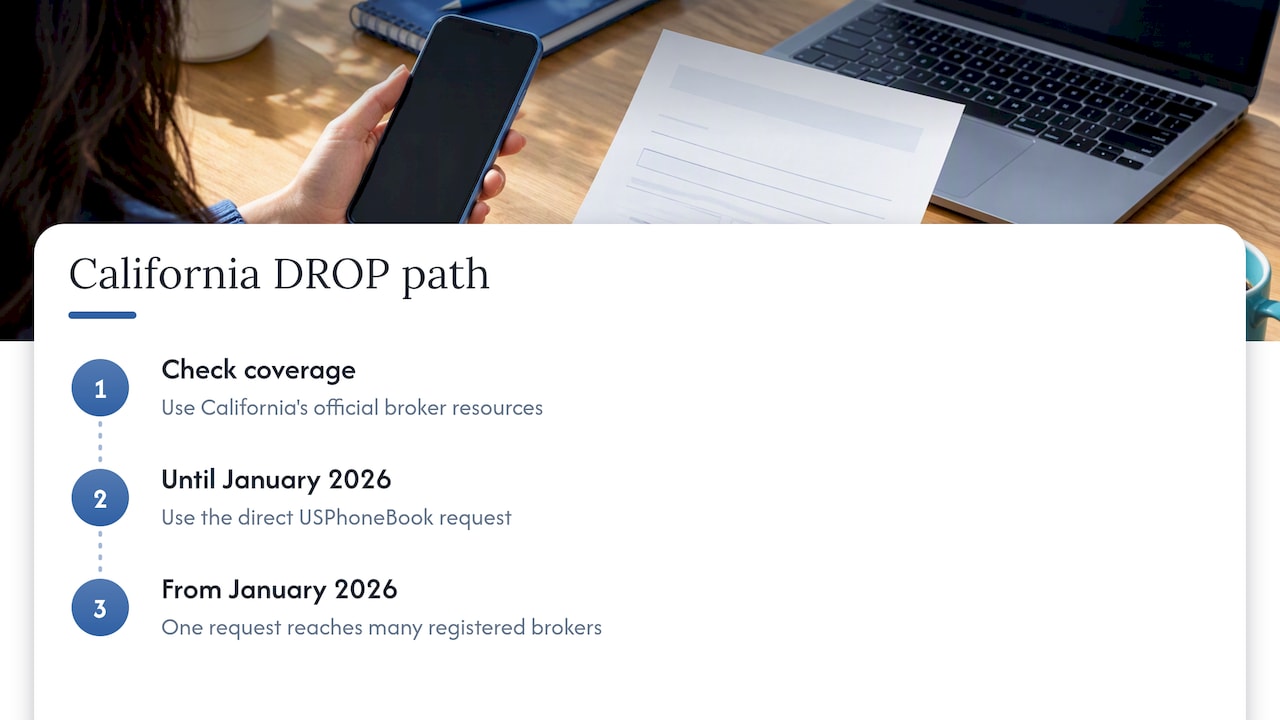
Don’t assume a specific people-search site is covered, though. Check the state’s official broker resources to confirm before you rely on it. Until then, the direct USPhoneBook request above is the sure thing.
Why your information is on USPhoneBook in the first place
You didn’t sign up, and that’s the unsettling part. USPhoneBook says its database uses publicly available information and public records. Its contact page describes billions of records, including recent data and about 40 years of historical data.
The FTC explains that people-search sites compile and sell information from public and other sources, often with no direct relationship with the person listed. Typical inputs include:
- phone directories
- property records
- birth and death records
- magazine subscriptions
- voter-registration cards
A listing is not proof that you were hacked or that anything illegal happened to you. It usually means you exist in records that anyone can compile.
Is USPhoneBook legal?
Having a listing isn’t by itself evidence of identity theft or illegality. The site frames its practices around public information and state privacy rights, and the FTC describes opting out as an established consumer privacy step. Whether any specific use is lawful can depend on the facts, your state’s law and how the information is used.
One caution matters if you’re a small business owner. Don’t treat a people-search report as a background check that meets the Fair Credit Reporting Act. The FTC’s page on people-search sites warns about this distinction. For hiring, renting, credit or insurance decisions, use a screening service that states it complies with the FCRA, and ask an employment or housing attorney if you’re unsure.
After you submit: how to verify it worked
- Wait the full 3 days. Don’t re-submit on day one. Duplicate requests just muddy things.
- Search your name, phone and address again. Try all three. A listing can sit under a different search path.
- Compare against your screenshot. If the same record is still up after the window, resubmit with the exact details from the listing, or call the phone route above.
- Check again in a few months. USPhoneBook says new public records can make data reappear. Put a recurring calendar reminder in.
Warning ⚠️: if you get an email asking for payment, a Social Security number or a full ID “to finish removal,” stop. Opting out through the official form doesn’t need that. Go back to the site directly rather than clicking the email.
Can you make your phone number unsearchable?
Not with one request. You can ask USPhoneBook to stop displaying a matching listing. But the FTC says information may remain in public records and may show up in other people-search reports. Relatives’ and associates’ reports can also expose connections to you.
To shrink your footprint further, work through these layers:
- Other people-search sites. Start with the big ones: TruePeopleSearch, Whitepages, PeopleFinders, Spokeo and US Addresses. Each has its own form and its own timing.
- Search results. Even after a site drops you, a cached page can linger. See how to remove personal information from Google and what broker removal does to your search results.
- Your phone number itself. Our 3-step guide to removing your phone number online covers Google, your accounts and brokers.
- Original records. Property and voter records are held by local governments. Some places offer ways to shield address details. Check your county’s rules.
What about Global Privacy Control?
Global Privacy Control (GPC) is a browser setting that signals you don’t want your browsing data sold or shared. It’s worth turning on. But USPhoneBook states that these controls don’t remove the underlying data in its data products. Treat GPC as an extra layer, not a replacement for the removal request.
Worried about identity theft? Do these next
Seeing your details online can feel like an emergency. Take a breath. Removing a listing and protecting your accounts are two separate jobs, and the FTC’s guidance supports handling them separately. A USPhoneBook opt-out doesn’t freeze your credit, replace stolen passwords or prove that fraud happened.
What to do now:
- Finish the opt-out above. ⏱️ 5 minutes.
- Change reused passwords. Start with email, since it can reset everything else. A password manager makes unique passwords painless. Our guide to 7 password manager security fixes takes 20 minutes.
- Turn on two-factor authentication for email, banking and mobile carrier accounts.
- Watch for signs of fraud. Unknown accounts, strange texts with codes, calls pretending to be your bank.
- Consider a credit freeze if you see signs of trouble or simply want the extra protection. It’s free through the credit bureaus.
If you’ve confirmed fraud, report it to the FTC and contact the relevant lender or bank directly.
Our take: why a one-site opt-out is only the first move
We test privacy tools with real accounts, and we don’t take paid placements in our rankings. Here is what that experience tells us about people-search removal.
The USPhoneBook form works, and it’s free. We’d tell anyone to use it today. The weakness isn’t the form. It’s the maths. Your details sit on many sites at once, and the FTC itself says records can come back when public data changes. So a one-time cleanup decays.

That leaves two sensible paths. If you have the time and patience, do the manual opt-outs, keep your screenshots and recheck every few months. If you don’t, a paid data removal service can repeat that work for you. It’s not right for everyone, and we’ve written an honest look at whether a data removal service is worth it so you can decide on facts, not marketing.
Whichever you pick, keep the opt-out in perspective. It lowers how easily a stranger can find you. It doesn’t make you invisible.
— TechStackTeam
Want the whole job handled?
Manual opt-outs are free but repetitive. If you’d like to compare automated options side by side, start with our guide to removing yourself from the internet. It walks through what each approach covers, and our reviews are based on hands-on testing, not paid rankings. For a quick look at what removal can and can’t take down, see what gets suppressed and what doesn’t. If you want to send deletion requests beyond people-search sites, our personal data deletion action plan is the next stop.
FAQ
Can I opt out of USPhoneBook?
Yes, and it’s free. Use the site’s removal form, confirm your email, find your record and select “Remove Record.” If the form doesn’t work, the site’s notice lists a phone number for opt-out requests. Allow about 3 days for processing.
Why is all my info on USPhoneBook?
The site says it draws on public records and publicly available information, such as phone directories, property records and voter-registration data. The FTC notes that people-search sites compile this data without a direct relationship with you. It doesn’t mean your accounts were breached.
Will my listing come back after I remove it?
It can. USPhoneBook says new public records can cause data to reappear, and the FTC recommends repeating opt-outs. Check your name, number and address after the 3-day window, then every few months. If the listing returns, resubmit with the exact details shown.
What if the confirmation email never arrives or expires?
Check spam first, then submit the form again with an address you can open right away. The link works for 24 hours only, so a late click means a new request. If it still fails, call the number listed in the site’s opt-out notice and note the date and time.
Does opting out remove me from other people-search sites?
No. Each site has its own opt-out, and the USPhoneBook request only covers USPhoneBook. You’ll need to repeat the process elsewhere, or use a service that handles multiple sites for you.
Sources
- USPhoneBook opt-out form
- USPhoneBook notice of right to opt out of sale and sharing
- USPhoneBook privacy notice
- USPhoneBook contact page
- FTC: What to know about people-search sites that sell your information
- California Privacy Protection Agency: Enforcement Advisory 2025-01