Yes, you can remove your IDTrue listing right now, and it costs nothing. Go to Idtrue, paste in your profile URL, fill in your name, state, and email, then confirm the verification email that lands in your inbox. Do that today and your listing typically drops within days.
TL;DR:
- Resubmitting the opt-out twice increases the chances of successful removal due to potential delays or errors.
- Listings often reappear because data brokers frequently purchase and refresh their records from new datasets.
- Manual removal requests typically take between 3 to 7 days to reflect in search results, but cached versions may lag longer.
- Automated removal services can save time by monitoring and repeatedly requesting deletions across multiple broker sites, but they do not guarantee permanence.
- Keeping detailed records of submission dates, confirmation emails, and specific profile URLs helps track the process and escalate if necessary.
Table of Contents
- How Do You Opt Out of IDTrue?
- What Does IDTrue Remove, and How Long Does It Take?
- What if Your IDTrue Opt-Out Doesn’t Work?
- Should You Use an Automated Removal Service Instead?
- What We’ve Learned From Testing These Removal Processes
- Our Take: What Actually Matters Here
- Compare Your Removal Options Before You Commit
- Where to Go for Official Opt-Out Links and Verified Guides
- Sources
How Do You Opt Out of IDTrue?
Don’t overthink this. IDTrue built its removal process to be simple, and if you follow the order below, you’ll be done in about ten minutes. ⏱️
1. Find your exact profile first.
Search Google for “IDTrue [your name] [your city] [your state]” or search directly on IDTrue itself. Once you find your listing, click into it and copy the full URL from your browser’s address bar. You need this exact link. A partial match or a generic search result won’t trigger the removal for the right profile.
2. Go to the official opt-out page.
Head straight to idtrue.com/optout. You can also scroll to the bottom of any IDTrue page and click “Opt Out & Removal” in the footer if you’d rather navigate there manually.
3. Fill in every required field carefully.
The form asks for:
- Your profile URL (paste the exact one you copied)
- Your full name as it appears on the listing
- Your state
- An email address for verification
- A CAPTCHA check to confirm you’re human
Submit once everything is filled in correctly.
4. Watch your inbox and verify fast.
IDTrue sends a confirmation email almost immediately after submission. Open it and click the verification link inside. This step is where most people accidentally stall their own request. Confirmation links on people-search sites often expire within a set window, and if you let the email sit unread for a day or two, you may have to start the whole process over.
5. Document everything before you move on.
Save the confirmation email. Take a screenshot of the “request received” page. Write down the date you submitted. This sounds excessive for a free process, but it becomes your proof if the listing doesn’t disappear and you need to follow up later.
Pro Tip: Use a masked or throwaway email address for the verification step instead of your primary inbox, a tip also recommended by Conppi’s account removal resources." You still get the confirmation link, but you’re not handing a data broker a long-term contact address they can resell later.
Once you’ve clicked that verification link, your part is done. IDTrue’s system takes over from there, and the next question is simply how long it takes and what actually gets removed.
What Does IDTrue Remove, and How Long Does It Take?
IDTrue listings typically include personal details such as address history, phone numbers, background snippets, and occasionally names of relatives or known associates. The opt-out request targets the entire profile, not individual fields, so a successful removal takes the whole listing down rather than trimming it piece by piece.
Processing time varies. Some users see their listing update almost instantly after verification. Others wait the full window that independent guides report, generally 3 to 7 days for the site itself to reflect the change. Google’s cached version of your old profile can lag even further behind, sometimes staying visible in search results for weeks after IDTrue has already deleted the underlying page.
Here’s the part most people don’t expect:
- Your listing can come back. Data brokers buy and refresh their records regularly, and a new data purchase can regenerate a profile you already removed.
- One opt-out isn’t a permanent fix. It’s a request you may need to repeat every few months.
- The removal is always free. If anything on the page asks for payment to “expedite” your request, that’s not how IDTrue’s own privacy policy describes the process.
Treat this like changing a smoke detector battery: one action doesn’t protect you forever.
What if Your IDTrue Opt-Out Doesn’t Work?
Don’t panic if your listing is still up after a week. This happens, and there’s a clear next move.
First, resubmit the opt-out through idtrue.com/optout one more time, double checking that your profile URL matches exactly. If that second attempt still doesn’t stick, escalate with a direct email to IDTrue’s privacy or support contact.
Your follow-up email should include:
- Your full name and the exact profile URL in question
- The date you originally submitted your opt-out request
- A clear, direct statement: “I am requesting permanent deletion of this listing.”
- Proof of relationship if you’re requesting removal on behalf of a deceased relative
- A reference to your rights under the California Consumer Privacy Act (CCPA) if you’re a California resident, since data brokers tend to respond faster when a specific statute is named
Keep a copy of every email you send and every reply you get. If weeks pass with no action and no response, you have the option to file a complaint with your state attorney general’s office or a consumer protection agency. Most people never need to go this far, but knowing the escalation path removes the panic if your first request stalls. For a broader template you can adapt, our personal data deletion action plan walks through the same escalation language for other brokers.
Pro Tip: Send your follow-up email from the same address you used for the original verification. It creates a clean paper trail that ties both requests to the same person.
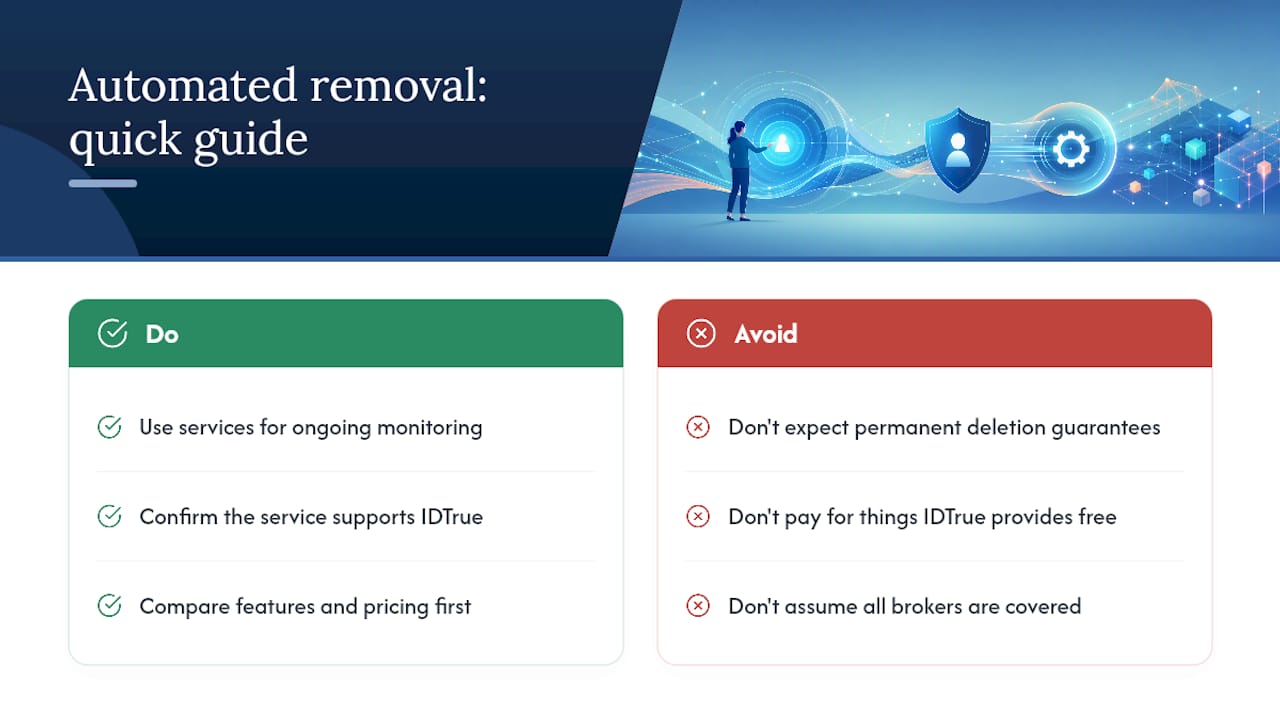
Should You Use an Automated Removal Service Instead?
Manual opt-outs work, but they take time, especially if you’re dealing with more than one people-search site. This is where automated removal services come in.
These services work by submitting repeated deletion requests across dozens of data broker sites, then monitoring those same sites on a recurring basis to catch reappearances before you even notice them. Most operate on monthly or annual subscription pricing rather than a one-time fee.
The upside is real: you save hours of manual searching and resubmitting, and you get ongoing coverage instead of a single snapshot removal. The downside is just as real. You’re paying for something IDTrue itself offers for free, no service guarantees permanent deletion, and coverage quality varies a lot depending on which data brokers a given service actually monitors.
Incogni and GhostMyData both publicly document support for IDTrue removals specifically, which is worth checking before you commit to any subscription. Automated services are best understood as ongoing monitoring plus repeated requests, not a one-and-done deletion guarantee. Before subscribing to anything, run the service through a proper feature and pricing comparison. Our internet privacy tools comparison checklist breaks down exactly what to check.
What We’ve Learned From Testing These Removal Processes
Testing dozens of people-search opt-outs teaches you one thing fast: documentation is what separates a smooth removal from a frustrating loop. The requests that fail usually fail because someone lost track of what they submitted, when, and where.
Build a simple routine instead of relying on memory. Set a calendar reminder for 90 days out to recheck your name on IDTrue. Turn on a Google Alert for your name and city so you catch a reappearance before a stranger does. Once a quarter, manually check the two or three biggest people-search sites, not just IDTrue, since brokers often source data from each other.
Manual maintenance works fine if you’re only tracking one or two sites. Once you’re juggling five or more brokers, automation starts saving real time. That’s a personal threshold, not a hard rule.
Our Take: What Actually Matters Here
The advice floating around about broker opt-outs tends to overcomplicate the emotional side and underexplain the practical one. People treat a data-broker listing like an emergency. It isn’t. It’s a form, a verification click, and a calendar reminder three months out.
What actually matters is precision: the exact profile URL, not a close match; a verification email you open within hours, not days; and a follow-up message that names CCPA or your state’s privacy statute instead of a vague plea. Data brokers respond to specificity, not urgency.
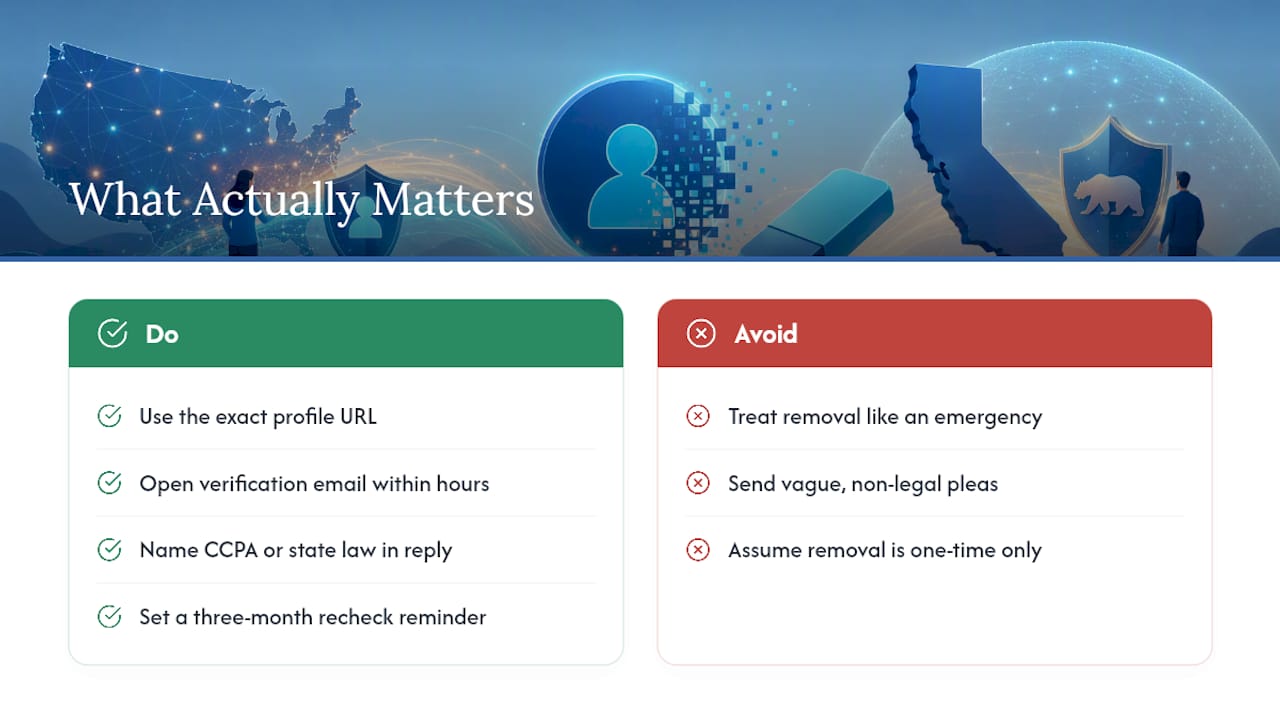
Where conventional advice falls short is treating removal as a one-time task. It isn’t. Data refreshes mean IDTrue can regenerate your profile from a new purchased dataset months later. Build the recheck habit before you ever need it, not after your name resurfaces.
Prioritize the documentation step above everything else. It’s the least glamorous part of the process and the one that saves you the most time if anything goes wrong.
— TechStackTeam
Compare Your Removal Options Before You Commit
Removing one IDTrue listing is a fifteen minute task. Removing yourself from the dozens of other brokers pulling from the same source data is a different problem, and it’s where most people either overpay for a service they don’t need or give up entirely. Techstacktoday tested these services hands-on instead of ranking them by who pays the most for placement, so the comparisons reflect what a service actually covers, not what its marketing page claims.

If you’re trying to decide whether a paid removal subscription is worth your money or whether manual opt-outs like this one will cover your needs, our data removal service comparison lays out the real trade-offs in plain terms. And if you want to see how the major privacy tools stack up side by side on price and broker coverage before spending a dollar, the internet privacy tools comparison checklist is the fastest way to get there. Start with that checklist and pick your next step with real numbers in front of you.
Where to Go for Official Opt-Out Links and Verified Guides
Bookmark these before you start, so you’re never guessing which page is legitimate.
- IDTrue’s privacy policy, which confirms the opt-out process and that it’s free
- Incogni’s IDTrue removal guide for details on automated, subscription-based removal
- GhostMyData’s IDTrue removal checklist for a corroborating step-by-step reference
If you’re clearing your name off multiple people-search sites at once, our guide on removing yourself from TruePeopleSearch uses the same documentation approach, and our breakdown of how broker removal affects your search results explains why Google can lag behind the actual deletion.
Sources
- IDTrue privacy
- IDTrue Opt Out & Data Removal Guide 2026 | Incogni
- IDTrue Opt Out: Remove Your Background Check Data (2026) | GhostMyData