A master password is defined as the single credential that unlocks and encrypts your entire password vault in managers like LastPass, Keeper, and NordPass. Think of it as the physical key to a safe. Every login you store sits behind it. Get this one password right, and your entire digital life stays protected. Get it wrong, and the consequences are permanent.
What is a master password and how does it function?
A master password is the single key to your password vault, performing two jobs at once: authenticating your identity and generating the encryption key that scrambles your stored data. No other credential in your digital life carries this much weight. Password managers like LastPass, Keeper, and NordPass all rely on this model. Understanding how it works is the first step to using it correctly.

The industry term for this architecture is zero-knowledge encryption. Your master password never leaves your device. The password manager provider cannot see it, reset it, or recover it. That is a deliberate design choice, not a flaw. It means your vault contents are mathematically inaccessible to anyone who does not know your master password, including the company that built the software.
Here is what happens under the hood when you log in:
- Your master password is fed into a key derivation function (KDF) such as Argon2id or scrypt.
- The KDF produces a long encryption key from your password.
- That key decrypts your vault locally on your device.
- The decrypted data never touches the provider’s servers.
- If you forget your master password, the vault stays locked permanently. No support ticket fixes it.
This is fundamentally different from a regular website password. When you forget your Gmail password, Google resets it because Google stores a version of your credentials. A zero-knowledge password manager stores nothing that allows recovery. That is the trade-off for true privacy.
What makes a master password strong and secure?
Length and randomness are the two factors that matter most. NIST recommends at least 15 characters, ideally structured as 5 to 6 random words, which delivers roughly 77 bits of entropy. That level of security is stronger than a short, complex password full of symbols and capital letters. Most people get this backwards.
Here is why complexity alone fails:
- Predictable substitutions are known to attackers. Replacing “a” with “@” or “e” with “3” is a pattern that modern cracking tools account for automatically.
- Short passwords with symbols are weaker than long passphrases. “P@ssw0rd!” is cracked in seconds. “correct horse battery staple” takes centuries.
- Randomness defeats pattern recognition. A phrase you invent yourself is not random. True randomness requires a method like Diceware, where physical dice rolls select words from a standardized word list.
- The KDF amplifies your password’s strength. Argon2id and similar KDFs are memory-hard and computationally expensive, meaning attackers must spend enormous resources on each guess. A longer password makes this cost even higher.
- Older KDF settings create risk. Some password managers still use PBKDF2 with lower iteration counts. A longer master password compensates for weaker KDF configurations.
The Diceware method works like this: roll five physical dice, look up the resulting number in the EFF’s large word list, and repeat five or six times. The result is a passphrase like “clam arena frog wallet sunset” that is both random and memorable with practice.
Pro Tip: Write your new passphrase on paper and type it 10 times a day for the first week. Muscle memory develops within 5 to 10 days of consistent practice, after which you can rely on recall alone.
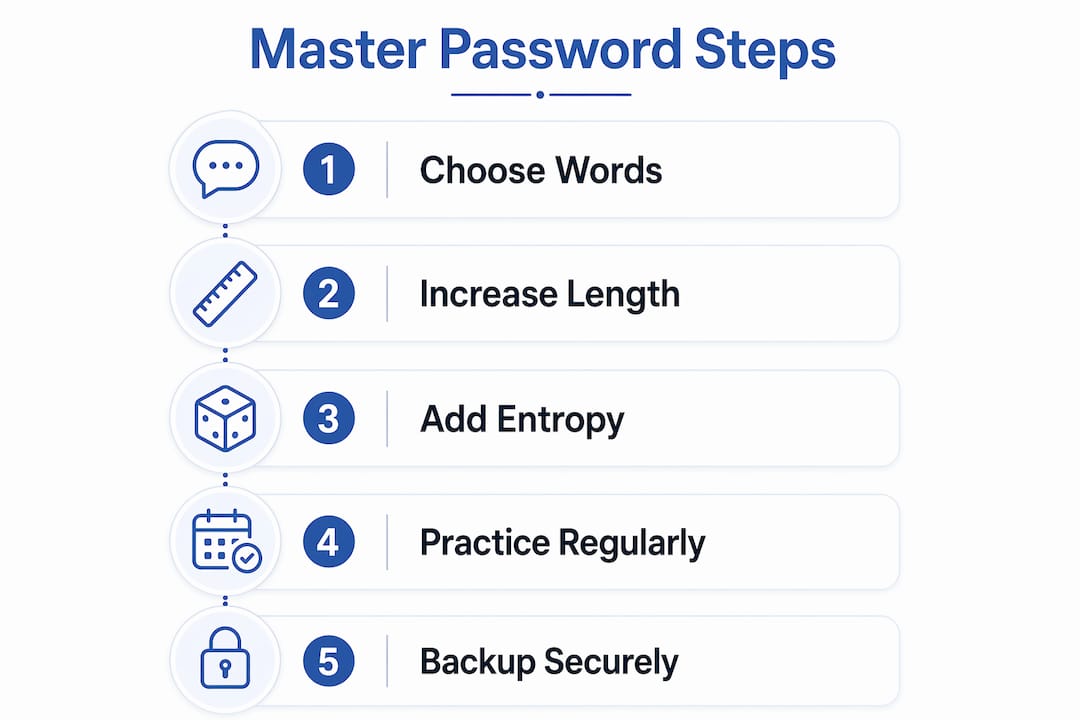
Entropy matters because it measures how unpredictable your password is. Five random Diceware words give you approximately 64 bits of entropy. Six words push that to 77 bits. That number represents the computational work an attacker must perform to guess your password by brute force. Higher entropy means more work for them and more safety for you.
How do you protect and manage your master password daily?
Creating a strong master password is only half the job. Protecting it in daily use requires specific habits. Security best practices point to three layers of defense: authentication, device hygiene, and physical backup.
Authentication layer:
- Enable multi-factor authentication (MFA) on your password manager account. MFA adds a second verification step so that even if someone learns your master password, they cannot open your vault without your phone or hardware key.
- Use biometric unlock (fingerprint or Face ID) when your device supports it. Biometrics reduce how often you type your master password in public, cutting exposure to shoulder surfing and keyloggers.
- Never reuse your master password on any other site or service. It must be unique.
Device and usage hygiene:
- Set your password manager to auto-lock after a short period of inactivity, ideally 1 to 5 minutes. An unattended unlocked vault is a serious risk.
- Only enter your master password on devices you own and trust. Public computers and shared workstations are off-limits. Keyloggers on untrusted devices capture every keystroke, including your master password.
- Keep your operating system and password manager app updated. Security patches close vulnerabilities that attackers exploit.
Physical backup strategy:
- Write your master password on paper. Store that paper in a fireproof safe, a bank safe deposit box, or another physically secure location.
- Never store your master password in a digital file, email draft, notes app, or cloud document. Digital storage creates new attack surfaces.
- Tell a trusted person where your backup is stored. This matters for estate planning and emergency access.
Pro Tip: Treat your written master password backup the same way you treat a house key. You would not leave a spare key under the doormat. Do not leave your backup in an obvious location.
The single point of failure design in zero-knowledge systems is intentional. No recovery path exists by design. That makes your backup plan the only safety net you have.
What are the most common myths about master passwords?
Several widespread beliefs about master passwords are simply wrong. Correcting them protects you from making decisions that feel safe but are not.
- Myth: Complexity beats length. Attackers use dictionary attacks and pattern-matching tools. A 10-character password with symbols is far weaker than a 25-character passphrase of random words. Length and randomness are the actual defenses.
- Myth: You should change your master password regularly. Forced rotation without evidence of a breach increases risk. You are more likely to write it down insecurely or choose a weaker version. Experts recommend changing it only after a confirmed compromise.
- Myth: A strong master password is enough on its own. Vault hygiene matters equally. Reusing passwords inside your vault, skipping MFA, and using untrusted devices all undermine a strong master password.
- Myth: The password manager company can help you recover access. Under zero-knowledge architecture, they cannot. The provider has no copy of your master password and no ability to decrypt your vault.
- Myth: Storing your master password in a notes app is fine if it is password-protected. That notes app has its own vulnerabilities, sync risks, and breach exposure. Physical paper in a secure location is safer.
“Security depends not just on the master password but on overall vault hygiene: avoiding reuse, using trusted devices, and minimizing password exposure are all critical.” — Cybersecurity Campaign
The most dangerous myth is that any single action makes you fully secure. Master password security is a system, not a single decision.
Key Takeaways
A master password is the single most critical credential in your digital security setup, and its strength, uniqueness, and physical backup plan determine whether your vault stays protected.
| Point | Details |
|---|---|
| Master password definition | It is the single credential that authenticates you and encrypts your entire password vault. |
| Strength comes from length | NIST recommends 15+ characters or 5 to 6 random words for roughly 77 bits of entropy. |
| Zero-knowledge means no recovery | Providers cannot reset a lost master password, so a secure physical backup is non-negotiable. |
| MFA and biometrics add critical layers | Enabling MFA and biometric unlock reduces vault exposure even if your password is compromised. |
| Complexity myths cost you security | Symbols and forced rotation do not improve security. Length, randomness, and vault hygiene do. |
Techstacktoday’s take on master password security in 2026
After testing and reviewing dozens of password managers, the pattern is clear: most people fail at the master password step before they even get to vault setup. They pick something memorable but predictable, skip MFA, and never create a physical backup. Then they wonder why security feels fragile.
The advice I keep coming back to is this: treat your master password like a physical key to your home. You would not make it short because it is easier to carry. You would not share it casually. You would absolutely keep a spare in a secure location. The same logic applies here.
Long, random passphrases built with the Diceware method are the right answer. Not because they are fashionable, but because they are genuinely hard to crack and genuinely possible to memorize. The muscle memory argument is real. Practice typing your passphrase daily for a week, and it becomes automatic. That habit removes the temptation to write it somewhere insecure.
The readers who get this right are the ones who treat it as a system. Strong passphrase, MFA enabled, biometrics on, auto-lock set, paper backup secured. Each layer covers a gap the others leave open. Skip one, and the whole setup weakens. If you want to see which password managers handle this best, Techstacktoday’s hands-on reviews rank them by real security performance, not marketing claims.
— TechStackTeam
Techstacktoday’s password security resources
Strong master password habits are the foundation. Building on that foundation means choosing the right tools and understanding the full picture of your digital privacy.
Techstacktoday has tested and ranked the best password managers available in 2026, evaluating each one on encryption standards, KDF strength, MFA options, and recovery policies. Every review is based on hands-on testing with no paid rankings. If you want to know which manager actually protects your vault, the answer is there. Techstacktoday also covers VPN services that complement password security by protecting your connection on untrusted networks. Both tools work together to cover the gaps the other leaves open.
FAQ
What is a master password in simple terms?
A master password is the single password that unlocks your entire password manager vault. It also generates the encryption key that protects every login stored inside.
What happens if I forget my master password?
You permanently lose access to your vault. Password managers using zero-knowledge architecture cannot reset or recover your master password, which is why a secure physical backup is critical.
How long should a master password be?
NIST recommends at least 15 characters. A passphrase of 5 to 6 random words meets this standard and delivers approximately 77 bits of entropy.
Is a master password the same as a regular password?
No. A regular password authenticates you to one website and is stored on that site’s server. A master password never leaves your device and serves as both your authentication credential and your vault encryption key.
Do I need to change my master password regularly?
No. Experts recommend changing it only after a confirmed breach or compromise. Unnecessary rotation increases the risk of choosing a weaker password or storing it insecurely.