Safe online shopping identity protection is the practice of applying specific, layered security measures before, during, and after every purchase to prevent criminals from stealing your financial or personal data. This is not about paranoia. It is about knowing exactly which tools and habits stop the most common attacks. Virtual payment cards, website verification, data minimization, and account monitoring are the four pillars that protect you. If something does go wrong, the FTC’s IdentityTheft.gov gives you an official recovery plan with pre-filled forms so you are not starting from scratch.
How can you identify and avoid fraudulent online shopping sites?
Fake online stores are the entry point for most identity theft cases tied to shopping. Recognizing them before you enter any data is your first line of defense.
Check for HTTPS, but do not stop there. The padlock icon and HTTPS prefix confirm that data is encrypted in transit. However, phishing sites now use SSL certificates too, which means a padlock no longer guarantees a site is legitimate. You need to go further.
Here is what to verify before you buy from any unfamiliar site:
- Domain age and registration. Newly registered domains are a red flag. Use a free WHOIS lookup tool to check when the domain was created. Scam shops often disappear within weeks.
- Business contact information. A real retailer lists a physical address, a phone number, and a working customer service email. Missing or vague contact details are a warning sign.
- Suspicious URLs. Watch for misspellings like “Amaz0n.com” or extra words like “amazon-deals-official.com.” These are designed to fool you at a glance.
- Pressure tactics. Countdown timers, “only 1 left” alerts, and “offer expires in 10 minutes” messages are manipulation tools. Legitimate retailers do not pressure you this way.
- Social media ads for unknown brands. Scam shops frequently run ads on Facebook and Instagram targeting impulse buyers. If you discover a brand through an ad, research it independently before clicking through.
F-Secure’s Online Shopping Checker is a free browser tool that flags risky sites before you interact with them. It is worth installing before your next shopping session.
Cybercriminals use urgency and fake “security updates” to trick users into handing over credentials. The safest habit is to type store URLs directly into your browser rather than clicking links in emails or text messages, even if those messages appear to come from brands you recognize.
Pro Tip: If a deal from an unknown retailer looks too good to be true, search the store name plus “scam” or “reviews” before purchasing. Real customer feedback surfaces fast.
What are the safest payment methods for online shopping?
Your payment method determines how much damage a breach can actually cause. Not all payment options carry equal risk.
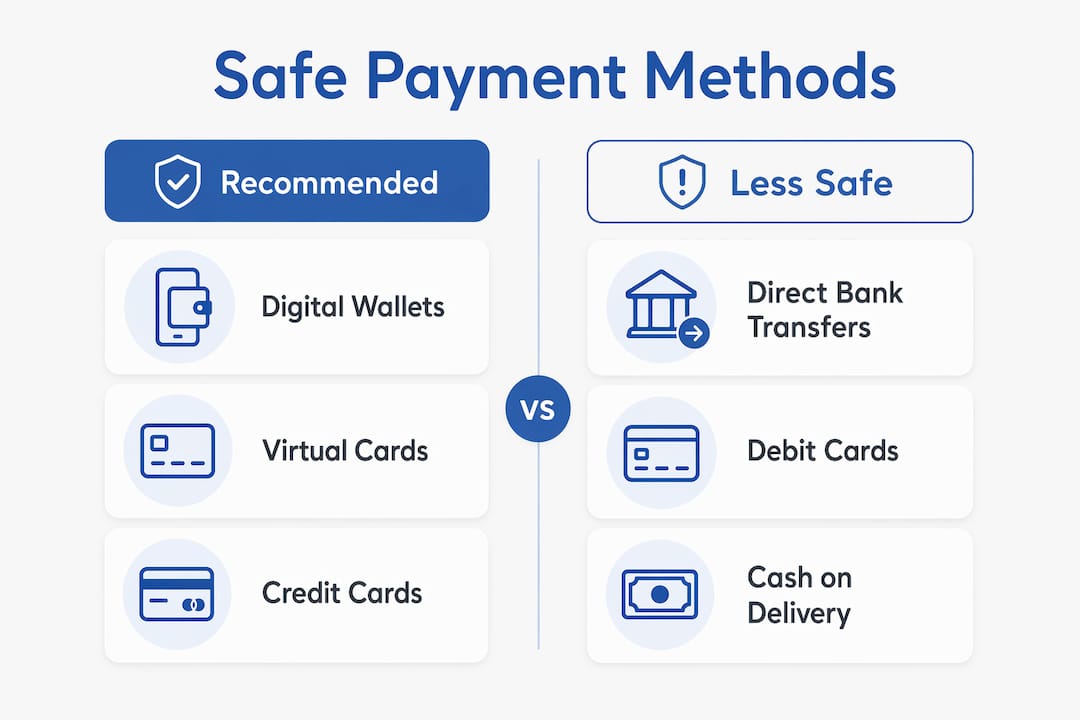
| Payment Method | Security Level | Key Advantage | Main Risk |
|---|---|---|---|
| Digital wallets (Apple Pay, Google Pay) | High | Tokenization hides real card number | Requires compatible merchant |
| Virtual/disposable cards | Very High | Single-use, merchant-specific limits | Must generate before each purchase |
| Credit cards | High | Legal liability cap, chargeback rights | Full card number still transmitted |
| Debit cards | Medium | Widely accepted | Direct bank account access if stolen |
| ACH/bank transfer | Low for shopping | Low fees | Hard to reverse fraudulent transfers |
| P2P apps (Venmo, Cash App) | Low for retail | Convenient | Minimal buyer protection |
Digital wallets add tokenization and biometric security, meaning your actual card number never reaches the merchant’s server. This is a significant structural advantage over typing your card directly into a checkout form.
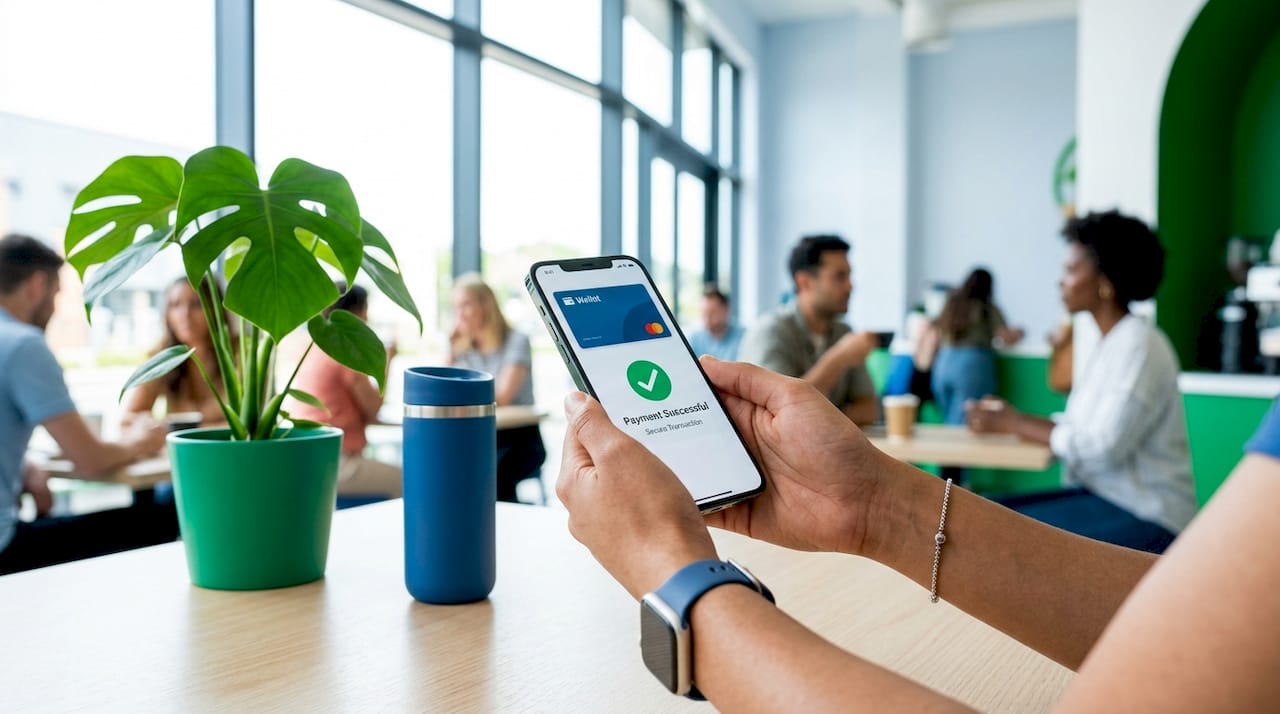
Virtual and disposable card numbers are the strongest option for purchases from less-known webshops. Services like Privacy.com generate a unique card number for each merchant. If that number is stolen in a breach, it is useless anywhere else. The tokenization in digital wallets and virtual cards substantially reduces your financial exposure compared to traditional card entry.
Credit cards remain a solid fallback. Federal law caps your liability at $50 for unauthorized charges, and most major issuers offer zero-liability policies. Chargebacks give you a formal dispute mechanism that debit cards and bank transfers do not match.
Two-factor authentication on every payment account is non-negotiable. Use an authenticator app like Google Authenticator or Authy rather than SMS codes, since SIM-swapping attacks can intercept text messages.
Pro Tip: Set a spending limit on your virtual card equal to the exact purchase amount. This blocks any attempt to charge the card again, even if the number is captured.
What personal data should you minimize when shopping online?
Every piece of data you share with a retailer is data that can be stolen if that retailer suffers a breach. The less you share, the less you lose.
Minimizing data shared online is more effective than relying solely on a merchant’s security practices, because you cannot control how every store stores or protects your information. Here is what to do:
- Fill in only mandatory fields. If a field is marked optional, skip it. Your phone number, date of birth, and gender are rarely required to complete a purchase.
- Never save payment details on retail sites. The “save card for next time” checkbox is convenient but dangerous. Stored payment data on merchant sites increases your exposure every time that retailer is targeted. Delete saved cards after each purchase.
- Avoid saving your shipping address on accounts you rarely use. A one-time purchase does not require a permanent profile.
- Use a dedicated email address for shopping. A separate inbox keeps promotional spam and phishing attempts away from your primary account. Services like SimpleLogin let you create masked email addresses that forward to your real inbox.
- Use privacy-focused browsers or extensions. Firefox with uBlock Origin, or Brave browser, blocks trackers that collect behavioral data across shopping sessions. This limits the profile advertisers and data brokers build on you.
Some privacy-conscious shoppers use slight variations of their name, such as a middle name instead of a first name, on non-essential retail accounts. This technique, sometimes called a “canary trap,” helps identify which retailer leaked your data if you start receiving targeted spam.
How can you monitor and respond quickly to identity theft after purchases?
Early detection cuts the damage from identity theft significantly. The goal is to catch unauthorized activity within hours, not weeks.
Follow these steps to build a monitoring system that actually works:
- Set up transaction alerts on every account. Most banks and credit card issuers let you configure instant push notifications for any charge above a set threshold. Set it to $1 so nothing slips through.
- Review statements weekly, not monthly. Monthly reviews give criminals three to four weeks of unchecked activity. A weekly scan takes five minutes and catches problems fast. Regular account monitoring and transaction alerts enable early detection that minimizes damage and speeds recovery.
- Keep purchase receipts and confirmation emails. Store them in a dedicated folder. If a fraudulent charge appears, you need documentation to dispute it quickly.
- Freeze your credit with all three major bureaus. Contact Equifax, Experian, and TransUnion separately to place a freeze. This blocks anyone from opening new credit accounts in your name. Freezing credit across all three bureaus requires managing separate PINs for each bureau. Store those PINs in a password manager immediately so you can lift the freeze quickly when needed.
- Use IdentityTheft.gov if theft occurs. The FTC’s structured recovery plan provides an official identity theft report and pre-filled dispute letters. Following a federal structured plan produces faster, more complete recovery than improvising on your own.
- Consider a dedicated identity protection service. Services reviewed by Techstacktoday, such as those in their identity theft protection rankings, provide automated dark web monitoring, fraud alerts, and restoration support that goes beyond what you can do manually.
Pro Tip: Place a fraud alert with one bureau and it automatically notifies the other two. A fraud alert is free, lasts one year, and requires lenders to verify your identity before approving new credit.
Key takeaways
Safe online shopping identity protection requires combining payment security, site verification, data minimization, and active monitoring into one consistent routine.
| Point | Details |
|---|---|
| Verify sites before buying | Check domain age, business contact info, and HTTPS, but do not rely on the padlock alone. |
| Use virtual or tokenized payments | Virtual cards and digital wallets prevent your real card number from reaching merchants. |
| Share only what is required | Skip optional fields and never save payment details on retail sites to limit breach exposure. |
| Monitor accounts weekly | Set transaction alerts and review statements every week to catch fraud within hours. |
| Freeze credit proactively | Freeze with Equifax, Experian, and TransUnion and store your PINs in a password manager. |
What we have learned from testing privacy tools for online shoppers
The biggest mistake most shoppers make is treating identity protection as a one-time setup. They install a password manager, enable two-factor authentication, and then stop. The threat does not stop.
AI-generated fake shops are now sophisticated enough to pass basic visual checks. They have professional layouts, fake review sections, and even fabricated “About Us” pages. The tells are in the details: domain age, missing return policies, and payment options limited to wire transfer or gift cards. We have reviewed dozens of security tools at Techstacktoday and the pattern is consistent. Technology helps, but habit is the real defense.
Virtual cards changed the risk calculation for online shopping more than any other single tool. When a card number is merchant-specific and single-use, a breach at that retailer costs you nothing. That shift in exposure is real and measurable. We recommend them to every reader who shops at more than two or three online stores.
Password hygiene still surprises us. Many people who use a password manager still reuse passwords on shopping accounts because they consider those accounts “low risk.” A compromised retail account often contains saved addresses, partial payment data, and order history. That is enough for a targeted phishing attack. Update your shopping account passwords and enable two-factor authentication on all of them, not just your bank.
The readers who recover fastest from identity theft are the ones who already have a credit freeze in place and a copy of their PINs stored securely. Recovery from identity theft is optimized by following a federal structured plan rather than improvising. Check what identity theft actually involves if you want to understand the full scope before it happens to you.
Stay skeptical. Stay current. The tools evolve, and so do the attacks.
— TechStackTeam
Tools Techstacktoday recommends for safer online shopping
The strategies in this article work best when backed by the right tools. A VPN encrypts your connection on public Wi-Fi, which is critical if you ever shop from a coffee shop or airport. Techstacktoday has hands-on tested and ranked the top options in their VPN reviews with deals, so you can pick one based on real performance, not marketing claims. A strong password manager generates and stores unique credentials for every retail account, eliminating the reuse problem entirely. Both tools are tested without paid rankings, giving you an honest picture of what actually works for protecting your identity while shopping online.
FAQ
What is the safest way to pay for online purchases?
Virtual cards and digital wallets like Apple Pay or Google Pay are the safest payment options because they use tokenization to hide your real card number from merchants. If the merchant’s data is breached, the stolen number is useless.
How do I know if an online store is legitimate?
Check the domain registration date using a WHOIS tool, verify that the site has real contact information, and look for a clear return policy. Be cautious of sites found through social media ads, and never click links from unsolicited emails or texts.
Should I freeze my credit even if I have not been a victim of identity theft?
Yes. A credit freeze is free, does not affect your credit score, and blocks criminals from opening new accounts in your name. Freeze with Equifax, Experian, and TransUnion separately and store your PINs in a password manager.
What should I do immediately if I suspect identity theft after an online purchase?
Go to IdentityTheft.gov to file an official report and get a personalized recovery checklist with pre-filled dispute letters. Then freeze your credit with all three bureaus and contact your bank or card issuer to dispute the charge.
Does using a VPN make online shopping safer?
A VPN encrypts your internet connection and masks your IP address, which protects your data from interception on public Wi-Fi networks. It does not replace secure payment methods or site verification, but it adds a meaningful layer of protection when shopping on unsecured networks.