Search your name and number together in quotes right now and write down every URL that shows up. Then work through three moves in order: delete the number from your own accounts and recovery settings, submit a Google removal request for any exposed listing, and start opting out of the data broker sites where most of these numbers actually originate. Full removal is not a one-click fix. It’s a multi-step process, and the plan below tells you exactly where to start.
TL;DR:
- Removing your phone number online requires a multi-step process, including search, account security, Google removal requests, and data broker opt-outs.
- Locking down account recovery options before deleting your number prevents lockouts, and screenshotting changes helps in case of disputes.
- Data broker sites are the main source of exposure, and manual opt-outs with reminders are crucial as these sites constantly re-aggregate information.
- Full removal from the internet can take weeks, but prioritizing Google and top broker site takedowns provides the most immediate risk reduction.
- Paid removal services are worth considering only if you face high-volume listings, sensitive situations, or lack the time for manual cleanup, but DIY is effective for fewer sites.
Table of Contents
- How Do You Remove Your Phone Number Online Step by Step?
- How Do You Remove Your Phone Number From Google Search?
- How Do You Remove Your Phone Number From Social Media?
- How Do You Opt Out of People-Search and Data Broker Sites?
- How Do You Contact a Webmaster to Delete Your Phone Number?
- How Do You Stop Your Phone Number From Reappearing Online?
- How Long Does It Take to Remove Your Phone Number Online?
- When Is a Paid Phone Number Removal Service Worth It?
- A Note From Techstacktoday
- Ready to Build Your Removal Plan?
- Sources
- FAQ
How Do You Remove Your Phone Number Online Step by Step?
Don’t try to do everything at once. Work this list in order, and you’ll knock out the highest-risk exposures first.
- Search yourself three ways: your number alone, your name plus number, and again on a private search engine. Save every URL that turns up.
- Lock down your own accounts first. Swap phone-based recovery for email or an authenticator app before you delete anything, so you don’t get locked out.
- File a Google removal request for any search result showing your contact info directly.
- Opt out of the top people-search sites ranking for your name, and contact webmasters where the source page itself needs to come down.
- Decide if a paid removal service makes sense for scale, or if a manual sweep covers what you need.
Each of these gets its own detailed walkthrough below, starting with Google.
How Do You Remove Your Phone Number From Google Search?
Google can pull a page out of its index, but it can’t touch the page itself. That distinction drives everything about how this section works.
Start with Google’s Results about you tool. It’s built specifically for this. Here’s the flow:
- Open the tool and select the report type that matches your situation, typically “It shows my personal contact info.”
- Paste in the exact URL of the search result exposing your number. Vague descriptions slow the review down.
- Submit and Google reviews the request against its removal policy for personal contact information.
- Check back through the same dashboard. Google sends status updates and lets you track pending requests in one place.
If the page itself is outdated or no longer live, use the separate outdated content tool instead. That’s for content Google is still showing even though the source has changed or vanished.
Google’s own guidance confirms the limit here: removing a result from Search does not delete anything from the website hosting it. The number can still live on the original page, and other search engines may keep indexing it. That’s why the next few sections matter just as much as this one. Google’s help center walks through the same request flow with screenshots if you want a visual reference.
How Do You Remove Your Phone Number From Social Media?
Deleting your number from Facebook, Instagram, X, TikTok, or LinkedIn is straightforward, but the order matters. Removing phone-based recovery before you’ve set up a backup is how people get locked out of accounts they’ve had for a decade.
Add an alternate recovery method first. Every platform lets you swap to email or an authenticator app, and doing this before touching your phone number is the correct sequence for a reason: it keeps your account recoverable while you strip out the exposed data point.
- Meta (Facebook and Instagram): go to Accounts Center, then Personal Details, then Contact Info, and remove the number after confirming email recovery works.
- X: under Settings and Privacy, look for Your Account, then Account Information, then Phone.
- TikTok: Settings and Privacy, then Account, then Phone Number.
- LinkedIn: Settings and Privacy, then Sign In and Security, then Phone Numbers.
Turn off contact syncing and address book import on each app while you’re in there. That single setting is often why a number you deleted months ago reappears; a friend’s synced contacts re-upload it. If a platform insists on a number for verification (some do, for anti-spam reasons), a secondary VoIP number solves it without exposing your primary line.
Pro Tip: Screenshot each settings page before and after you make a change. If a platform’s support team disputes your request later, you’ll have proof of exactly what you submitted and when.
How Do You Opt Out of People-Search and Data Broker Sites?
People-search sites are usually where your number actually lives, and Google removals don’t touch them at all. Data brokers scrape public records, old accounts, and each other, then repackage that into a searchable profile with your number attached.
Work through this sequence:
- Identify which listings rank. Cross-reference the URLs you saved earlier against the sites that appear on page one for your name. Those get priority over listings buried on page four.
- Find each broker’s opt-out or privacy page. Most sites bury this in the footer, not the main menu, so search “[site name] opt out” directly.
- Submit the required information, which is often just your name and the listing URL, and confirm via email if the broker sends one.
- Batch anything unusual. Some brokers only accept opt-outs by mail, fax, or a notarized ID copy. Group all of those together and knock them out in one sitting rather than switching formats site by site.
- Log everything: the date you submitted, a screenshot of the confirmation, and the URL. You’ll need this if the listing resurfaces.
Whitepages is a good example of how this actually works in practice. It documents online and email opt-out methods along with state-specific privacy rights and processing windows, which is more transparency than most brokers offer. Set a recheck reminder for two to eight weeks out, then again quarterly. Brokers re-aggregate data constantly, and a listing that came down in March can quietly reappear by summer. For a site-by-site walkthrough on one of the most common offenders, our TruePeopleSearch opt-out guide covers the exact menu path, and our Acxiom opt-out breakdown flags a confirmation-email trap that catches a lot of people mid-process.
How Do You Contact a Webmaster to Delete Your Phone Number?
When the number lives on a personal blog, an old business listing, or a forum post, the site’s own contact page or WHOIS record usually gets you to the owner. No contact page? Check the hosting provider’s abuse-report form instead.
- Include the exact URL, a screenshot of the page, and one clear sentence stating the number is yours and needs removal.
- Stay factual, not aggressive. A calm, specific request gets answered faster than a demand.
- Reserve legal notices or DMCA claims for cases involving copyrighted material or genuine safety risk. Hosting providers will act on policy violations like doxxing, but a routine outdated listing rarely qualifies.
- Follow up after two weeks if you hear nothing, and keep a copy of your original message.
How Do You Stop Your Phone Number From Reappearing Online?
Removal without prevention is a treadmill. You’ll be back here in six months if you skip this part.
- Use a secondary or VoIP number for any public-facing form, signup, or online marketplace listing.
- Switch to an authenticator app for two-factor authentication instead of SMS wherever a service allows it.
- Turn off contact sync in every app you use, and audit which apps currently have access to your address book.
- Register with the National Do Not Call Registry and unsubscribe from marketing lists that collected your number at checkout.
- Schedule a recheck every few months and keep a running removal log with dates and screenshots.
Reduced visibility is the realistic goal here, not total invisibility. Even privacy-focused experts frame it that way. Complete disappearance from the internet isn’t how data brokers or search indexing actually work, but knocking out the top handful of listings that show up in a name search gets you most of the practical benefit.
Pro Tip: Give out your VoIP number by default for anything that isn’t a bank, employer, or close contact. It’s one habit change that prevents most future exposures before they start.
How Long Does It Take to Remove Your Phone Number Online?
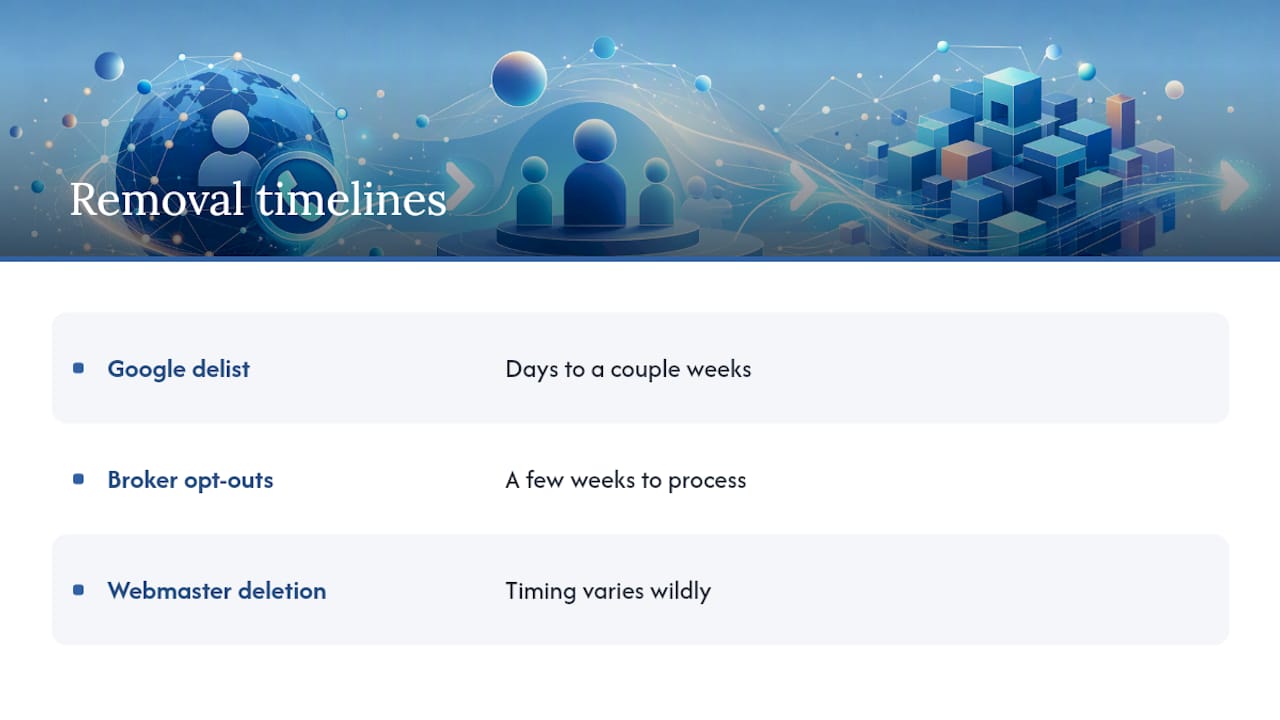
A Google delist typically clears in days to a couple of weeks once your request is approved. Broker opt-outs usually take a few weeks to fully process, and getting a source page deleted by a webmaster varies wildly depending on whether anyone actually checks that inbox.
Manual removal costs no money, only time, and for most people that’s the realistic tradeoff: hours spent now versus a monthly fee later. Paid services speed up the broker side and add ongoing monitoring, but no service guarantees permanence. Brokers re-scrape public records and resell data constantly, which is why a listing you removed in January can resurface by autumn. Plan on monitoring, not a one-time cleanup.
When Is a Paid Phone Number Removal Service Worth It?
Testing focuses on the metrics that actually predict whether a removal service delivers: how many brokers it covers, how often it re-scans for reappearances, whether it re-attempts opt-outs that fail the first time, and how transparent its reporting is about what got removed and what didn’t.
Run through this checklist before you pay for anything:
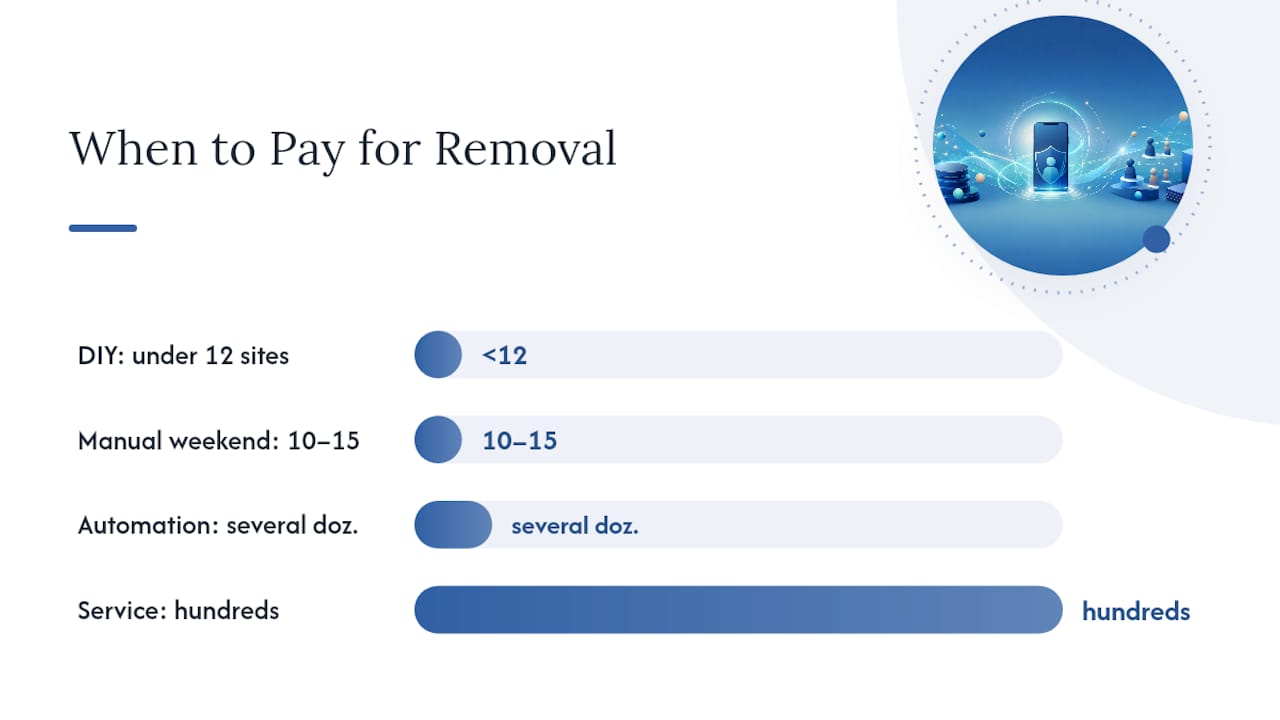
- Time available. If you have a free weekend, manual opt-outs on the top 10 to 15 brokers cover most of your exposure.
- Number of listings. Under a dozen sites, DIY is usually faster than onboarding a service. Several dozen, and automation starts paying for itself.
- Visibility risk. A number tied to stalking, harassment, or a public-facing job title deserves faster, monitored action.
- Cost tolerance. Recurring monthly fees only make sense if you’ll actually use the monitoring, not just the initial sweep.
The strongest results tend to come from a hybrid: combining an automated service with manual follow-up on the specific listings that automated tools consistently miss. Services handle volume across hundreds of minor brokers; you handle the two or three stubborn, high-ranking pages that need a human touch.
Pro Tip: Ask any removal service for a sample coverage list before signing up. If they doesn’t show you which brokers they actually opt out of, that’s a transparency gap worth noticing.
A Note From Techstacktoday
Across everything we’ve tested, the fastest risk reduction comes from hitting Google and the top three or four people-search brokers first, not spreading effort evenly across fifty sites. The biggest mistake we see is treating removal as a one-time task. A single sweep plus routine rechecks, mixing manual work with paid monitoring, consistently beats either approach done alone.
— TechStackTeam
Ready to Build Your Removal Plan?
Working through Google, five social platforms, and a dozen data brokers by hand is doable, but it’s also exactly the kind of repetitive task that eats an entire weekend. If you’d rather understand the tradeoff before committing time or money, our guide on whether a data removal service is actually worth it breaks down coverage, pricing, and refresh cycles across the services we’ve tested hands-on, with no paid placements skewing the rankings.

If you’re handling this yourself, our action plan for requesting personal data deletion gives you a tracking template so you’re not relying on memory to know which broker you contacted in March versus which one you still need to follow up with. And if you want the fuller picture beyond just your phone number, our complete guide to removing yourself from the internet covers addresses, old accounts, and the same monitoring cadence this article recommends. Start with whichever page matches where you’re stuck right now, and use it to pick your next concrete step.
Sources
- Remove personal information from Google Search – Google Search Help
- Delete Your Information From People-Search Sites – Consumer Reports (Security Planner)
- How to delete your information from people-search sites – Consumer Reports
- Whitepages consumer rights and opt-out instructions
FAQ
How Do I Remove My Phone Number From Online Websites?
Search your number and name together to find every listing, then work through Google’s removal request, your own account settings, and each data broker’s opt-out page one at a time.
How Do I Make Myself Unsearchable Online?
Full invisibility isn’t realistic, but removing the top-ranking listings on Google and the major people-search brokers, then using a secondary number for public forms going forward, gets you most of the way there.
How Do I Get Rid of My Phone Number Online for Good?
There’s no single action that erases a number everywhere at once. It takes source deletion at the webmaster level, broker opt-outs, and ongoing rechecks since brokers re-aggregate data over time.
How Do I Remove a Number From My Phone Permanently?
That’s a device-level change, not an online-listing one: go into your phone’s account or carrier settings to remove or replace the number, separate from any web-based removal steps above.
Do I Need to Pay for Phone Number Removal?
No. Manual opt-outs cost nothing but time. Paid services add speed, broader broker coverage, and recurring monitoring, which matters most if you’re dealing with dozens of listings or a high-risk exposure.