Password encryption is defined as the process of securing passwords by transforming them into unreadable data, primarily through irreversible hashing rather than reversible encryption. Most people use the term “password encryption” loosely, but the industry standard term is password hashing. Understanding what is password encryption explained correctly means knowing this distinction. When a website stores your password, it does not lock it in a safe you can unlock later. It converts your password into a unique fingerprint that can never be reversed. That difference protects you when databases get stolen.
What is password encryption vs. hashing, and why does it matter?
Passwords in databases should be hashed, not encrypted. Encryption is reversible. It uses a cryptographic key to scramble data into ciphertext, and the same key can unscramble it back to the original. Hashing is a one-way mathematical function. It converts your password into a fixed-length string called a hash, and there is no key that reverses it.

Think of it this way: encryption is a locked safe, and hashing is a fingerprint. You can open a safe if you have the key. You cannot reverse a fingerprint back into the finger. That analogy captures why hashing is the right tool for password storage.
The security risk of encrypting passwords directly is severe. If the decryption key is compromised, every password in the entire database is exposed at once. That is a single point of failure. Hashing eliminates that risk because there is no key to steal.
The practical rule in cryptography is straightforward. If the original data needs to be retrieved, use encryption. If verification is enough, use hashing. For passwords, verification is always enough. You never need to see the original password again.
| Method | Reversible | Key required | Best use case |
|---|---|---|---|
| Encryption (AES-256) | Yes | Yes | Password vaults, file storage |
| Hashing (bcrypt, Argon2id) | No | No | Password storage in databases |
| Fast hashing (SHA-256 alone) | No | No | File integrity checks, not passwords |
Pro Tip: If a website can email you your actual password (not a reset link), that site is storing your password with reversible encryption or in plain text. Change your password there immediately.
How does password hashing work technically?
Hashing a password is not just running it through a single function. Secure systems add extra layers to make attacks far harder.
Here is how the process works step by step:
- You create a password. You type “MyDog2026!” into a sign-up form.
- A unique salt is generated. Salt is a random value added to each password before hashing to prevent rainbow table attacks. Two users with the same password get completely different hashes because their salts differ.
- A pepper is applied. A pepper is a secret value stored separately on the application server, not in the database. It adds another layer of protection if the database is stolen without the server.
- A slow hashing algorithm runs. The salted password passes through a function like Argon2id, bcrypt, or scrypt. These algorithms are deliberately slow.
- The hash and salt are stored. The database saves the hash and the salt together. Your original password is never stored anywhere.
- Login verification. When you log in, the system takes your input, adds the stored salt, runs the same algorithm, and compares the result to the stored hash. If they match, you are in.
The speed of the hashing algorithm is critical. Fast hash functions like SHA-256 alone are insufficient because modern GPUs can test billions of guesses per second. Slow algorithms like Argon2id, bcrypt, and scrypt are tuned to take roughly 100–250 ms per hash operation. That timing is barely noticeable for a single login, but it makes large-scale brute-force attacks computationally unfeasible.
Argon2id is the current top recommendation from cryptography standards bodies as of 2026. Bcrypt has been reliable for decades and remains widely deployed. Scrypt adds memory-hardness, meaning it requires significant RAM per guess, which further limits attacker throughput.
Pro Tip: When you sign up for a new service, check their privacy policy or security page. Look for mentions of bcrypt, Argon2id, or scrypt. If they mention MD5 or SHA-1, treat that as a red flag.
What are the benefits of password encryption for your online security?
Proper password hashing directly reduces the damage from data breaches. When a database is stolen and passwords are correctly hashed with salts and a slow algorithm, attackers cannot simply read the passwords. They must crack each one individually, which takes enormous time and computing power.
The benefits of password encryption and hashing for you as an individual include:
- Breach damage control. Even if a site you use gets hacked, your actual password stays hidden behind the hash. Attackers cannot instantly access your other accounts.
- Protection against credential stuffing. Credential stuffing attacks use leaked username and password pairs to break into other accounts. Strong, unique passwords managed by a password manager cut this risk significantly because each account has a different password.
- Defense against brute-force attacks. Slow hashing algorithms make guessing attacks expensive. An attacker who steals a database of bcrypt hashes faces months or years of cracking time per password.
- Vault security through AES-256. Password managers use two-way encryption for your vault, not hashing. AES-256 is the gold standard for this purpose, favored by governments and top security organizations worldwide. Your vault is encrypted, and only your master password unlocks it.
- Reduced reuse risk. Password security is a two-part scheme: strong server-side cryptography plus strong user behavior. A password manager handles the user side by generating long, unique passwords for every account.
The National Cyber Security Centre (NCSC) explicitly recommends password managers as a core tool for personal online security. That recommendation reflects the reality that human memory cannot reliably manage dozens of strong, unique passwords.
What types of password hashing algorithms are used in 2026?
Not all algorithms are equal. Choosing the wrong one is a serious security failure.
| Algorithm | Type | Speed | Recommended for passwords |
|---|---|---|---|
| Argon2id | Password hashing function | Slow (tunable) | ✅ Yes, top choice in 2026 |
| bcrypt | Password hashing function | Slow (tunable) | ✅ Yes, widely trusted |
| scrypt | Password hashing function | Slow, memory-hard | ✅ Yes, strong choice |
| SHA-256 alone | Cryptographic hash | Very fast | ❌ No, too fast for passwords |
| MD5 | Cryptographic hash | Very fast | ❌ No, broken and insecure |
| SHA-1 | Cryptographic hash | Very fast | ❌ No, deprecated |
| AES-256 | Symmetric encryption | Fast | ✅ Yes, for encrypted vaults |
| RSA | Asymmetric encryption | Moderate | ✅ Yes, for data transmission |
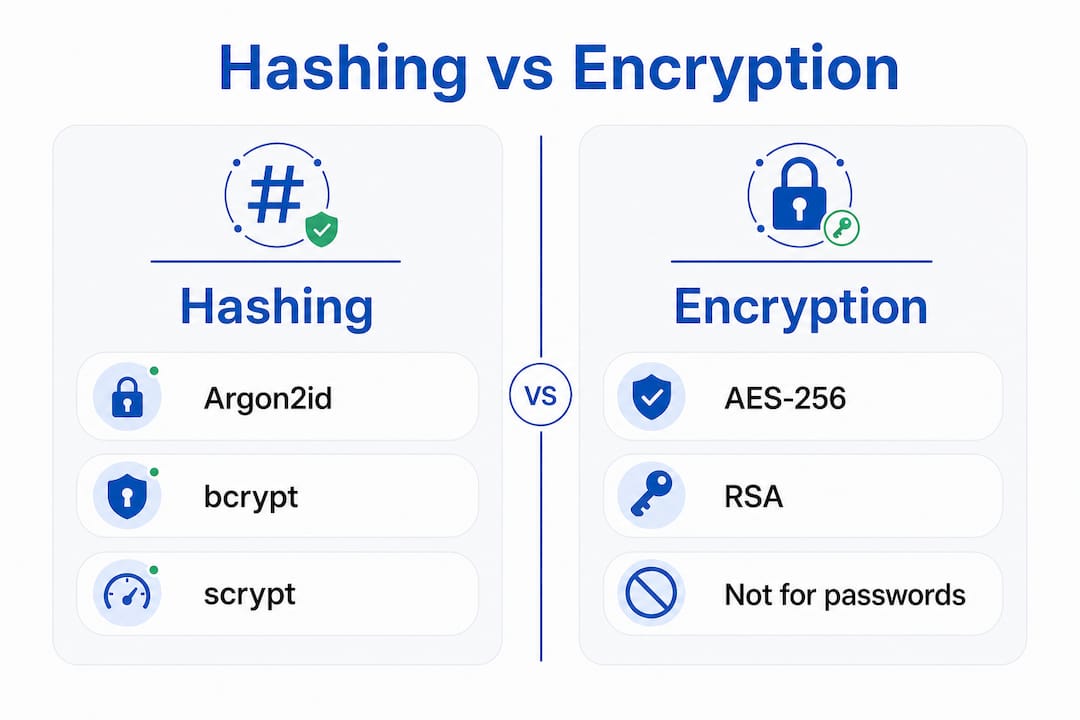
Modern key derivation functions are tuned to make brute-force guesses computationally expensive while keeping legitimate login fast enough for users. That balance is the defining feature of a good password hashing algorithm.
AES-256 and RSA serve different roles. AES-256 encrypts your password vault inside a password manager. RSA handles secure data transmission between your browser and a server. Neither replaces hashing for password storage. Each algorithm has a specific job, and mixing them up creates vulnerabilities.
MD5 and SHA-1 are not just outdated. They are actively dangerous for password storage. Precomputed rainbow tables and modern GPU cracking tools can break MD5-hashed passwords in seconds. No new system should use them for this purpose.
How can you protect your passwords beyond hashing?
The strongest server-side hashing cannot protect you if your own password habits are weak. Even the strongest hashing cannot compensate for weak user-side passwords. You need to act on both sides of the equation.
Here is what you should do right now:
- Use a password manager. A good password manager generates long, random, unique passwords for every account and stores them in an AES-256 encrypted vault. You only need to remember one strong master password.
- Stop reusing passwords. Password reuse is one of the biggest risks to your online accounts. One leaked password from a minor site can unlock your email, bank, or social media.
- Enable multi-factor authentication (MFA). MFA adds a second verification step beyond your password. Even if your password hash is cracked, an attacker still cannot log in without your second factor.
- Keep your password manager updated. Updates patch security vulnerabilities and keep your vault protected by the latest encryption standards.
- Make your master password count. Your master password is the single key to your entire vault. Make it long, unique, and something you have never used anywhere else.
Pro Tip: A strong master password does not need to be random gibberish. A passphrase of four or five unrelated words (like “correct horse battery staple”) is long, memorable, and extremely hard to crack.
Techstacktoday tests and ranks password managers based on real-world performance, not paid placements. If you want to know which password manager actually delivers on AES-256 vault security and usability, that is where to start.
Key Takeaways
Password security requires both strong server-side hashing with algorithms like Argon2id or bcrypt and strong user behavior, including unique passwords and a trusted password manager.
| Point | Details |
|---|---|
| Hashing beats encryption for storage | Databases should hash passwords with Argon2id, bcrypt, or scrypt, never reversible encryption. |
| Salts and peppers are non-negotiable | Salts prevent rainbow table attacks; peppers add a separate server-side security layer. |
| Fast algorithms are dangerous | MD5, SHA-1, and SHA-256 alone are too fast for password storage and vulnerable to GPU attacks. |
| AES-256 protects your vault | Password managers use AES-256 encryption to secure your stored credentials behind a master password. |
| User behavior completes the picture | Strong, unique passwords managed by a password manager are as critical as server-side cryptography. |
The uncomfortable truth about password security most people miss
Here at Techstacktoday, we have reviewed over 50 privacy and security services, and one pattern shows up constantly: people believe that because a site “uses encryption,” their passwords are safe. That belief is dangerously incomplete.
The term “password encryption” itself is part of the problem. It sounds reassuring. It implies a lock and a key. But the actual best practice, hashing with a slow algorithm and a unique salt, sounds less impressive and gets far less attention. Most users have no idea whether the sites they trust use bcrypt or MD5. They should care, because the difference between those two choices is the difference between a breach that costs attackers years of cracking time and one that exposes every password in an afternoon.
What I find most concerning is the user side of the equation. Even when a service does everything right cryptographically, users undermine it with short, reused passwords. A 12-character bcrypt hash of “password123” is still a weak password. The algorithm cannot fix that.
The practical answer is not to become a cryptography expert. It is to use a password manager, enable MFA everywhere, and stop reusing passwords. Those three steps do more for your real-world security than understanding every detail of Argon2id. The cryptography works in the background. Your job is to not hand attackers a shortcut around it.
— TechStackTeam
Stronger password security starts with the right tools
Knowing how password hashing works is only half the battle. The other half is putting that knowledge into practice with tools that actually hold up under scrutiny.

Techstacktoday tests and ranks the best password managers based on real-world vault security, AES-256 implementation, and usability, with no paid rankings influencing the results. If you want a manager that genuinely protects your credentials, start there. Pairing a strong password manager with a reliable VPN adds another layer of protection for everything you do online. Techstacktoday’s reviewed VPN services are ranked by the same hands-on standards. Your passwords deserve both layers of defense.
FAQ
What is the difference between password encryption and hashing?
Encryption is reversible and requires a key to decode. Hashing is a one-way process that produces a unique fingerprint with no way to reverse it, making hashing the correct method for storing passwords in databases.
Why is password hashing important for online security?
Hashed passwords protect you during data breaches because attackers cannot read the original passwords without cracking each hash individually. Slow algorithms like Argon2id make that cracking process extremely time-consuming.
What hashing algorithms are recommended in 2026?
Argon2id is the top recommendation, followed by bcrypt and scrypt. MD5, SHA-1, and fast hash functions like SHA-256 alone are insecure for password storage and should not be used.
How does a password manager protect my passwords?
Password managers encrypt your vault with AES-256 and protect it behind a master password. They also generate long, unique passwords for every account, eliminating the risk of password reuse.
Can a website email me my actual password if it uses proper hashing?
No. If a site can send you your original password, it is not hashing correctly. Properly hashed passwords are irreversible, so only a password reset link is possible, never the original password itself.