Use the PeopleConnect suppression center to pull your listing off Addresses.com. Verify a disposable email, enter your name and date of birth, select your record, request suppression, and confirm the code. That’s it. The process is free, usually finishes within a few days, and you’ll want to recheck it periodically since these listings can quietly reappear.
TL;DR:
- Suppressing listings from Addresses.com typically takes 24 to 72 hours and involves verifying your identity through a disposable email and matching your record precisely.
- Carefully select your records, especially with common names or complex histories, to avoid suppressing the wrong listing, which could leave your actual data visible.
- Rechecking your address listing every three to six months is essential, as listings can reappear due to new data sources or updates from public records.
- Avoid paying fees or uploading government IDs unless explicitly required and clearly explained, since legitimate suppression through PeopleConnect is free.
- For persistent reappearances or suppression across multiple broker sites, consider monitoring services, but smaller-scale suppressions are manageable with DIY steps.
Table of Contents
- How to Opt Out of Addresses.com Through PeopleConnect
- What Happens After You Submit the Request?
- Don’t Overshare: Verification Cautions Before You Submit
- Track Your Request and Handle Repeat Listings
- How Techstacktoday Verified This Suppression Flow
- Is DIY Suppression Enough, or Should You Pay Someone?
- Compare Removal Tools Before You Pay for Anything
- Where to Go Next for Official Opt-Out Help
- Sources
How to Opt Out of Addresses.com Through PeopleConnect
Addresses.com doesn’t run its own removal form. It pulls records from Intelius, and Intelius suppressions get processed through a single hub: PeopleConnect’s suppression center. One request there can knock your listing off Addresses.com and several sister sites at once, since suppression often covers multiple brands running on the same data network.
Before you touch the form, set up your safety net. Grab a disposable email address, something from a service like Proton Mail’s anonymous aliasing or a temp-mail generator, instead of your everyday inbox. This keeps your primary email out of a data broker’s hands and stops the kind of re-linking that undoes your own opt-out request.
Here’s the sequence:
- Go to the suppression page. Confirm the URL reads suppression.peopleconnect.us before typing anything. Bookmark it. Scammers clone pages like this one.
- Verify your email. Enter your disposable address, then check that inbox and click the confirmation link. No click, no progress.
- Enter your name and date of birth. This is how the system pulls up matching records, not just from Addresses.com but from any Intelius-powered listing tied to your identity.
- Select the correct record. You’ll likely see multiple entries, some with old addresses or slightly misspelled names. Pick every listing that’s actually you. Skipping one means it stays live.
- Set the status to Suppressed and save. This is the actual removal action. Don’t close the tab until you see a confirmation screen.
- Enter the verification code if prompted. PeopleConnect sometimes sends a follow-up code by email or SMS to confirm you’re the person requesting removal, not someone else trying to suppress your listing maliciously. Enter it, then save any confirmation message or screenshot.
Pro Tip: If you have a common name, cross-check the address history and age range on each record before selecting it. Suppressing the wrong “John Smith” wastes your session and leaves your real listing untouched.
The whole thing takes about ten minutes if your records are clean. Messier name histories (maiden names, moved a lot, Jr./Sr. mix-ups) can stretch that to twenty or thirty minutes of careful matching.

What Happens After You Submit the Request?
Most suppression requests process within 24 to 72 hours, though some guides note it can stretch to a full week depending on how backed up the system is and how many source databases need updating. There’s no way to force it faster.
You’ll know it worked when the portal shows a “Suppressed” status next to your selected record, and your confirmation email says the request was received. To verify on the live site, search your name on Addresses.com directly a few days later. If the listing is gone or shows no personal details, the suppression held.
Listings can come back, though. Public records refresh, county databases sync on their own schedules, and Addresses.com occasionally pulls from sources beyond Intelius entirely. That’s part of how the broader data-broker ecosystem operates. Recheck every few months rather than assuming one suppression is permanent.
Don’t Overshare: Verification Cautions Before You Submit
Suppression forms ask for real identifying details, but that doesn’t mean you hand over everything they might request. Stay careful here.
- Use a disposable email, never your primary one, to limit how easily your identity gets re-linked to future data pulls.
- Don’t upload a government ID unless the portal explicitly demands it and clearly explains how it’s stored and for how long.
- Leave optional fields blank. Phone numbers, old addresses, and employer info aren’t required to suppress a record, only to find one.
- Double-check the domain before entering anything. It should read suppression.peopleconnect.us, not a lookalike with extra characters or a different extension.
Pro Tip: If a site asks you to pay before it will even show you your own listing, back away. Legitimate suppression through PeopleConnect has never charged a fee for the basic opt-out.
Track Your Request and Handle Repeat Listings
Treat this like a paper trail, because sometimes it becomes one.
- Save the confirmation email and screenshot the “Suppressed” status the moment you see it.
- Note the submission date and the exact URL you used.
- Recheck Addresses.com 24 to 72 hours later, then again at the three to six month mark.
- If your listing resurfaces, repeat the suppression request and note whether it’s the same record or a new source feeding it.
A paid monitoring service starts making sense once you’re fighting the same listing more than twice, or juggling suppression across a dozen broker sites at once. For a single reappearance, redoing the free process is usually faster than paying anyone.
How Techstacktoday Verified This Suppression Flow
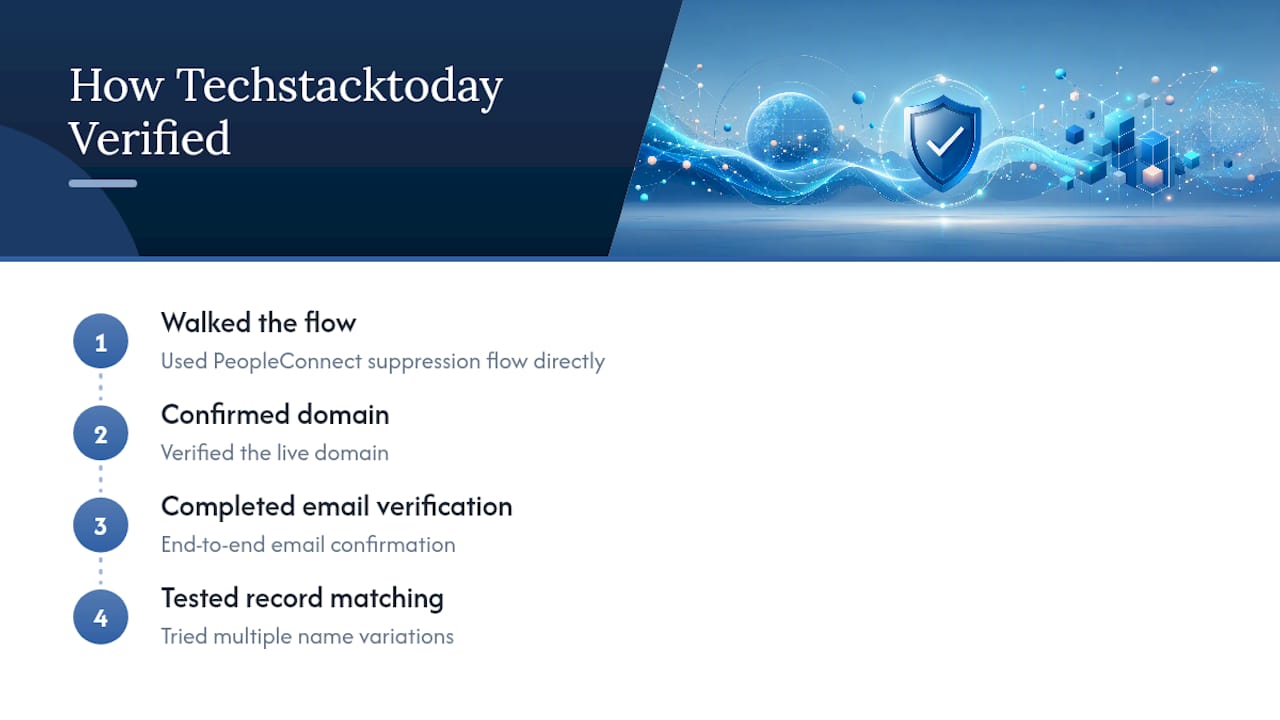
Techstacktoday’s team walked through the PeopleConnect suppression flow directly, confirming the live domain, completing email verification end to end, and testing record selection against multiple name variations to see how the matching actually behaves. That hands-on pass is what shapes the steps above rather than a rewrite of someone else’s screenshots. For readers tackling more than one broker, the guide to removing yourself from the internet and the broker removal search-results breakdown go further.
Is DIY Suppression Enough, or Should You Pay Someone?
DIY handles most single-broker situations fine. Pay for continuous monitoring only if your listing keeps reappearing or you’re managing exposure across many sites at once. Techstacktoday’s reviews can help you pick a service worth trusting.
— TechStackTeam
Compare Removal Tools Before You Pay for Anything
Suppressing one Addresses.com listing is a fifteen minute job. Staying off dozens of broker sites long term is a different problem, and that’s where most people either give up or overpay for a service that barely works. Techstacktoday tests these tools by hand instead of ranking them by affiliate payout, which is why our checklist for removing yourself from the internet walks through which removal services actually re-suppress your data when it resurfaces, and which ones just send you a monthly invoice.

If you’re deciding whether a paid option is worth it at all, our comparison checklist for privacy tools breaks down pricing, coverage, and turnaround time side by side, no guesswork required. Start there, compare two or three options against your actual situation, and pick the one that matches how many broker sites you’re actually dealing with.
Where to Go Next for Official Opt-Out Help
- PeopleConnect suppression center, the official route for Addresses.com and Intelius-linked listings.
- Privacyrights, for context on which brokers hold your information.
- Techstacktoday’s address removal guide, for tackling brokers beyond this one.
Sources
- PeopleConnect – Suppression Center
- Free Opt-Out Directory: Remove Yourself from People-Search Sites & Data Brokers (2026) – ExamineIP
- How to Opt Out of Addresses.com (2026 Step-by-Step Guide)
- Privacyrights