To hide your IP address, put another machine between your device and the sites you visit, so they see its address instead of yours. The most complete way to do that is a trustworthy VPN. Tor, a proxy and Apple’s iCloud Private Relay each cover less ground. Switching Wi-Fi networks or restarting your router doesn’t hide anything.
Don’t panic if you’ve been using the wrong method. This guide takes about 10 minutes to read, and setup takes about 5 minutes. ⏱️
TL;DR
- ✅ A reputable, paid VPN is the best all-device answer. It hides your IP from websites and your browsing from your ISP.
- ✅ Tor Browser gives stronger anonymity for browsing only, and it is slow. A proxy hides your IP in one app and usually doesn’t encrypt.
- ✅ iPhone users can use a VPN app, or iCloud Private Relay for Safari traffic if they pay for iCloud+.
- ⚠️ Restarting your router, using a hotspot or hopping onto public Wi-Fi doesn’t make you private.
- ⚠️ A hidden IP is one layer. Cookies, logins and browser fingerprinting still identify you.
Table of Contents
- What your IP address reveals, and what hiding it does
- The 5 methods, compared
- Method 1: Use a VPN (the best all-round option)
- Method 2: Use Tor Browser (strong anonymity, slow speed)
- Method 3: Use a proxy (fast, narrow, rarely encrypted)
- Method 4: Turn on iCloud Private Relay (iPhone, iPad, Mac)
- Method 5: Other networks and hotspots (what they actually do)
- What a hidden IP doesn’t hide
- Our perspective: what we’ve seen testing privacy tools
- Is it legal to hide your IP address?
- Ready to pick a VPN?
- FAQ
- Sources
What your IP address reveals, and what hiding it does
Your IP address is the number the internet uses to send data back to you. It points to your internet provider and your approximate location, usually the city. It does not give your name or street address to a random website. But it lets sites and advertisers link your visits together, and it tells a site roughly where you are.
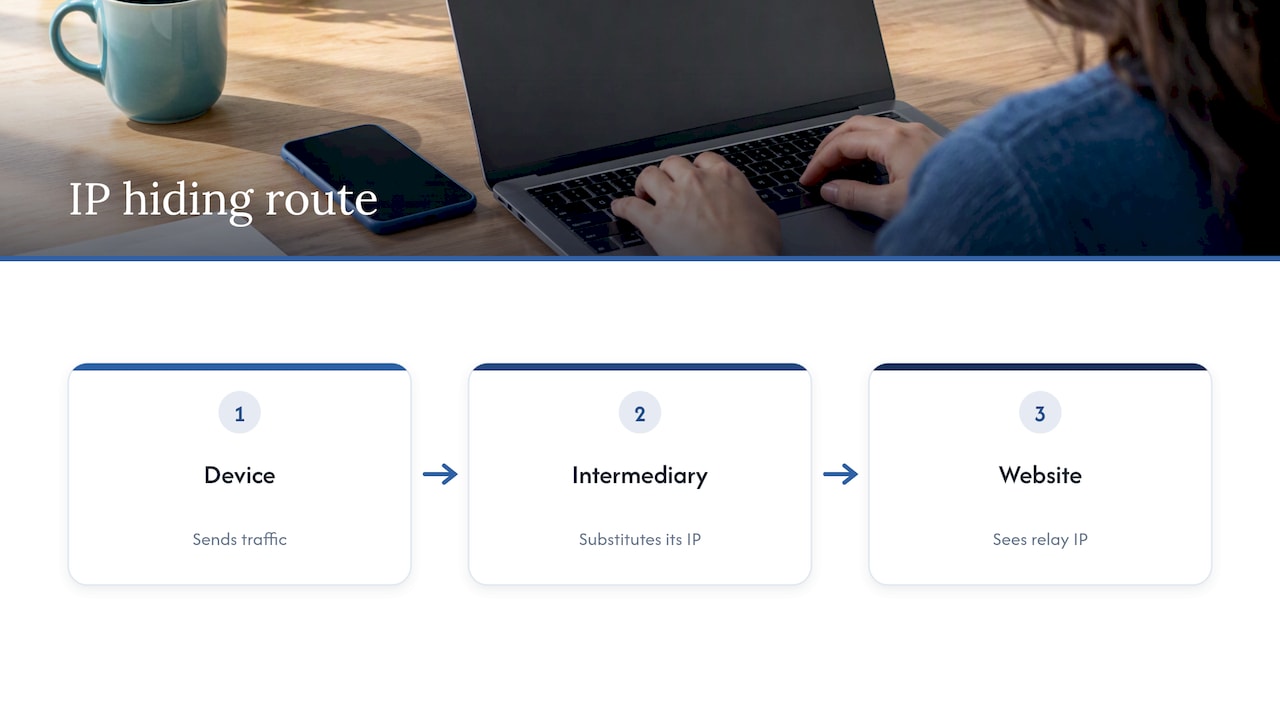
So “hiding” it means swapping your address for someone else’s. Every working method follows the same idea: another machine sits in the middle, and the real choices are which machine, who runs it and how much of your traffic it covers.
One honest limit first. Your ISP assigned your real IP, so it always knows it. You can stop websites from seeing it. You can’t make it vanish from your own provider’s records.
The 5 methods, compared
| Method | Covers | Encrypts traffic | Speed | Best for |
|---|---|---|---|---|
| Paid VPN | Whole device | Yes | Near normal | Everyday privacy on all apps |
| Tor Browser | Browser only | Yes, through three relays | Slow | High-anonymity browsing |
| Proxy | One configured app | Usually no | Fast | Simple location swaps |
| iCloud Private Relay | Safari and some app traffic on Apple devices | Yes | Fast | iPhone users already on iCloud+ |
| Mobile hotspot or other network | Whole device | No | Varies | Little real privacy |
The coverage and speed differences between VPNs, Tor and proxies are the same ones we see in our own testing.
Method 1: Use a VPN (the best all-round option)
A VPN app sends your traffic through an encrypted tunnel to a server run by the VPN company. Websites see the server’s IP. Your ISP sees only that you’re connected to the VPN. If the basics are new to you, start with our plain-English explainer on what a VPN is.
How to set one up in 5 steps
- Pick a provider. Check the audits, the jurisdiction and the logging policy (more on this below).
- Sign up and download the app from the provider’s official site or your device’s app store.
- Open the app and sign in.
- Connect to a server. Choose one near you for speed, or in another city or country if you need a different location.
- Check it worked. Search “what is my IP” with the VPN off, note the number, then turn the VPN on and search again. The numbers should differ.
Turn on the kill switch in the settings if the app has one. It blocks your traffic if the tunnel drops, so your real IP doesn’t leak. 🔒
The catch: a VPN moves trust, it doesn’t remove it
The Federal Trade Commission says a VPN app can obscure your traffic from your ISP or public Wi-Fi provider, but it doesn’t make you anonymous. It shifts trust from those networks to the VPN provider. The provider can see what your ISP used to see.
That’s why who runs the VPN matters more than the server count or the flashy ad. Before you pay, check four things:
- Independent audits. Look for a no-logs claim verified by a recognized security firm, not just a line on the website.
- Jurisdiction. Where the company is based affects what it can be forced to hand over. Our piece on 14 Eyes VPNs explains why audits and server design matter more than the map.
- Transparency signals. A warrant canary is only useful if you verify its signature.
- App permissions. The FTC’s advice is to be stingy with permissions and read the privacy policy. If a VPN app wants to read your text messages, walk away.
If you want to know how a VPN fits into the bigger picture of tracking, see how VPNs protect against surveillance.
Skip most free VPNs
Running servers costs money. If you aren’t paying, the company often is earning from your data or from redirecting your traffic. Verify that a free VPN has an independently audited no-logs policy before you trust it with anything. For many people a paid plan is the safer move, and it’s cheaper than you may think. We broke down what a VPN really costs, including the gap between a $3 deal and the upfront bill.
Method 2: Use Tor Browser (strong anonymity, slow speed)
Tor routes your browser traffic through three volunteer-run relays. That makes it the stronger choice when anonymity matters more than convenience, for example when researching something sensitive. The trade-off is speed, and it covers browsing, not your whole device.
How to do it:
- Download Tor Browser from the Tor Project’s own website only.
- Install it and click Connect.
- Browse in that window. Don’t log into personal accounts there.
⚠️ Use the official Tor Browser as it comes. Don’t try to force other apps through Tor by hand. The Tor Project warns that manual setups risk leaks, such as exposing your real IP through DNS or UDP traffic.
Method 3: Use a proxy (fast, narrow, rarely encrypted)
A proxy forwards one app’s requests through another server. Setup is simple: you enter the proxy’s address and port in your browser or app settings. The downside is that proxies mask your IP app by app, without necessarily encrypting anything. Any app you didn’t configure still shows your real address.
A proxy is fine for something low-stakes, like viewing a page as if you were in another city. It’s a poor choice for banking, email or anything private. Our VPN vs proxy comparison goes through the differences in detail.
Be wary of browser extensions that promise to “hide your IP” in one click. Many are proxies in disguise, and the extension itself can see every page you load. Apply the same rule as for VPNs: check who made it, read the privacy policy, and look at the permissions it asks for.
Method 4: Turn on iCloud Private Relay (iPhone, iPad, Mac)
People search for how to hide IP on an iPhone more than almost any other device. You have two real options.
Option A: a VPN app. Install it from the App Store, sign in, allow the VPN configuration when iOS asks, and tap connect. This covers apps as well as Safari.
Option B: iCloud Private Relay. Apple says that when you subscribe to iCloud+, Private Relay encrypts traffic leaving your iPhone and sends it through two separate relays. That keeps websites from seeing your IP address and exact location, and keeps network providers from collecting your Safari browsing activity.
To manage it per network, open Settings > Wi-Fi, tap the Actions Available button next to the network, and switch Limit IP Address Tracking on or off. For mobile data, go to Settings > Cellular and find the same toggle under Cellular Data Options. Apple’s note is that turning it off for a network turns Private Relay off for that network on all devices signed in to your Apple Account.
Private Relay is handy and automatic, but it is built around Safari browsing. If you want every app covered, or a choice of server location, use a VPN app.

Traveling with your iPhone
Hiding your IP doesn’t protect your phone number. If you’re traveling and switching to an eSIM, take a minute to read this guide on setting a carrier PIN on a travel eSIM before you fly. It’s a separate risk from your IP, and an easy one to close.
Method 5: Other networks and hotspots (what they actually do)
This is where most myths live, so be skeptical. 🚫
- Restarting your router. You may get a new address, but it will usually be in the same city and from the same ISP. That’s rotation, not hiding.
- Using your phone as a hotspot. This hides your IP from your home network only. Your mobile carrier still knows who you are.
- Using public Wi-Fi. You get a different IP, but the network operator can still see your activity, and it’s unencrypted unless you add a VPN. See real examples of unsafe public Wi-Fi risks.
One more thing: a flaky connection isn’t a privacy tool, and troubleshooting it is a different job. If a Mac keeps dropping Wi-Fi while you test any of this, this MacBook Wi-Fi triage guide walks through quick checks before you assume a VPN is at fault.
What a hidden IP doesn’t hide
Here’s the part most guides skip. Your IP is one identifier among many. Even with it hidden, you are still tracked by cookies, account logins and device fingerprinting. The FTC makes the same point: a VPN won’t stop the sites you log in to from knowing it’s you.
So add these habits to your VPN:
- Don’t log into Google, Facebook or similar accounts in the browser session where you want privacy.
- Clear cookies regularly, or use a privacy-focused browser.
- Use multi-factor authentication on email, banking and social accounts. CISA’s online privacy tip sheet lists it first.
- Use a password manager so one leaked password doesn’t open every account. Our guide to password manager security fixes takes 20 minutes.
- Check your wider footprint. Your IP isn’t the only way people find you. Data brokers sell your name, address and phone number. See how to remove yourself from the internet for that side of the problem.
For a full list of the tools worth having, use our internet privacy tools checklist.
Our perspective: what we’ve seen testing privacy tools
We review privacy services hands-on, with real accounts, and we don’t take paid placements. Rankings are based on performance, not on what a vendor pays us. Here’s what that has taught us about hiding your IP.
First, the tool matters less than the provider behind it. A VPN is a middleman, so the question “can I trust this company?” matters more than “how many servers does it have?” Audits, a clear logging policy and a transparent ownership story count for more than marketing.
Second, people overbuy anonymity and underbuy basics. Most readers don’t need Tor for daily life. They need a good VPN on public Wi-Fi, multi-factor authentication and a password manager. That combination stops far more real-world harm than a hidden IP alone.
Third, check that it works. Run an IP test before and after you connect, and again after you update the app. A VPN that silently fails is worse than none, because you believe you’re protected.
You can see how we rate the services we’ve tested on our VPN reviews and rankings page.
— TechStackTeam
Is it legal to hide your IP address?
In the U.S., hiding your IP with a VPN, proxy or Tor is generally legal. Using these tools for fraud, hacking or other crimes remains illegal, and a VPN doesn’t make unlawful activity lawful. Some services also ban VPN traffic in their terms of use, which can get your account restricted. If you’re in a workplace or school network, check the acceptable-use policy first. For a legal question about your specific situation, talk to a licensed attorney.
Ready to pick a VPN?
If you’ve decided a VPN is the right fit, don’t guess. We tested over 50 privacy services, and our ranked VPN reviews with current deals show how each performs on speed, privacy practices and price. Our rankings aren’t influenced by affiliate payouts, and we update reviews monthly. Compare two or three, then choose.
FAQ
Can you really hide your IP address?
From websites and apps, yes. A VPN, Tor or Private Relay replaces your address with another one. From your ISP, no: it assigned the address and knows it. What a VPN changes is that your ISP no longer sees the sites you visit, while the VPN company does.
How do I hide my IP address on my iPhone?
Install a reputable VPN app and connect, or turn on iCloud Private Relay if you have iCloud+. The VPN covers all apps. Private Relay is aimed at Safari browsing. Afterward, search “what is my IP” to confirm the address changed.
Will restarting my router hide my IP?
No. You will likely get a new address from the same ISP in the same city. That doesn’t hide your location or your identity. Use a VPN if you want a different address and an encrypted connection.
Is a free VPN good enough to hide my IP?
Usually not. Many free VPNs make money from your data or from redirecting your traffic. If you try one, look for an independently audited no-logs policy and read the privacy policy first. A paid plan from a provider with audits is the safer default.
Does hiding my IP make me anonymous?
No. Cookies, logins and browser fingerprints still identify you. Treat IP masking as one layer, then add multi-factor authentication, a password manager and good browser habits.
Sources
- In the market for a VPN app? (Federal Trade Commission)
- How to hide your IP address: every method compared (ipconfig.io)
- Protect your web browsing with iCloud Private Relay on iPhone (Apple Support)
- Online Privacy Tip Sheet (CISA)
- How to Hide IP Address Legally and Safely (PromptCloud)