Password length is the single most important factor in how hard your account is to crack. Each character you add multiplies the number of possible combinations an attacker must try, not by a little, but by an enormous amount. The 2026 NIST guidelines recommend a minimum of 15 characters for user-chosen passwords and support lengths up to 64 characters. Complexity rules, once considered the gold standard, now play a secondary role. If you want to protect your personal information, length is where you start.
Why does password length matter more than complexity?
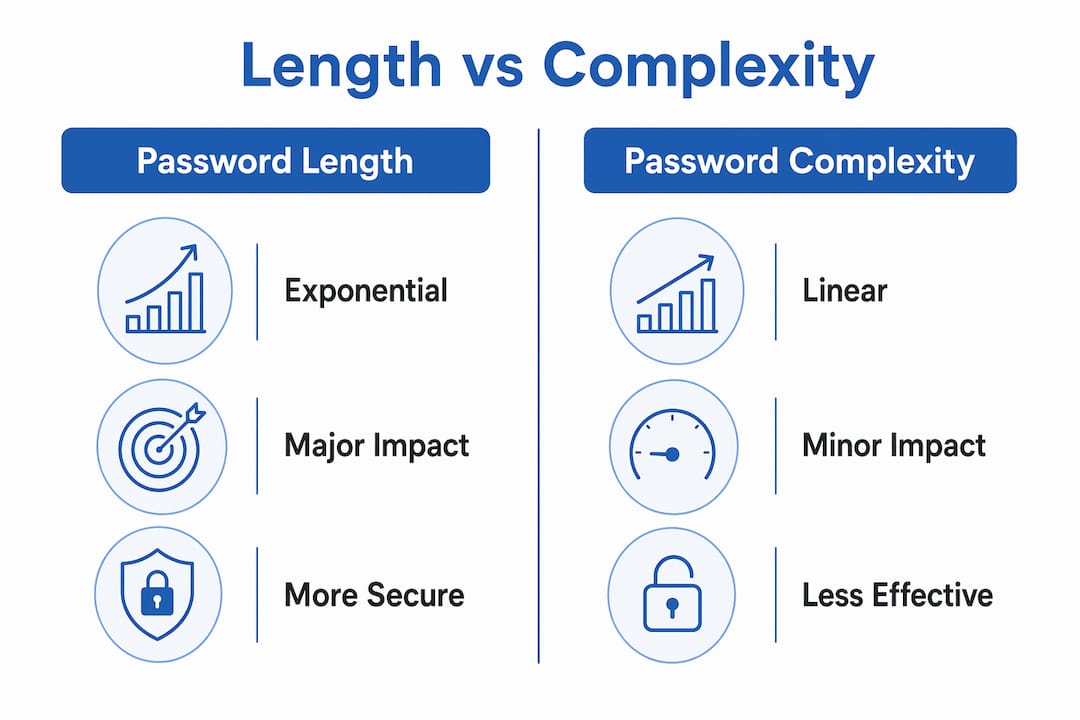
Password length matters because of math. Every character you add to a password multiplies the total number of possible combinations by the size of the character set. That growth is exponential, not linear. A password using lowercase letters has 26 possible characters per position. Add one more character and you multiply the search space by 26. Add two more and you multiply it by 676.
Adding one character provides roughly 6.5 bits of entropy and causes an exponential increase in attack difficulty. That means each extra character makes your password dramatically harder to crack, not just slightly harder. Increasing length from 8 to 16 characters multiplies the search space by approximately 6.6 trillion billion. That number is not a typo.

Here is what that looks like in practice:
| Password length | Character set (mixed) | Approximate combinations | Estimated cracking time |
|---|---|---|---|
| 8 characters | 95 | 6.6 quadrillion | Hours to days |
| 12 characters | 95 | 540 quintillion | Months to years |
| 16 characters | 95 | 44 sextillion | Centuries |
| 20 characters | 95 | 3.6 septillion | Effectively uncrackable |
Complexity, by contrast, adds only a modest increase. Switching from lowercase letters to a mixed character set (uppercase, numbers, symbols) expands the character set from 26 to roughly 95. That is a one-time multiplier. Length keeps compounding with every single character you add.
Pro Tip: If you can only do one thing today, make your passwords longer. Go from 8 characters to 16 and you have made an attacker’s job astronomically harder.
Why have complexity rules fallen out of favor?
Forced complexity requirements were well-intentioned but backfired. When a site demands an uppercase letter, a number, and a symbol, most people respond with predictable patterns. “Password1!” is the classic example. It meets every complexity rule and is still one of the first passwords cracking tools try.
Complexity requirements add only linear gains in security and can lead to predictable, weaker passwords. Modern cracking tools are built to guess these patterns early. An attacker’s dictionary already includes “P@ssw0rd,” “Tr0ub4dor&3,” and thousands of similar substitutions.
The 2026 NIST guidelines responded to this reality. They dropped mandatory complexity requirements entirely. The focus shifted to length, uniqueness, and checking passwords against known breach lists. Here is what the updated guidance rejects:
- Forced special characters or uppercase letters
- Mandatory periodic password resets without evidence of compromise
- Password hints that reveal predictable information
- Restrictions on using spaces or longer passphrases
Mandatory password rotations increase the risk of predictable patterns and do not improve security without evidence of compromise. When users are forced to change passwords every 90 days, they typically change “Password1!” to “Password2!” That is not security. That is theater.
Pro Tip: Stop chasing complexity. Focus on length and uniqueness. A 20-character passphrase made of four random words beats “P@ssw0rd1!” every time.
What makes long passwords hard to use, and how do you fix it?
The biggest obstacle to using long passwords is memory. A 20-character random string is nearly impossible to memorize, especially when you need a different one for every account. This is where most people give up and reuse passwords instead.
Password reuse is the greatest vulnerability. Even a very long password becomes useless if it appears in a breach database and you have used it on 10 other sites. Attackers use credential stuffing tools that automatically try stolen username-password pairs across hundreds of services. One breach can unlock your entire digital life.
The practical challenges you face with long passwords include:
- Memory limits. Humans cannot reliably remember 20-character random strings across dozens of accounts.
- Site restrictions. Some older websites cap maximum password length at 20 characters, which limits your options.
- Typing friction. Long passwords are slower to type, especially on mobile devices.
- Reuse temptation. The harder a password is to remember, the more likely you are to reuse it.
The solution to all four problems is a password manager. A password manager generates, stores, and autofills long, unique passwords for every account. You remember one strong master password and the manager handles the rest.
Dedicated password managers generate cryptographically secure random passwords, avoiding the human pattern weaknesses that make user-created passwords predictable. That matters because even well-intentioned passphrases tend to follow patterns that cracking tools exploit. A random generator has no habits.
Before setting a very long password on any site, check the site’s password policy. Some legacy systems silently truncate passwords longer than their hidden limit, which means your 30-character password might actually be stored as 20 characters without any warning.
How does two-factor authentication work with long passwords?
Long passwords are your first line of defense. Two-factor authentication (2FA) is your second. You need both. A long password protects you from brute force attacks. 2FA protects you when your password is already known to an attacker.
NIST and security experts classify 2FA and MFA as necessary for securing accounts beyond just strong passwords. The reason is simple: passwords can be stolen through phishing, keyloggers, or data breaches without any cracking involved. If an attacker has your password, length becomes irrelevant. 2FA stops them at the door anyway.
Common 2FA methods ranked by security:
- Hardware security keys (like YubiKey): the strongest option, resistant to phishing
- Authenticator apps (like Google Authenticator or Authy): strong and widely supported
- SMS codes: better than nothing, but vulnerable to SIM-swapping attacks
- Email codes: convenient but only as secure as your email account
Length alone cannot protect against credential stuffing, phishing, or keyloggers. These attacks bypass the cracking process entirely. They steal your password directly, so the length never gets tested. 2FA closes that gap by requiring a second proof of identity that attackers typically cannot access.
Enable 2FA on every account that supports it. Start with your email, financial accounts, and any account tied to your identity. Your email is the master key to everything else.
What are the current best practices for password length?
The current guidance from NIST and security researchers is clear and consistent. Here is what you should do right now:
- Use at least 15 characters for every account. This is the 2026 NIST minimum for user-chosen passwords. Treat it as a floor, not a target.
- Use 20 or more characters for high-value accounts. Email, banking, and cloud storage deserve extra protection. 16 random characters or 5 random unrelated words provide strong protection for most accounts, but go longer for anything critical.
- Never reuse passwords across accounts. Uniqueness is as important as length. A unique 15-character password beats a reused 30-character one.
- Use a password manager. NIST 2026 supports password managers and recommends their integration as a best practice. They solve the memory problem completely.
- Skip forced complexity if your site allows it. Length and randomness matter more than symbols and uppercase letters.
- Only change passwords when there is evidence of a breach. Arbitrary rotation creates predictable patterns. Change passwords when you have a reason, not on a calendar schedule.
- Check site password policies before setting long passwords. Legacy systems sometimes cap length silently. Test your password manager’s autofill and confirm the full password was accepted.
For passphrases, choose four to six truly random, unrelated words. “Correct horse battery staple” is the famous example, but that one is now in every cracking dictionary. Generate your own using a random word tool, not your favorite song lyrics or a memorable phrase.
Key Takeaways
Password length is the most effective security upgrade you can make because each added character multiplies attack difficulty exponentially, far beyond what complexity rules achieve.
| Point | Details |
|---|---|
| Length beats complexity | Each extra character multiplies combinations exponentially; complexity adds only a one-time linear gain. |
| NIST 2026 minimum is 15 characters | Use 15 characters as your floor and 20 or more for email, banking, and cloud accounts. |
| Reuse cancels out length | A unique 15-character password is safer than a reused 30-character one exposed in a breach. |
| Password managers solve the memory problem | They generate and store cryptographically secure random passwords so you never need to remember them. |
| 2FA closes the gap length cannot | Two-factor authentication stops attackers who already have your password through phishing or keyloggers. |
The complexity obsession cost us a decade of real security
Here is what I have seen working in digital privacy: most people spent years chasing the wrong target. They added an exclamation point, capitalized the first letter, swapped an “o” for a zero, and felt secure. They were not. Those patterns are the first thing modern cracking tools check.
The shift in the 2026 NIST guidelines is not a minor update. It is an admission that the old model was actively harmful. Forced complexity and mandatory rotations trained users to create predictable passwords. The security theater of “P@ssw0rd1!” gave people false confidence while leaving them exposed.
What actually works is boring and simple: long, random, unique passwords stored in a password manager, combined with 2FA on every account that matters. That combination handles brute force attacks, credential stuffing, and most phishing scenarios. No symbol substitution required.
The hardest part is not the technology. It is convincing yourself that the old habits were wrong. Once you accept that length and uniqueness are the real levers, the path forward is straightforward. Pick a password manager, generate 20-character random passwords for your critical accounts, and turn on 2FA everywhere. Do it this week, not eventually.
— TechStackTeam
The right tools make long passwords effortless
Strong passwords only work if you actually use them. The friction of remembering 20-character random strings is the reason most people fall back on weak, reused passwords. A good password manager removes that friction entirely.

Techstacktoday has tested and ranked the top password managers available in 2026, evaluating each one on real-world performance, not paid placements. The best password managers on the list generate cryptographically secure passwords, autofill them across devices, and alert you when your credentials appear in a breach. Pair that with 2FA and you have covered the two biggest gaps in most people’s security. Your accounts deserve more than a memorable phrase. Give them a fighting chance with the right tools.
FAQ
What is the minimum recommended password length in 2026?
The 2026 NIST guidelines recommend a minimum of 15 characters for user-chosen passwords. High-value accounts like email and banking benefit from 20 or more characters.
Is a longer password always better than a complex one?
Yes. Length increases the number of possible combinations exponentially, while complexity adds only a one-time linear gain. A 20-character lowercase password is harder to crack than an 8-character password with symbols.
Why do password managers matter for password length?
Password managers generate and store cryptographically secure random passwords, so you can use 20-plus-character unique passwords on every account without memorizing any of them.
Does two-factor authentication replace the need for long passwords?
No. 2FA and long passwords solve different problems. Length protects against brute force attacks. 2FA protects against stolen credentials from phishing or data breaches. You need both.
Should I change my passwords regularly?
Only change passwords when there is evidence of a breach or compromise. The 2026 NIST guidelines dropped mandatory periodic resets because forced rotations lead to predictable, weaker passwords over time.