A paid data-removal service is worth it — but only for the right person. If you have a large digital footprint, face real privacy threats, or simply can’t spare hours tracking down dozens of opt-out forms, the cost pays for itself quickly. If you’re a low-profile individual with minimal online presence and some technical patience, you can likely handle it yourself for free.
Here’s the fast version:
- ✅ High-footprint users (executives, public figures, frequent movers, harassment targets): Yes, pay for it. The time savings and ongoing monitoring alone justify the subscription.
- ⚠️ Moderate-footprint users (average professional, active social media user, recent mover): Probably worth a trial spanning several months. Run the numbers against your hourly rate.
- ❌ Low-footprint users (minimal online presence, rarely move, low threat model): DIY first. A paid service may cost more than the marginal privacy gain is worth.
Three questions to decide right now:
- What’s your profile? Search your name on Google and Spokeo. If you find more than five listings with your address, phone, or relatives, you have a meaningful footprint.
- What’s your threat model? Spam reduction is a nice-to-have. Stalker protection or executive privacy is urgent.
- Can you commit to maintenance? Data reappears. A one-time cleanup fades. If you won’t re-submit opt-outs every quarter, a subscription service does that work for you.
No service can make you invisible online. Paid removal services reduce your visibility — they don’t erase your history. Keep that expectation in place and you’ll make a smarter buying decision.
Table of Contents
- How do data removal services actually work?
- What are the real benefits of paying for data removal?
- What can’t a data removal service actually do?
- Which factors affect how successful removal will be for you?
- DIY removal vs. paid service: which one is right for you?
- What does a data removal service cost, and is it worth the price?
- Which data removal services are commonly recommended in the U.S.?
- What does the research say about who actually benefits?
- How do you evaluate a data removal service before buying?
- What happens after you sign up? Timeline and follow-up tasks
- Key Takeaways
- The honest take on data removal services
- Useful sources and further reading
How do data removal services actually work?
The mechanics matter because they determine what you’re actually paying for. Most services operate in two modes: automated scripted requests and, less commonly, human-assisted interventions.

The automated approach
The majority of consumer services use software to scan hundreds of data broker databases, people-search sites, and aggregator feeds. When they find a match for your name, address, phone number, or email, they submit an opt-out or deletion request on your behalf. This works because the Fair Credit Reporting Act and state privacy laws like the CCPA require many data brokers to honor removal requests from consumers.
The typical process looks like this:
- Discovery: The service scans its database of known brokers and people-search sites for records matching your profile.
- Verification: It confirms the match is actually you (not a different person with the same name).
- Opt-out submission: It sends a removal or opt-out request, either via an automated form, email, or API where available.
- Confirmation tracking: The service checks whether the broker honored the request within the required window.
- Re-monitoring: Because brokers re-acquire data from third-party feeds, the service rescans on a regular cadence and resubmits when your record reappears, addressing important data-security and sovereignty concerns in industry verticals.
What they can and can’t touch
Services have real leverage over legitimate, U.S.-based data brokers that are legally required to respond to opt-out requests. They have no meaningful leverage over illegal scrapers, overseas operators, or data already circulating on the dark web.
- ✅ People-search sites (Spokeo, WhitePages, BeenVerified)
- ✅ Marketing data brokers (Acxiom, LexisNexis consumer profiles)
- ✅ Background-check aggregators that accept opt-outs
- ❌ Original publisher content (news articles, court records, government databases)
- ❌ Dark web marketplaces and breach-dump forums
- ❌ Overseas sites that ignore U.S. opt-out requirements
Human-assisted services add a layer of manual follow-up when a broker ignores an automated request. Some escalate to state regulators when a broker is non-compliant, particularly in California where the DROP platform supports structured opt-out workflows.
What are the real benefits of paying for data removal?
The clearest benefit is time. Submitting opt-outs manually across dozens of brokers takes hours — some estimates put it at several full days of work to cover the major sites, and that’s before accounting for the follow-up submissions required when data reappears. A paid service compresses that into a background process you don’t have to manage.
Removing your personal information from people-search sites makes it harder for criminals to collect your data and use it to target or impersonate you. The reduction in exposed inputs — identity links, verification data, recovery paths — raises the cost and friction for opportunistic attackers, even if it doesn’t eliminate the underlying risk.
Beyond time savings, here’s what you actually get:
- Ongoing monitoring. The biggest operational value is iterative re-submission. Brokers re-acquire data from feeds and scrapers constantly, so a one-time removal fades within months. Continuous monitoring is what makes the reduction durable.
- Reduced spam and phishing exposure. Fewer active listings mean fewer marketing lists feeding your inbox with targeted offers and fewer raw data points for phishing attempts.
- Reporting transparency. Good services provide before-and-after screenshots, named broker lists, and removal logs so you can see exactly what was found and what was removed.
- Escalation support. When a broker ignores a request, some services follow up directly or flag the non-compliance to relevant state regulators.
- Reduced identity-theft inputs. Removing stale addresses, old phone numbers, and family-member links from broker databases cuts the raw material attackers use for social engineering and account takeover.
Think of it as an exposure-reduction control, not a cure. You’re raising the cost for anyone trying to aggregate your identity — that’s a real security benefit even when full erasure is impossible.

What can’t a data removal service actually do?
Set the right expectations before you pay. Services are genuinely useful, but they operate within hard limits — and some vendors oversell what’s possible.
What no service can remove:
- Court records, property records, and other public-record databases maintained by government agencies
- News articles, blog posts, and content on original publisher sites
- Data already propagated widely across the dark web from major breaches
- Records held by overseas operators who ignore U.S. opt-out law
- Social media content you or others have posted
The reappearance problem. Brokers don’t delete your data permanently — they remove the current record and then re-acquire it from upstream data feeds weeks or months later. Without ongoing monitoring, a removal is temporary. This is the single most important thing to understand before buying a one-time cleanup package.
The privacy paradox. To remove your data, a service needs some of your data. You’re handing your name, address, email, and sometimes your Social Security number to a third party. That’s a real risk if the provider has weak data-handling practices. Before signing up, check:
- Does the service publish a clear data-retention policy?
- Do they delete your information if you cancel?
- Are they transparent about how they store and protect what you share?
Pro Tip: Ask any prospective service for a sample removal report before you pay. If they can’t show you a named broker list and a before/after log, treat that as a red flag. Vague claims like “we remove you from hundreds of sites” without specifics are a warning sign, not a selling point.
Which factors affect how successful removal will be for you?
Not everyone gets the same result from the same service. Your outcome depends heavily on your personal situation.
Your public-profile level matters most. Executives, public-facing professionals, and frequent movers accumulate far more broker records than private individuals who have lived at the same address for a decade. The more records there are to remove, the more visible the improvement.
Source of your exposure:
- Data broker aggregation (the most common): Services handle this well.
- Public records (court filings, property records): Services cannot touch these.
- Social media and self-published content: Outside the scope of removal services entirely.
- Breach data: Services can remove broker copies of breach data but cannot affect the original breach dump.
- Shadowy scrapers: Limited leverage; depends on whether the operator responds to requests.
Jurisdiction and state law. California’s CCPA gives residents stronger opt-out rights and shorter compliance windows than most other states. The DROP platform from the California DOJ supports structured opt-out workflows that improve enforcement. If you’re in a state with weaker privacy law, brokers face less legal pressure to comply quickly.
Your technical footprint. Multiple past addresses, aliases, old phone numbers, and family-member links all increase the number of correlated records a broker can maintain on you. A complex footprint means more records to remove and more re-monitoring work.
Your threat model. Reducing spam is a low-urgency goal. Protecting yourself from a stalker, an abusive ex, or targeted corporate espionage is urgent. The higher the stakes, the more a paid service’s thoroughness and speed matter.
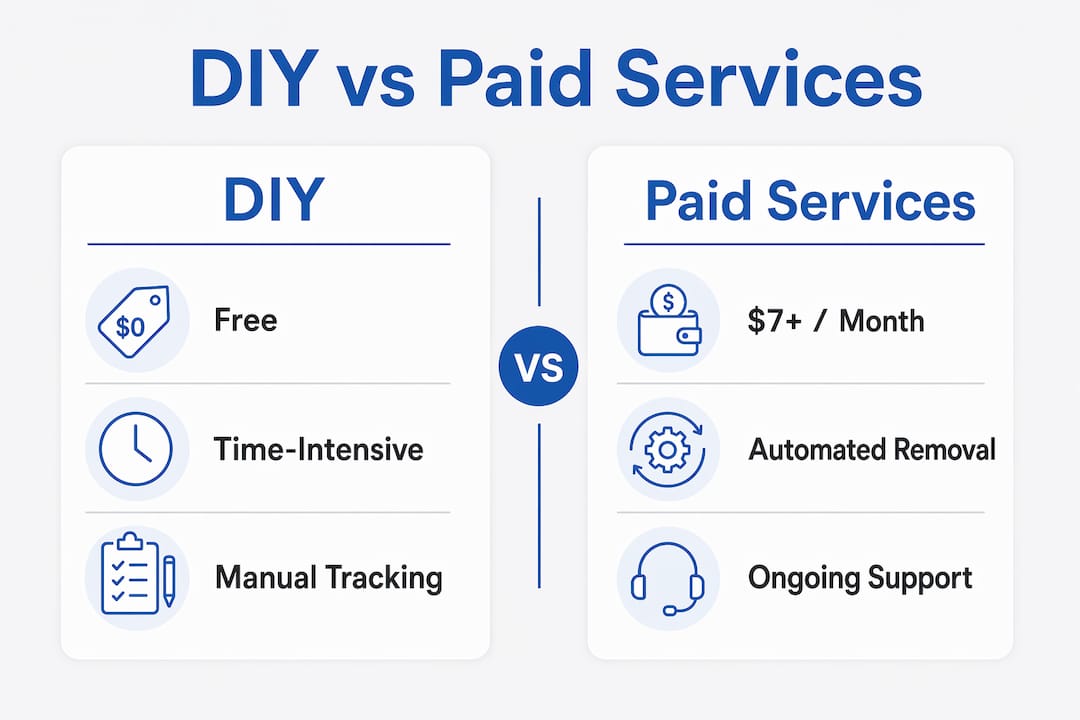
DIY removal vs. paid service: which one is right for you?
| Factor | DIY | Paid Service |
|---|---|---|
| Upfront cost | Free | $7/month typically |
| Time required | High (many hours initially, ongoing) | Low (setup only) |
| Coverage breadth | Limited to sites you find manually | Hundreds of brokers systematically |
| Ongoing monitoring | Manual, easy to neglect | Automated, continuous |
| Reporting | None unless you track it yourself | Removal logs and dashboards |
| Best for | Low footprint, technically comfortable | High footprint, time-constrained |
When DIY makes sense: You have a small footprint, you’re comfortable tracking spreadsheets, and you’re willing to revisit opt-outs every quarter. The full DIY process is free and effective if you stick to it.
When paid makes sense: You have multiple past addresses, a public-facing role, or an active threat. You don’t want to spend hours managing opt-out confirmations. You want documented proof of what was removed.
Short DIY checklist if you go it alone:
- Search your name on Google, Spokeo, WhitePages, BeenVerified, and Intelius. Screenshot every listing.
- Gather the information each site has on you — confirm it’s actually your record.
- Submit opt-out requests on each site individually. Save every confirmation email.
- Set a calendar reminder to recheck every 90 days.
- For sites that ignore your request, escalate to your state attorney general or the FTC.
You can also use a paid service to complement DIY work. Subscribe for 6–12 months to get the initial heavy lift done, then cancel and maintain manually if your footprint is manageable.
What does a data removal service cost, and is it worth the price?
Pricing models vary, but the structure is fairly consistent across the market.
| Plan Type | Typical Price Range | What You Get |
|---|---|---|
| Monthly subscription | typically costs a moderate monthly fee | Ongoing monitoring, re-submissions, reporting |
| Annual subscription | usually offered at a discounted rate compared to monthly plans | Same as monthly, discounted |
| Family plan | generally priced to cover multiple family members | Covers 2–5 family members |
| One-time cleanup | available as a single payment option | Single-pass removal, no ongoing monitoring |
Annual plans consistently offer better value. Consumer-facing roundups confirm that paying annually can noticeably save compared to month-to-month billing. One-time cleanup packages sound appealing but miss the point: without ongoing monitoring, removed records reappear.
Questions to ask before you pay:
- How many brokers does the service cover, and is that number independently verified?
- How often does it rescan and resubmit?
- What does the reporting dashboard show — named brokers, removal status, timestamps?
- What’s the refund or money-back policy if results are poor?
- Does the price cover one person or a household?
Value checklist: A service is worth the price if it covers at least 100–200 brokers, rescans monthly or quarterly, provides named removal logs, and has a clear cancellation and refund policy. Services that can’t answer those questions specifically aren’t worth the subscription.
Which data removal services are commonly recommended in the U.S.?
These four services appear consistently in independent consumer reviews and hands-on tests. This is a starting-point profile, not a ranked endorsement — verify current pricing and coverage before buying.
-
Incogni (developed by Surfshark): Targets over 420 data brokers and people-search sites, a number independently verified by Deloitte. Uses automated opt-out requests with re-monitoring built in. Offers a premium tier with unlimited custom removals from sites outside the standard database. Annual billing cuts the cost significantly. Strong transparency on which brokers are covered.
-
DeleteMe: One of the longer-running consumer services in the U.S. market. Uses a combination of automated requests and human review. Provides detailed PDF reports showing what was found and what was removed. Pricing is on the higher end for individuals, but family plans offer reasonable per-person value. Wirecutter testing has consistently placed it among the clearer reporting options for mainstream users.
-
Optery: Flexible tiered pricing makes it accessible at lower budgets, with a free tier for basic scanning. Human QA review on removals is a differentiator — actual people verify the job was done. Custom removals available for sites outside the standard database. Good fit for users who want visibility into exactly what’s happening with each record. For a broader look at alternatives, Techstacktoday’s Optery alternatives guide covers comparable options.
-
Aura: Bundles data removal with identity monitoring, credit monitoring, and antivirus protection. The all-in-one model suits users who want a single subscription covering multiple threat vectors. Removal coverage is solid, though the broker count is lower than Incogni’s. The bundled approach means you’re paying for features you may not need if removal is your only goal.
One firm rule: Don’t accept opaque claims. Before subscribing to any service, ask for a sample report showing named brokers, removal status, and timestamps. A service that can’t produce that isn’t giving you the transparency you’re paying for.
What does the research say about who actually benefits?
The evidence points in a consistent direction: paid removal services deliver the most measurable benefit for people with large, complex digital footprints — executives, public-facing professionals, frequent movers, and anyone facing targeted harassment or stalking.
For low-profile individuals, the math is harder to justify. The marginal privacy gain from removing a handful of broker listings is real but modest. The cost of a subscription may exceed the practical benefit unless there’s a specific threat driving the decision.
Security researchers note that removal services raise the cost for opportunistic attackers by eliminating the easy inputs — identity links, verification data, recovery paths — that make social engineering and account takeover faster and cheaper. The protection is real, but it works by raising friction, not by building a wall. Persistence is the key: ongoing monitoring and repeated submissions deliver durable reduction; a single-pass removal fades within months.
Practical rule of thumb:
- Five or more broker listings with accurate current data → paid service is worth it.
- Fewer than five listings, mostly outdated → DIY opt-outs are sufficient.
- Active threat (stalker, harassment, executive exposure) → paid service is urgent, not optional.
- Post-breach cleanup goal → manage expectations; services can reduce broker copies but can’t undo the breach itself.
The footprint cleanup research is clear that removal functions as an exposure-reduction control, not a security solution. Pair it with strong passwords, a password manager, and account monitoring for a layered defense.
How do you evaluate a data removal service before buying?
Use this checklist to compare services and avoid wasting money on one that can’t deliver.
Questions to ask every vendor:
- How many brokers do you cover, and is that count independently audited?
- How often do you rescan and resubmit after initial removal?
- What does your reporting dashboard show — named brokers, status, timestamps?
- What is your data-retention policy? Do you delete my information if I cancel?
- What is your refund or money-back policy?
- Do you cover family members, and at what cost?
- Can you show me a sample removal report before I pay?
Red flags — walk away if you see these:
- No sample reports available or offered
- Vague broker lists (“hundreds of sites”) with no named examples
- Claims of “complete” or “guaranteed” erasure from the internet
- No published data-retention or privacy policy
- No cancellation or refund terms stated clearly
Trust signals to look for:
- Independent testing results from outlets like Wirecutter, CNET, or Security.org
- Transparent removal logs with named brokers and timestamps
- Clear privacy policy stating how long they hold your data and what happens at cancellation
- Money-back guarantee with explicit terms (not just “satisfaction guaranteed”)
- Audited broker counts (Incogni’s Deloitte verification is a good benchmark)
Quick scoring rubric: Rate each service 1–3 on broker coverage, reporting transparency, monitoring cadence, data-handling policy, and refund terms. Any service scoring below 2 on data-handling or reporting transparency isn’t worth the subscription, regardless of price.
For a broader comparison of privacy tools that work alongside removal services, Techstacktoday’s checklist covers the full stack.
What happens after you sign up? Timeline and follow-up tasks
Don’t expect instant results. The removal process takes time, and the work doesn’t end after the first pass.
Typical timeline:
- Weeks 1–2: The service scans its broker database and identifies your records. You may see an initial report showing how many listings were found.
- Weeks 2–6: First wave of opt-out requests submitted. Some brokers respond within days; others take the full 45-day window allowed under California law.
- Month 3: Most compliant brokers will have processed initial removals. Expect 60–80% of targeted listings to be gone or in progress.
- Months 3–12: Ongoing monitoring catches reappearances. Re-submissions happen automatically with a good service.
Your follow-up tasks:
- Keep local records of your initial scan results and removal confirmations.
- Update your accounts: change old email addresses and phone numbers that were exposed.
- If data reappears on a site the service covers, flag it in the dashboard and confirm resubmission.
- For sites outside the service’s scope, submit manual opt-outs yourself. The Spokeo removal guide is a good starting point for one of the most common people-search sites.
When to escalate: If a specific broker repeatedly ignores removal requests, your state attorney general’s office is the right escalation path. California residents can use the DROP platform for structured enforcement support. The FTC also accepts complaints about data brokers that violate opt-out obligations.
Key Takeaways
A paid data-removal service is worth it when your footprint is large, your threat is real, and you won’t maintain manual opt-outs yourself — otherwise, DIY is often sufficient.
| Point | Details |
|---|---|
| Profile drives value | Executives, public figures, and frequent movers get the clearest ROI from paid services. |
| Monitoring is the real product | One-time removals fade; ongoing re-submission is what makes reduction durable. |
| DIY works for small footprints | If you have fewer than five accurate broker listings, manual opt-outs are free and effective. |
| Vet before you pay | Demand a sample removal report and a clear data-retention policy before subscribing. |
| Layer your defenses | Pair removal with a password manager and account monitoring for meaningful protection. |
The honest take on data removal services
The gap between what removal services promise and what they actually deliver is smaller than critics claim — but bigger than the marketing suggests. Here’s the nuance most reviews skip.
The services that work best aren’t the ones with the longest broker lists. They’re the ones with the most disciplined re-monitoring cadence and the most transparent reporting. A service covering 200 brokers that rescans monthly and sends you a named log is worth more than one claiming 800 sites with no documentation of what actually happened.
The privacy paradox is also underappreciated. You’re trusting a third party with your personal data to remove your personal data from third parties. That’s not a reason to avoid these services, but it is a reason to read the privacy policy before you hand over your Social Security number. A service with weak data-handling practices can create a new exposure while closing old ones.
One thing the research consistently shows: the people who get the most value are those who treat removal as an ongoing practice, not a one-time fix. Sign up, monitor the reports, update your information when you move, and recheck annually. That discipline is what separates users who see real privacy improvement from those who pay for a year and wonder why their data is still everywhere.
If you’re on the fence, start with a DIY audit. Search your name on five people-search sites. If you find accurate, current listings with your address and phone number, a paid service will save you real time and deliver real reduction. If you find mostly outdated or minimal data, save the subscription fee and handle it yourself.
Useful sources and further reading
These are the primary sources used in this article. Each one is worth reading directly if you want to verify claims or go deeper.
-
California CCPA — Office of the Attorney General: The authoritative source on California consumer privacy rights, opt-out obligations, and enforcement. Relevant if you’re a California resident or want to understand the strongest U.S. privacy framework.
-
DROP — California Department of Justice: California’s Delete Request and Opt-out Platform. Shows how jurisdictional tools can improve removal enforcement and create clearer timelines.
-
Fair Credit Reporting Act — FTC: The federal statute that governs many data broker opt-out obligations. Understanding it helps you know what brokers are legally required to do.
-
Data Removal Services Guide — Security.org: Hands-on consumer guide with profiles of major services, pricing context, and practical advice on what to expect.
-
Best Data Removal Services — Wirecutter (New York Times): Independent testing of consumer removal services with real-world results and subscription model comparisons.
-
Are Data Removal Services Worth It? — CNBC Select: Expert commentary on security value, opportunistic risk reduction, and the limits of removal services.
-
Do Data Removal Services Work? — Ask Leo!: Practical explainer on what services can and can’t do, with clear guidance on managing expectations.
-
Does Footprint Cleanup Improve Security? — Privacy Insight Solutions: Security-focused analysis of how exposure reduction functions as an attack-surface control.
-
Techstacktoday Data Removal Reviews: Techstacktoday’s tested and ranked reviews of consumer data-removal services, updated regularly with real-world performance results.
This article is general information, not legal or professional privacy advice. Verify current opt-out rights and broker obligations with your state attorney general’s office or a qualified privacy professional for your specific situation.