Family plan password managers are subscription-based tools that give each household member a private vault while also providing shared spaces for common accounts like streaming services or home Wi-Fi. Understanding how family plan password managers differ is the fastest way to pick the right one and avoid a setup that creates more problems than it solves. Leading providers in 2026 include 1Password, Bitwarden, and Apple iCloud Passwords, and each takes a meaningfully different approach to structure, recovery, and cross-platform support. The wrong choice can leave your family locked out of accounts or, worse, expose private logins to other household members.
How family plan password managers differ in structure and design
The biggest difference between family plans is not price. It is architecture. Specifically, how each manager separates individual data from shared household data, and how it handles recovery when someone loses access.
Most family plans cover 5 to 6 users under a single subscription, with each member getting a private vault that no one else can see, plus one or more shared vaults for household accounts. This structure is the industry standard for good reason. It preserves personal privacy while making shared access practical.
Here is what the structural differences actually look like across plans:
- Separate private vaults per member: Each person’s logins, notes, and payment cards stay invisible to other family members. This is non-negotiable for privacy.
- Shared household vaults: A separate space where everyone can store and access common credentials, like a Netflix login or a home router password.
- Family organizer role: A designated account holder who can help locked-out members regain access without seeing their private data.
- Granular sharing permissions: Some managers let you share a single item with one person. Others share entire folders. The difference matters when you want to give a teenager access to one account, not everything.
- Single shared master account model: A few older or budget setups use one login for the whole family. This is a security risk. Single shared accounts eliminate individual privacy and create accountability problems.
Pro Tip: Always confirm that a family plan includes a recovery role before you subscribe. In zero-knowledge systems, losing a master password without a recovery path means permanent data loss.
The organizational design matters more than raw feature lists. A manager with fewer features but clean vault separation and a solid recovery role will serve your family better than a feature-heavy tool built around a single shared account.
How does device ecosystem affect which family plan fits your household?
Your family’s devices shape this decision more than most people realize. A household where everyone uses iPhones, MacBooks, and iPads has very different needs from one that mixes Android phones, Windows laptops, and a single iPad.
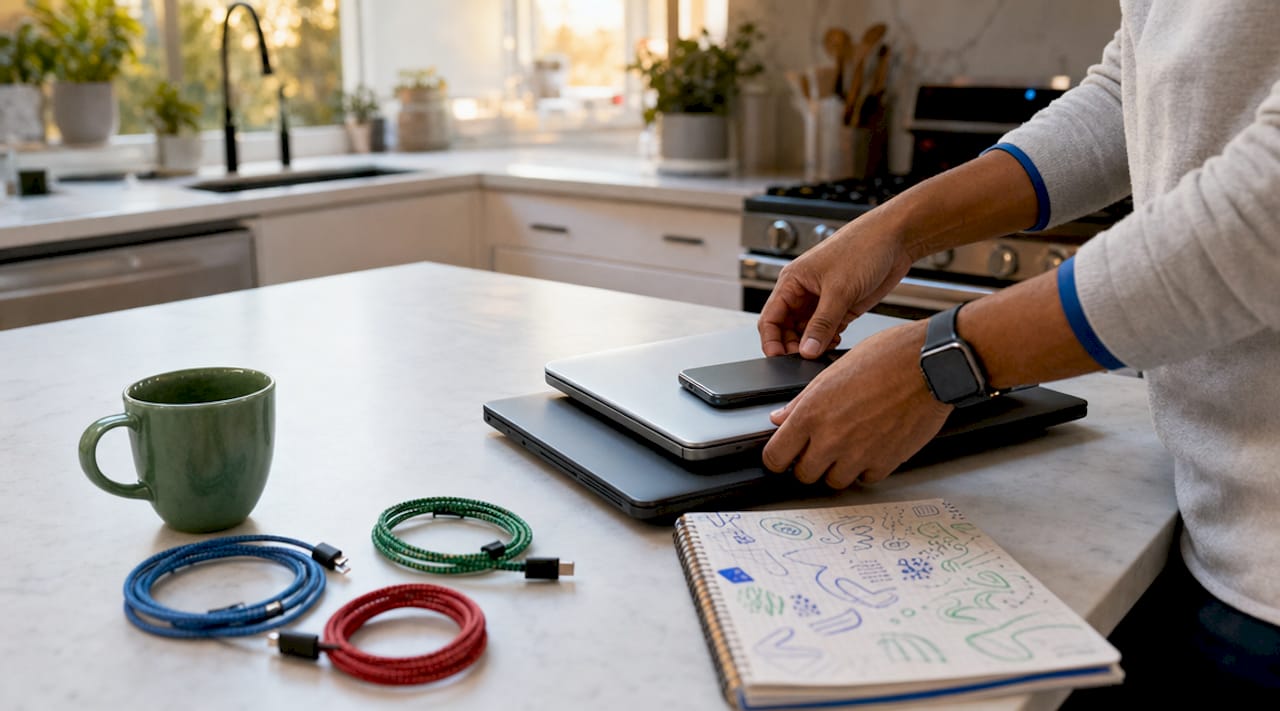
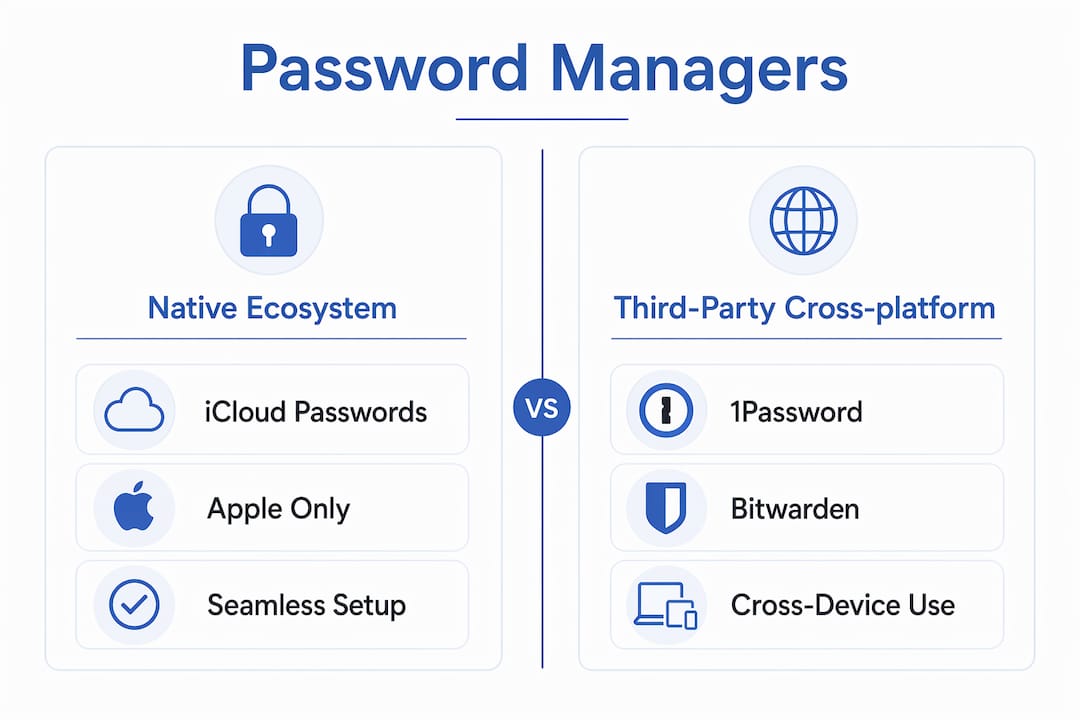
Apple-only households can rely on iCloud Passwords with Shared Groups effectively. The setup is frictionless, native passkey support works out of the box, and there is no extra app to install or subscription to manage beyond what Apple already provides. For families already deep in the Apple ecosystem, this is a genuinely strong option with minimal overhead.
Mixed-device families need a different approach entirely. Third-party managers like 1Password and Bitwarden provide consistent cross-platform sync across iOS, Android, Windows, macOS, and Linux. That consistency matters when your teenager uses an Android phone and your spouse works on a Windows PC.
Here is a quick breakdown of ecosystem fit:
| Household type | Best fit | Key reason |
|---|---|---|
| All Apple devices | iCloud Passwords | Native integration, no extra app needed |
| Mixed Apple and Android/Windows | 1Password or Bitwarden | Consistent sync across all platforms |
| Android-first households | Bitwarden | Open-source, strong Android support |
| Privacy-focused, tech-comfortable | Bitwarden | Self-hosting option available |
Passkey synchronization adds another layer to this decision. Apple’s iCloud Passwords handles passkeys natively within its ecosystem. 1Password treats passkeys as shareable items, which is a meaningful advantage for families who want to share passkey-protected accounts. Bitwarden supports passkeys but has some limitations with Android native passkey usage that are worth checking before you commit.
Pro Tip: Before choosing a family plan, list every device your household uses. If even one person runs Android or Windows regularly, skip the native Apple option and go with a third-party manager.
The trade-off is real. Native ecosystem managers offer frictionless setup but limited reach. Third-party managers require everyone to install a new app, but they deliver a uniform experience regardless of what device someone picks up.
What privacy and security risks should families watch for?
Privacy inside a family plan is not automatic. The manager’s architecture determines whether your personal logins stay truly private or become accessible to whoever manages the family account.
Separate vaults per person preserve accountability and reduce risk. When each member has their own vault, a compromised family organizer account does not expose everyone’s private credentials. This separation also matters practically. Adults in a household often have financial, medical, or work-related logins they reasonably want to keep private from other family members, including their kids.
Database-sharing models that rely on a single encrypted file shared via cloud storage lack permission controls entirely. This all-or-nothing access model means that if you share the database, you share everything in it. These setups are unsuitable for most families and should be avoided.
Recovery options deserve serious attention before you sign up. Without a recovery role, a family member who forgets their master password in a zero-knowledge system faces permanent data loss. Look for these features specifically:
- A family organizer or admin role that can initiate account recovery without accessing private vault contents
- Emergency access contacts that allow a trusted person to request access after a waiting period
- Account recovery keys stored securely offline as a backup
Security best practices for families in 2026 go beyond just picking the right manager. Each member should use a unique, strong master password. The family organizer role should go to the most technically confident adult in the household. Shared vault items should be reviewed periodically to remove stale credentials.
Family plans prioritize recoverability and ease of use in ways that business or team plans do not. Avoid business-tier subscriptions for household use. They add governance and audit features your family does not need and complicate the setup unnecessarily.
How do 1Password, Bitwarden, and iCloud Passwords compare for families?
Choosing among the best password managers for families comes down to five factors: user count, recovery options, passkey support, platform coverage, and price. Here is how the three leading options stack up.
| Feature | 1Password Families | Bitwarden Families | iCloud Passwords |
|---|---|---|---|
| Max users | 5 (add more for a fee) | 6 | Unlimited (Apple ID based) |
| Private vaults | ✅ Yes | ✅ Yes | ✅ Yes |
| Shared vaults | ✅ Yes | ✅ Yes | ✅ Shared Groups |
| Recovery role | ✅ Family organizer | ✅ Emergency access | ⚠️ Limited |
| Passkey sharing | ✅ Shareable items | ⚠️ Limited on Android | ✅ Native Apple only |
| Cross-platform | ✅ Full | ✅ Full | ❌ Apple only |
| Price (approx.) | Higher tier | Lower tier | Free with Apple ID |
1Password’s family plan supports up to 5 users with strong recovery options, passkey sharing as a first-class feature, and full multi-platform support. The trade-off is price. It sits at the premium end of family plan password manager options. For mixed-device households that want polished passkey sharing and reliable recovery, it is the strongest all-around choice.
Bitwarden covers up to 6 users at a lower cost, with open-source transparency and flexible sharing. The user experience is less polished than 1Password, and Android passkey support has some rough edges. For budget-conscious families comfortable with a slightly steeper learning curve, Bitwarden delivers strong value. You can also check Techstacktoday’s detailed password manager reviews for hands-on testing notes on both.
iCloud Passwords is the right answer for Apple-only households. Shared Groups work well, native passkey support is seamless, and the cost is effectively zero for existing Apple users. Step outside the Apple ecosystem and it falls apart quickly. If anyone in your household uses a non-Apple device regularly, this option creates friction rather than removing it. For Apple-specific setup tips, MacBook privacy configuration guides can help you get the most out of iCloud Passwords in shared home environments.
Key takeaways
The right family password manager separates individual vaults from shared spaces, includes a recovery role, and matches your household’s device mix.
| Point | Details |
|---|---|
| Vault architecture matters most | Choose a plan with separate private vaults per member plus a shared household vault. |
| Recovery roles prevent lockouts | A family organizer or emergency access feature is non-negotiable in zero-knowledge systems. |
| Device mix drives the decision | Apple-only homes can use iCloud Passwords; mixed-device families need 1Password or Bitwarden. |
| Avoid single shared accounts | One master account for the whole family eliminates privacy and creates security vulnerabilities. |
| Match plan type to household needs | Family plans outperform business plans for home use due to simpler setup and recovery focus. |
What we’ve learned testing family password managers
After testing and ranking password managers at Techstacktoday, the pattern that stands out most is this: families consistently underestimate how much recovery design matters and overestimate how much raw features matter.
Most people shopping for a family plan focus on price and the feature checklist. They want to know if it supports passkeys, how many users it covers, and whether it has a browser extension. Those things matter. But the families who run into real problems are almost always the ones who set up a plan without a clear recovery role and then hit a wall when someone forgets their master password.
The second thing worth saying plainly: do not let device loyalty override practical judgment. iCloud Passwords is genuinely excellent if your household is all-Apple. But if your teenager switches to Android or your partner uses a Windows work laptop, you will spend more time troubleshooting cross-platform gaps than you saved by not paying for a third-party manager.
The families who get this right tend to do one thing first. They map out every device in the household before they pick a tool. That single step eliminates most of the wrong choices before they happen.
One more thing: the organizational structure of your password manager shapes your family’s security habits over time. A plan that makes sharing too easy trains everyone to share everything. A plan with clear vault separation trains people to think about what actually needs to be shared. That behavioral difference compounds over years.
— TechStackTeam
Find the right password manager for your family
Techstacktoday has hands-on tested and ranked the leading family password managers without paid placements or sponsored rankings. Every score reflects real-world performance across devices, recovery scenarios, and sharing workflows. Start with the best password managers for 2026 to see side-by-side comparisons built for families. For a deeper look at how to set up vaults correctly from day one, the family vault setup guide walks through the full process. Pair your password manager with a VPN for stronger household privacy. Techstacktoday’s VPN reviews cover the top options tested under the same no-paid-ranking standard.
FAQ
What is a family plan password manager?
A family plan password manager is a subscription that gives each household member a private vault plus access to shared vaults for common accounts, all under one billing plan. Most plans cover 5 to 6 users.
How do family plans differ from individual plans?
Family plans add shared vaults, a family organizer recovery role, and multi-user access under one subscription. Individual plans provide only a single private vault with no sharing or recovery features built for households.
Which family password manager works best on mixed devices?
1Password and Bitwarden both provide full cross-platform support across iOS, Android, Windows, and macOS, making either a strong choice for households that mix Apple and non-Apple devices.
Why should families avoid a single shared master account?
A single shared account removes individual privacy and creates a single point of failure. If that account is compromised or the password is lost, every family member loses access to all stored credentials simultaneously.
Do family password managers support passkeys?
Yes, but support varies. 1Password treats passkeys as shareable items across platforms. iCloud Passwords supports passkeys natively within Apple devices. Bitwarden supports passkeys with some limitations on Android native usage.